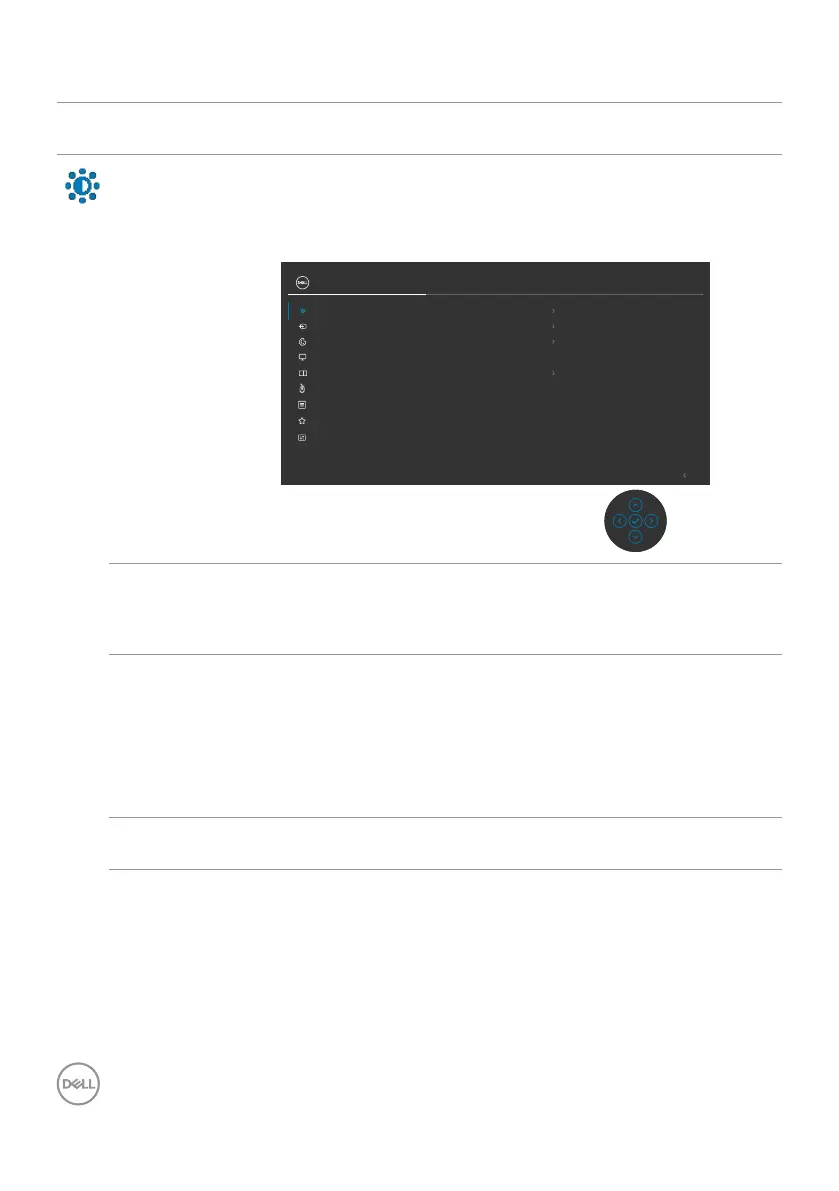
58 | Operating the monitor
Using the main menu
Icon Menu and
submenu
Description
Brightness/
Contrast
Adjust the Brightness, Contrast, Auto Brightness, Auto
Brightness Range Level, Auto Color Temp., Primary
Monitor for Sync and Reset Brightness/ Contrast
functions.
Input Source
Color
Brightness/Contrast
Display
Exit
PIP/PBP
Personalize
Others
Menu
UltraSharp 27 Monitor
Contrast
Auto Brightness
Auto Color Temp.
Reset Brightness/Contrast
Primary Monitor for Sync
Brightness
Auto Brightness Range Level
75
75
O
O
USB
Brightness Adjusts the luminance of the backlight (Range: 0 - 100).
Move the Joystick Up to increase brightness.
Move the Joystick Down to decrease brightness.
Contrast Adjust the Brightness first, and then adjust Contrast only
if further adjustment is necessary.
Move the Joystick Up to increase contrast and Move the
Joystick Down to decrease contrast (Range: 0 - 100).
The Contrast function adjusts the degree of difference
between darkness and lightness on the monitor screen.
Auto Brightness Turns on the Auto Brightness and adjusts the monitor
brightness setting according to the ambient light.



 To Next Page