Back to Contents Page
Setting Up Your Monitor
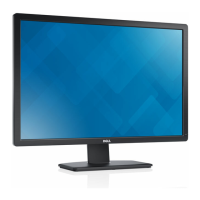
Dell™U3011FlatPanelMonitor
IfyouhaveaDell™desktoporaDell™portablecomputerwithinternetaccess
1. Go to http://support.dell.com,enteryourservicetag,anddownloadthelatestdriverforyourgraphicscard.
2. After installing the drivers for your Graphics Adapter, attempt to set the resolution to 2048 x 1280 (VGA input source) / 2560 x 1600 (DVI/DisplayPort input
sources) / 1920 x 1200 (HDMI input source) again.
Back to Contents Page
NOTE: If you are unable to set the resolution to 2048 x 1280 (VGA input source) / 2560 x 1600 (DVI/DisplayPort input sources) / 1920 x 1200 (HDMI input
source),pleasecontactDell™toinquireaboutaGraphicsAdapterthatsupportstheseresolutions.












 To Next Page