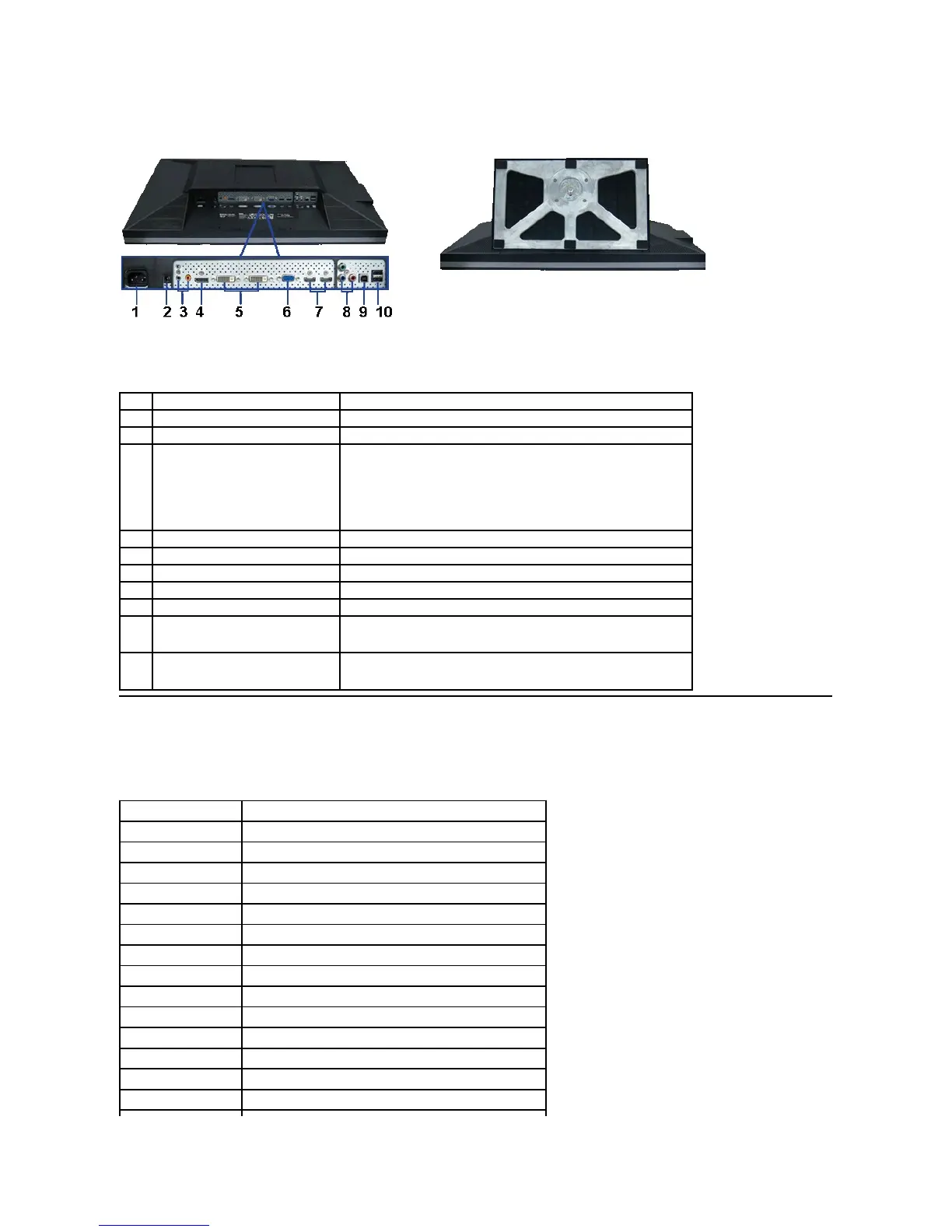
Bottom View
Monitor Specifications
Flat Panel Specifications
Bottom view with monitor stand
DC power connector for Dell Soundbar
Connect the power cord for the soundbar (optional).
Connect the HDMI 2.0 channel or DisplayPort 2.0 channel or 5.1 channel
audio output devices.
Connectthefrontleft/rightchanneloutputtothegreenconnector.Usethis
connector for 2.0/2.1 channel audio connection.
Connect the rear left/right channel output to the black connector. Use this
connector for 5.1 channel audio connection.
Connectthecenter/subwooferchanneloutputtotheorangeconnector.Use
this connector for 5.1 channel audio connection.
Connect your computer DisplayPort cable.
Connect your computer DVI (Dual link) cable.
Connect your computer VGA cable.
Connect devices such as a DVD player or set-top box.
Component video connectors
Connect devices such as a DVD player, set-top box, or cable TV box.
Connect the USB cable that came with your monitor to the monitor and the
computer. Once this cable is connected, you can use the USB connectors on
the side and bottom of the monitor.
Connect your USB devices. You can only use this connector after you have
connected the USB cable to the computer and USB upstream connector on
the monitor.
178°(vertical)typical,178°(horizontal)typical
1000 to 1 (typical), 100,000 to 1 (max, Dynamic Contrast on)
Antiglare with hard-coating 3H
Direct Light Type_18 CCFL
GTG AVR 7 ms / GTG_MAX 17 ms












 To Next Page