10 | About Your Monitor
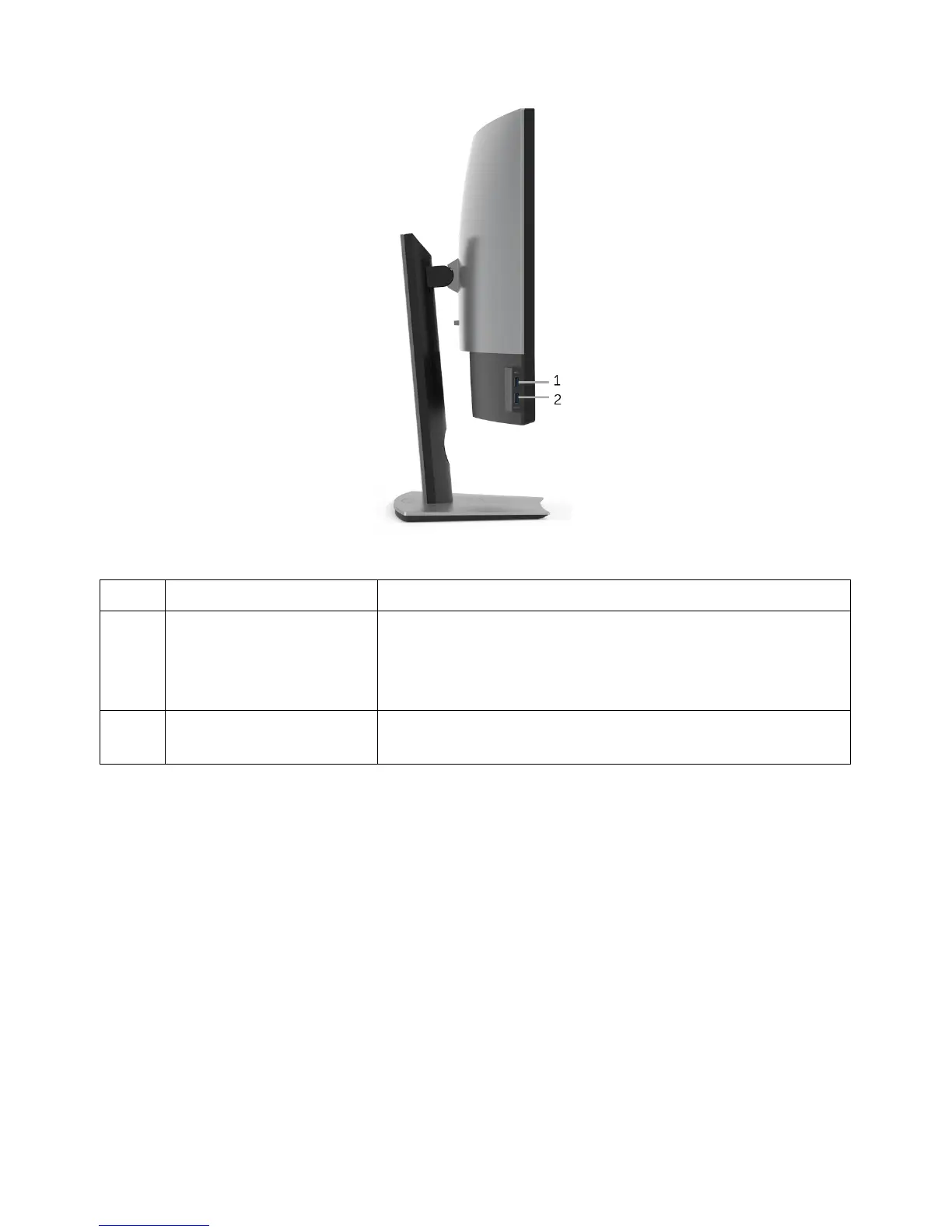
Side View
Description Use
1 USB downstream port Connect your USB device. You can only use this
conn
ector after you have connected the USB cable to
the computer and USB upstream connector on the
monitor.*
2 USB downstream port
with Power
Charging
Connect to charge your device.
* To avoid signal interference, when a wireless USB device has been connected to a USB
downstream port, it is NOT recommended to connect any other USB devices to the
adjacent port(s).
Label













 To Next Page