30 | Setting Up the Monitor
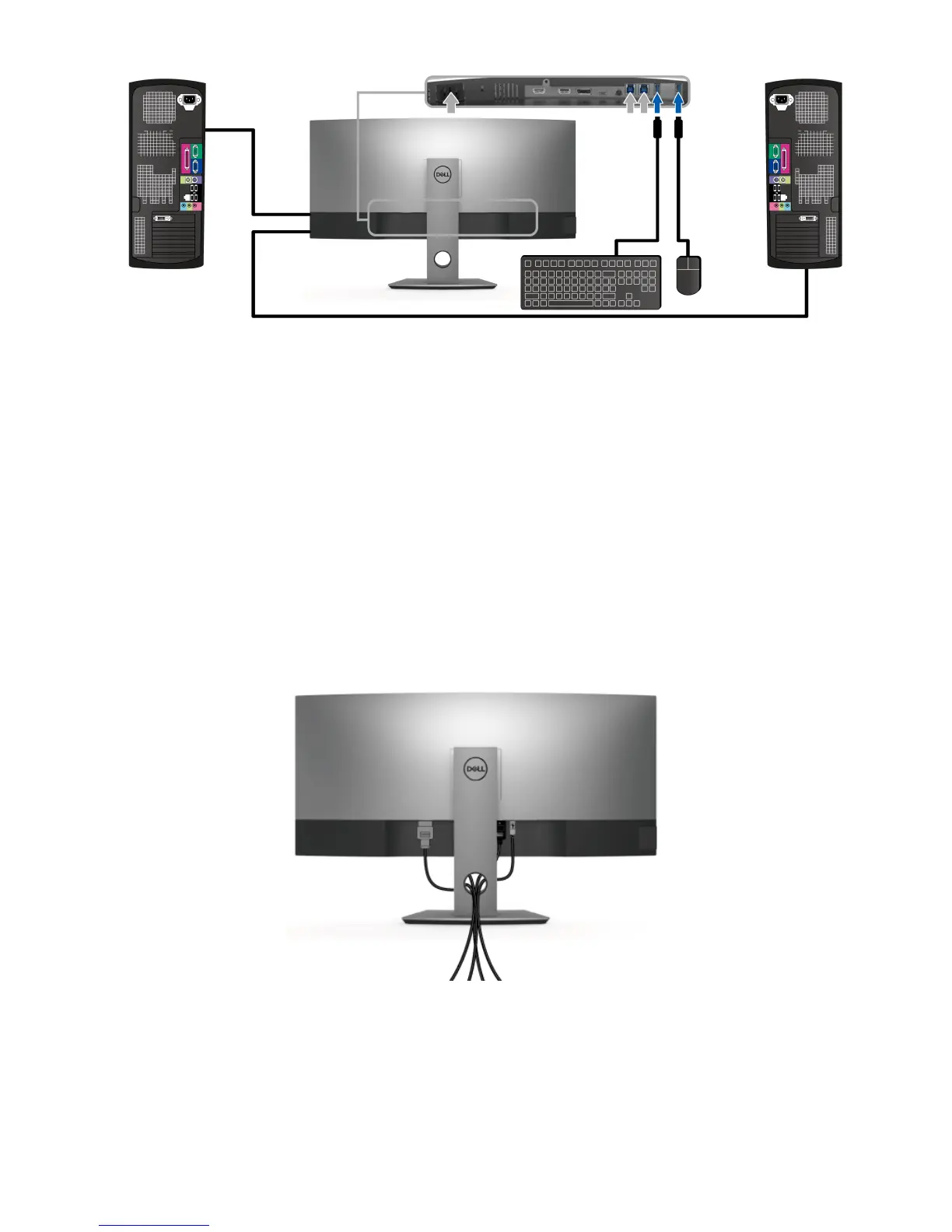
* When connecting two computers to the monitor, the monitor's USB downstream ports
for the keyboard and mouse can be assigned to different input signals from the two
computers by changing the USB Selection settings from the OSD menu. (See
USB
Selection
for details).
4 T
urn On the monitor and the computer(s).
If your monitor displays an image, installation is complete. If it does not display an
image, see
Universal Serial Bus (USB) Specific Problems
.
5 Use the ca
ble slot on the monitor stand to organize the cables.
Organizing Your Cables
After attaching all necessary cables to your monitor and computer, (See
Connecting Your
Monitor
for cable attachment,) organize all cables as shown above.
b. Connect two computers













 To Next Page