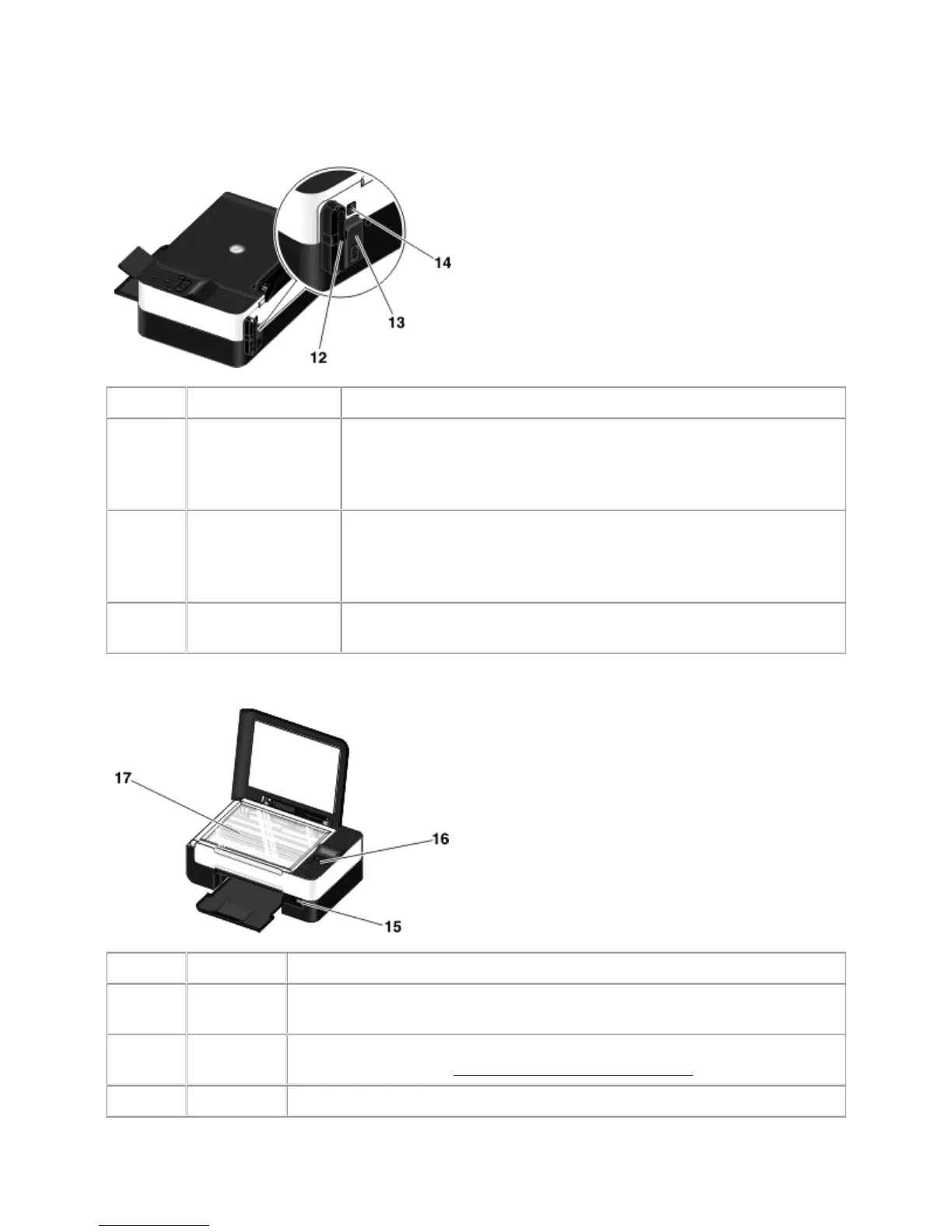
Number:
Part: Description:
12 Dell Internal
Network Adapter
A networking device to set up your printer on a wireless network.
NOTE: Your printer model may not have wireless capability and may
not have this device.
13 Power connector Slot into which you plug the power cable.
CAUTION: Insert the power cable into the printer before
connecting the power cable into the wall outlet.
14 USB connector Slot into which you plug the USB cable (sold separately). The other
end of the USB cable plugs into your computer.
Number:
Part: Description:
15 PictBridge
port
The port into which you attach the connector of a PictBridge-enabled digital
camera, Bluetooth™ adapter, or a USB key.
16 Operator
panel
Panel on the printer you use to control copying, scanning, and printing. For
more information, see Understanding the Operator Panel.
17 Scanner Surface on which you place your document or photo face down to copy or



 To Next Page