Number:
Part: Description:
glass scan it.
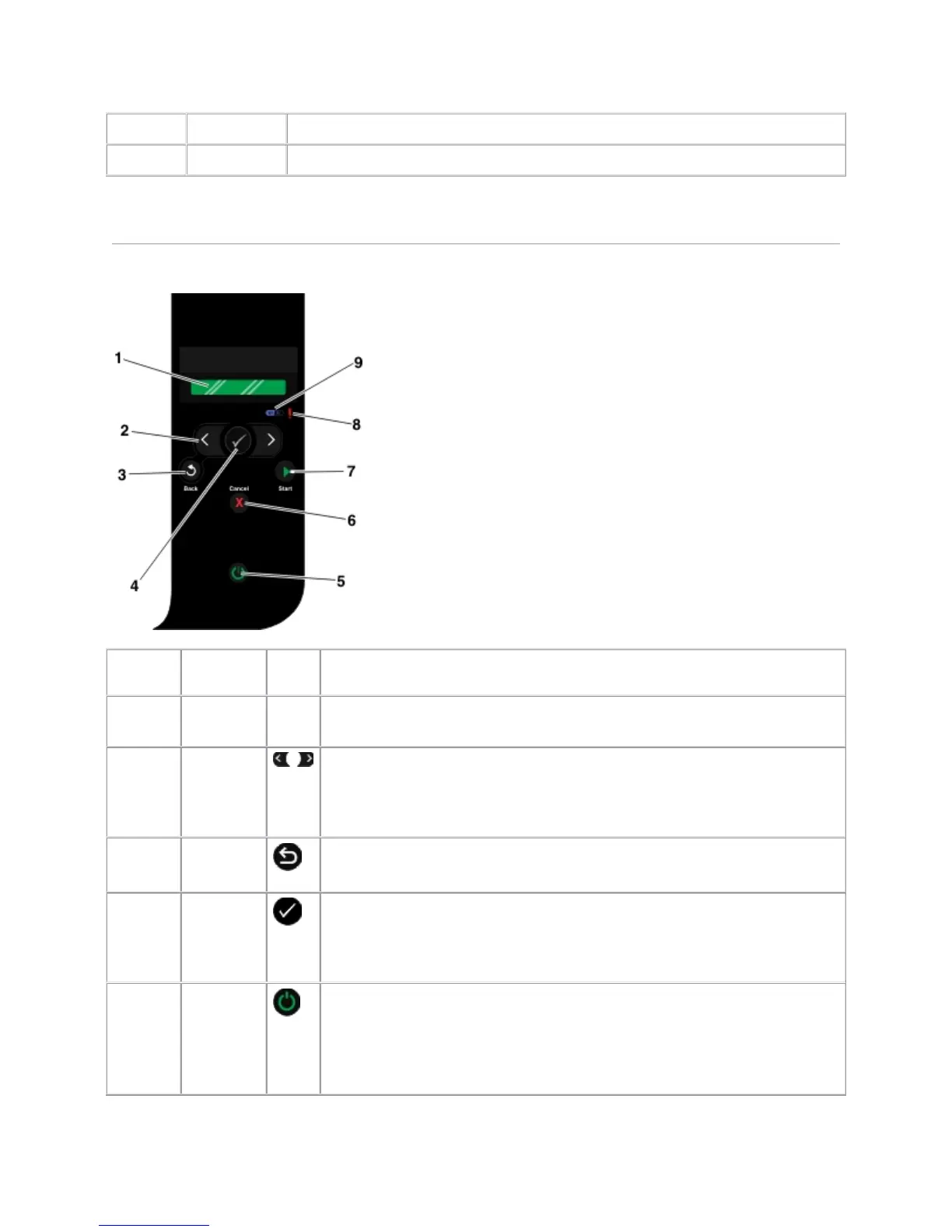
UnderstandingtheOperatorPanel
Number
Use the: To:
1 Display
View scanning, copying, and printing options as well as status and error
messages.
2 Arrow
buttons
Scroll through modes, menus, and menu items.
Increase or decrease a numeric value option.
Scroll through photos and Microsoft
®
Office files on a memory card or
digital camera.
3 Back
button
Return to the previous menu.
4 Select
button
Access the currently displayed menu.
Select a menu option.
Initiate a paper feed or paper eject by holding the button for three
seconds.
5 Power
button
Turn your printer on or off.
NOTE: Pressing the power button does not turn off your printer if a
PictBridge camera with an active session is inserted into the PictBridge
port.



 To Next Page