Faxing
CAUTION—SHOCK HAZARD: Do not use the fax feature during a lightning storm. Do not set up this product
or make any electrical or cabling connections, such as the power supply cord or telephone, during a lightning
storm.
Setting up the printer to fax
Scenario 1: Standard telephone line
Check the scenarios below and follow the setup that is applicable to your telephone line.
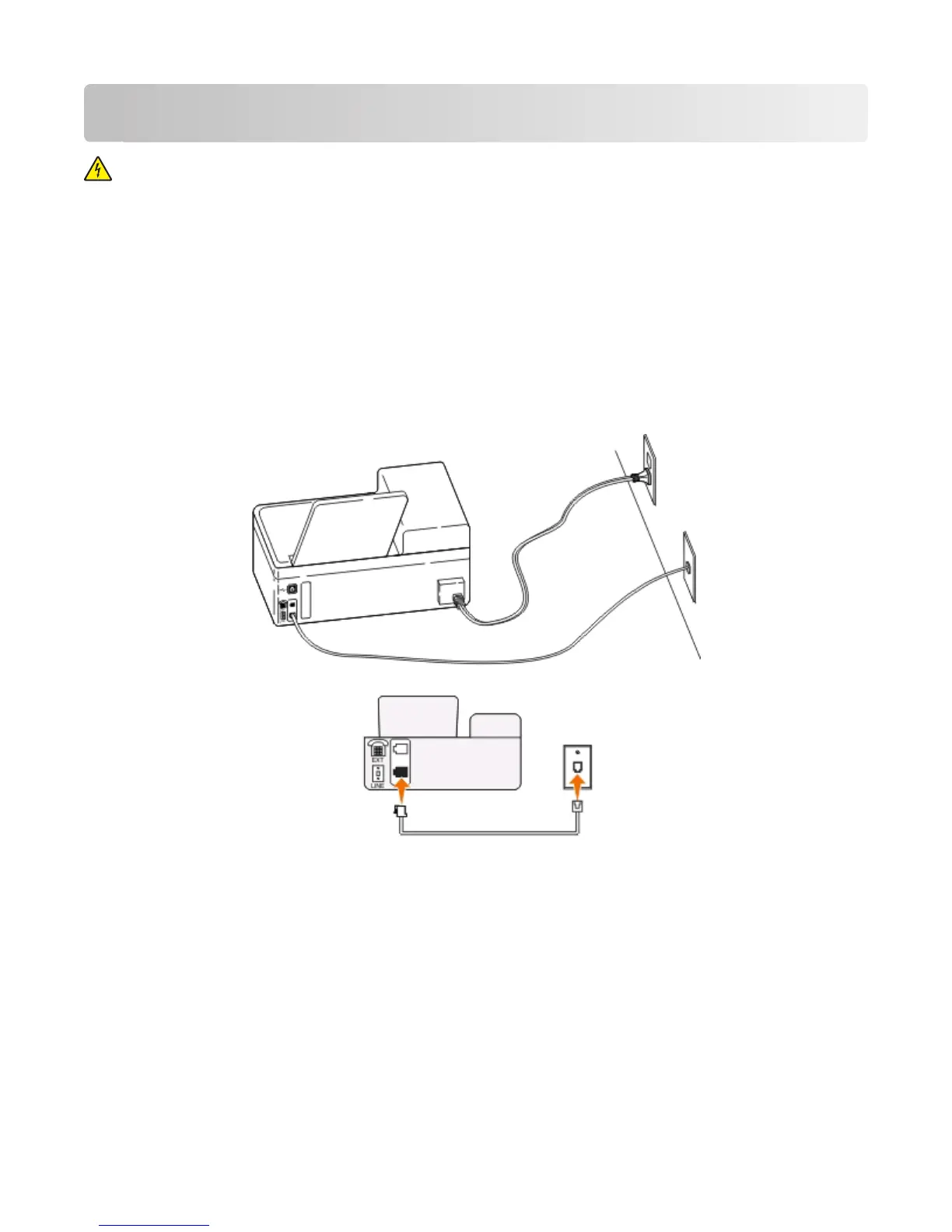
Setup 1: Printer is connected to a dedicated fax line
Tips for this setup:
•
You can set the printer to receive faxes automatically (Auto Answer On) or manually (Auto Answer Off).
• If you want to receive faxes automatically (Auto Answer On), then you may set the printer to pick up on any
number of rings that you want.
Faxing
65











 To Next Page