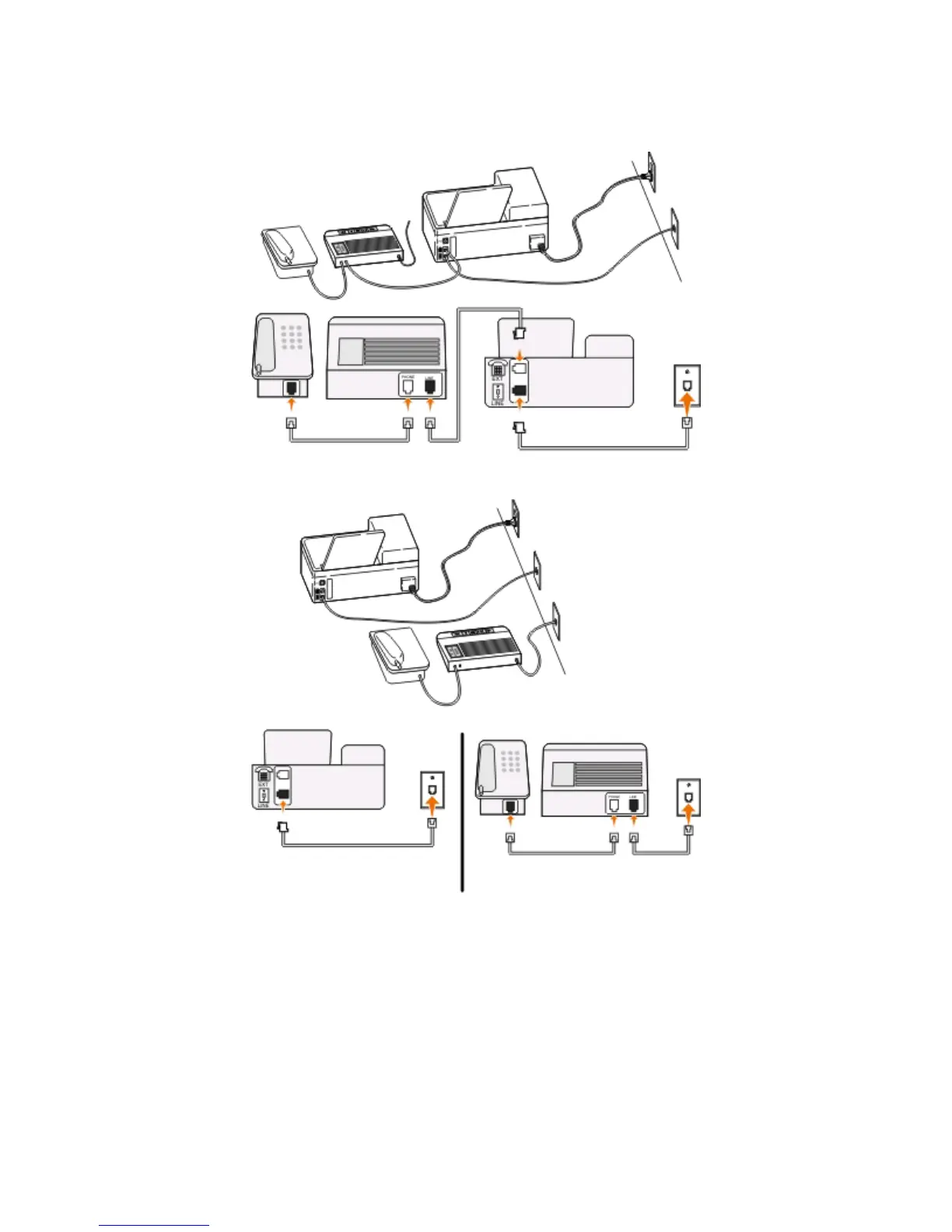
Setup 2: Printer is sharing the line with an answering machine
Connected to the same telephone wall jack
Connected to different wall jacks
Tips for this setup:
•
If you have only one telephone number on your line, or if you do not subscribe to a distinctive ring service, then
you need to set the printer to receive faxes automatically (Auto Answer On).
• Set the printer to pick up calls two rings after the answering machine. For example, if the answering machine
picks up calls after four rings, then set the printer to pick up after six rings. This way, the answering machine picks
up calls first and your voice calls are received. If the call is a fax, then the printer detects the fax signal on the line
and takes over the call.
Faxing
66











 To Next Page