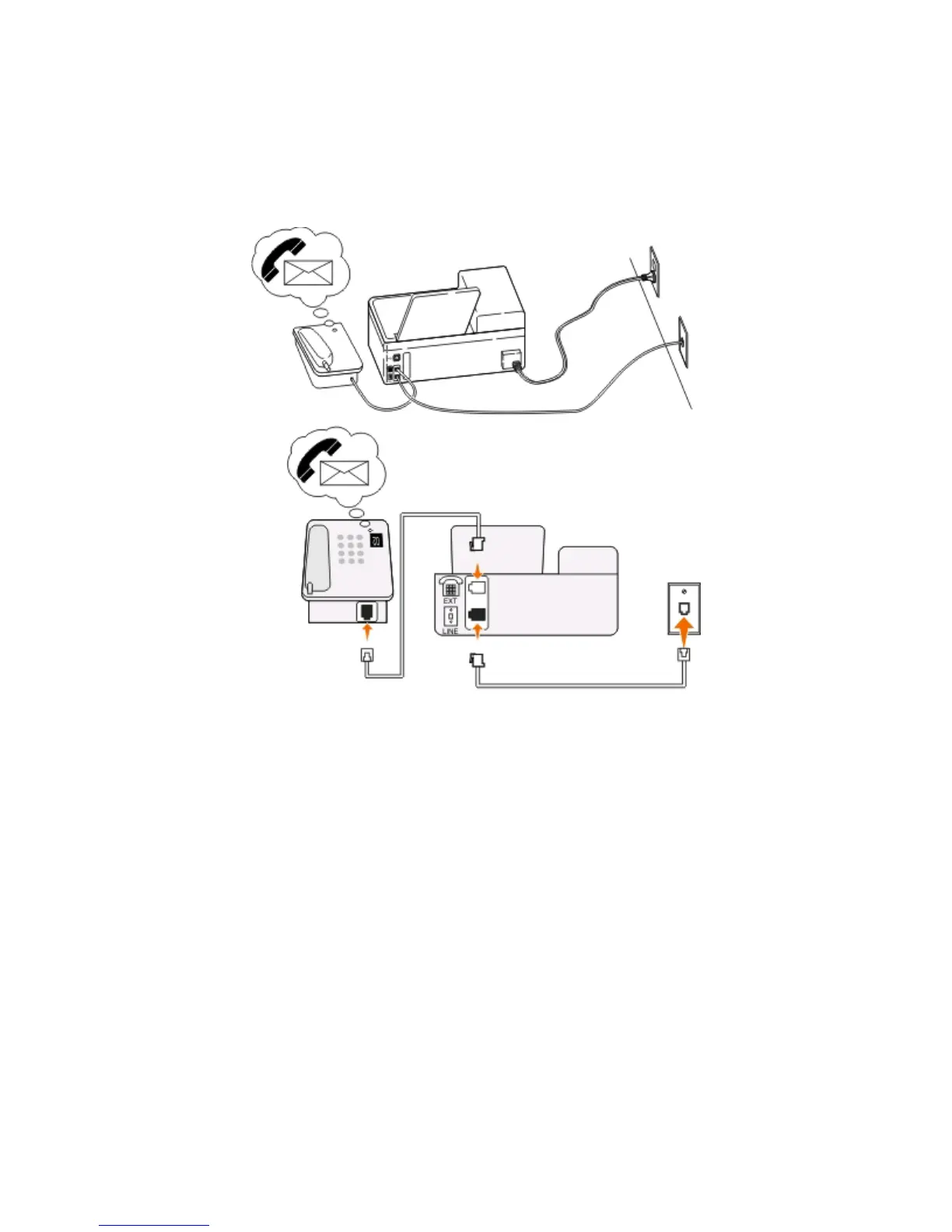
• If you subscribe to a distinctive ring service provided by your telephone company, then make sure that you set
the correct ring pattern for the printer. Otherwise, the printer will not receive faxes even if you have set it to
receive faxes automatically.
Setup 3: Printer is sharing the line with a telephone subscribed to voice mail
service
Tips for this setup:
•
This setup works best if you subscribe to a distinctive ring service. If you have distinctive ring service, then make
sure that you set the correct ring pattern for the printer. Otherwise, the printer will not receive faxes even if you
have set it to receive faxes automatically.
• If you have only one telephone number on your line, or if you do not have distinctive ring service, then you need
to set the printer to receive faxes manually (Auto Answer Off).
When you answer the telephone and you hear fax tones, press *9* or the manual answer code on the telephone
to receive the fax.
• You can also set the printer to receive faxes automatically (Auto Answer On), but you need to turn off the voice
mail service when you are expecting a fax. This setting works best if you are using voice mail more often than fax.
Faxing
67











 To Next Page