Printhead Cannot Move
Try one or more of the following:
• Open the printer to remove any obstructions to the printhead, and then close the printer.
• Press to clear the message.
Printhead Error
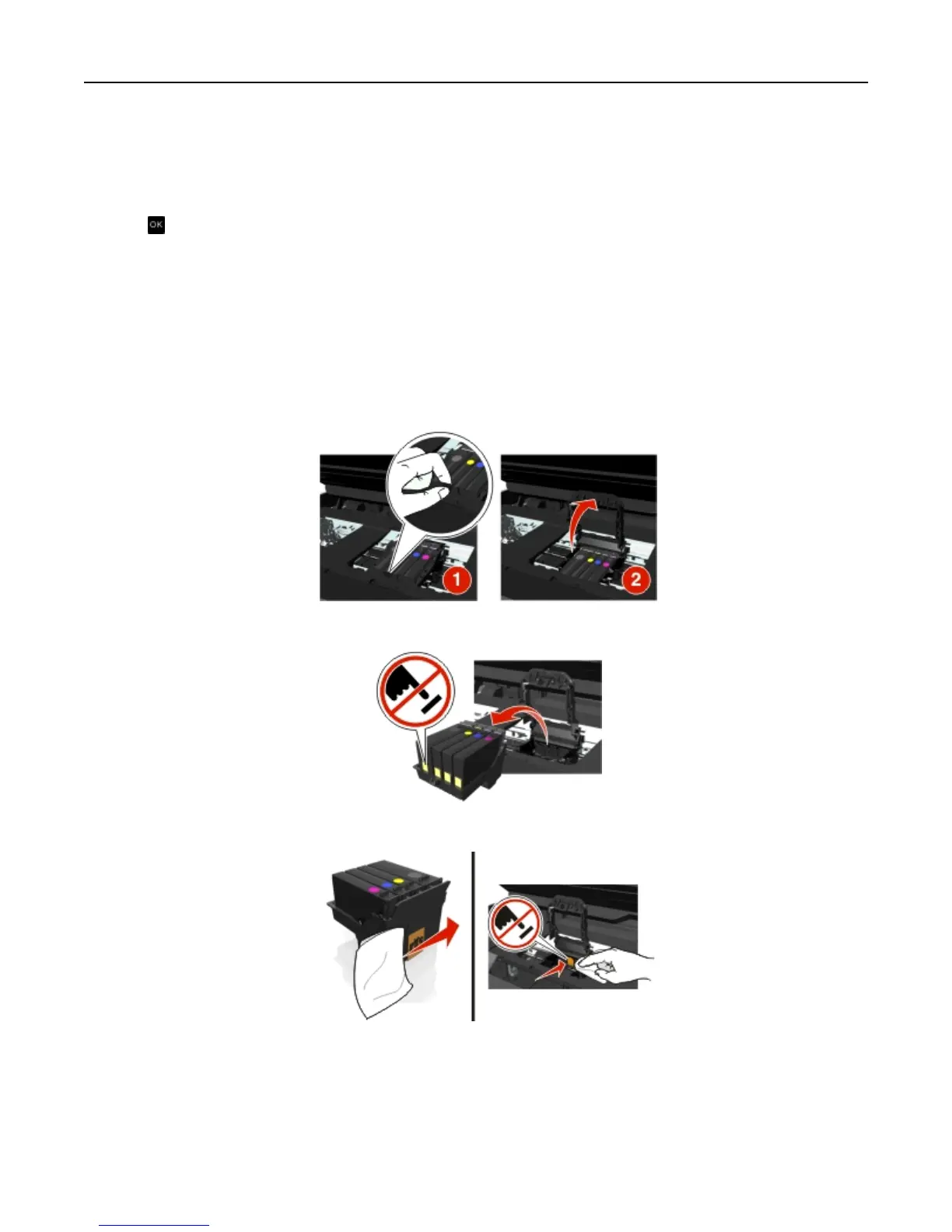
Remove and reinsert the printhead
Warning—Potential Damage: Do not touch the cartridge contacts with bare hands to avoid damage and print
quality problems.
1 Open the printer, and then lift the latch.
2 Remove the printhead.
3 Wipe the printhead contacts and the contacts inside the printhead carrier using a clean, lint‑free cloth.
Troubleshooting 129












 To Next Page