Loading paper and original documents
Loading paper
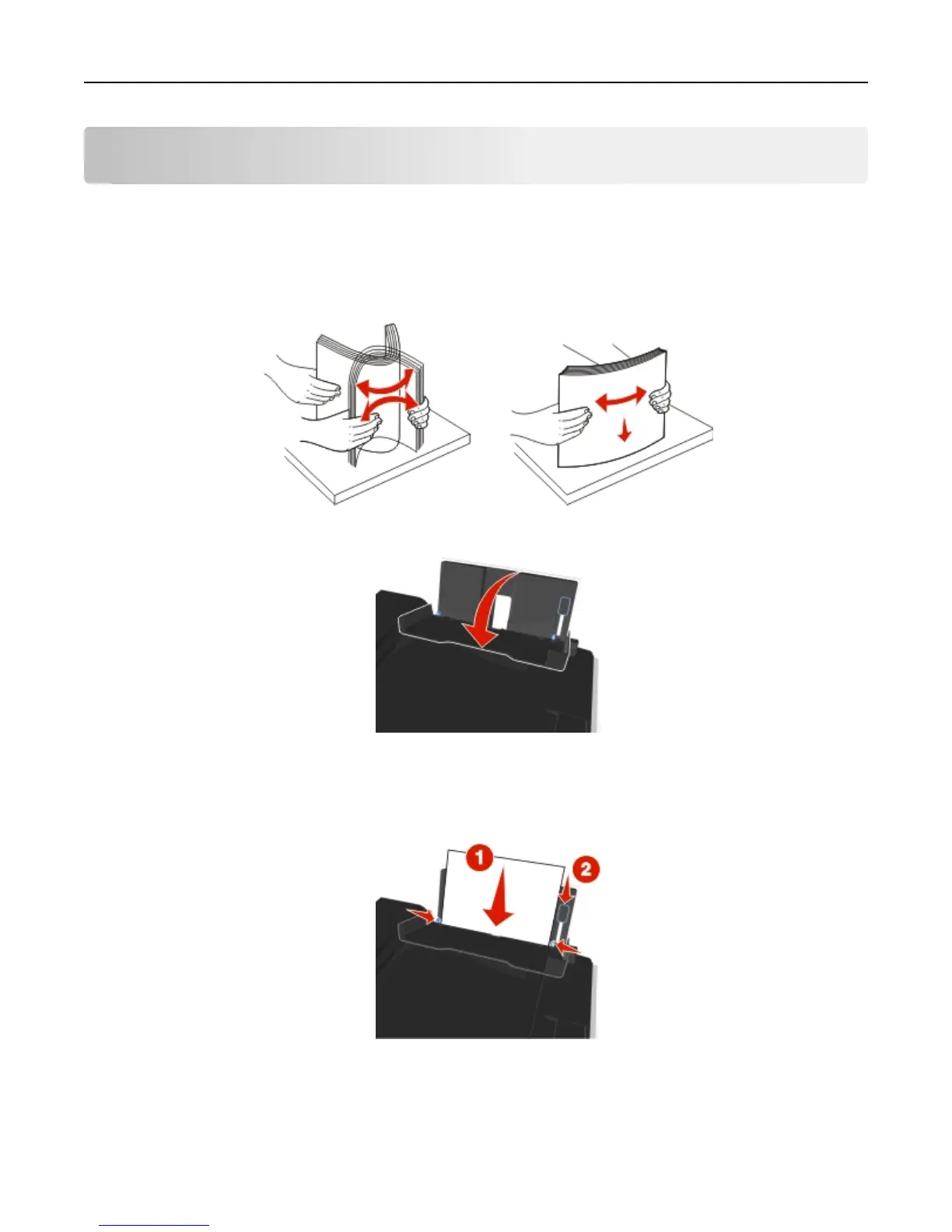
1 Flex the sheets back and forth to loosen them.
Do not fold or crease the paper. Straighten the edges of the stack on a level surface.
2 Open the paper feed guard.
3 Place the paper at the center of the paper support.
Note: Use the indicators on the paper support when loading smaller‑size paper.
4 Adjust the paper guides so they rest against the edges of the paper.
Note: Do not force paper into the printer. The paper should be flat against the paper support, and the edges
should be flush against both paper guides.
Loading paper and original documents 29












 To Next Page