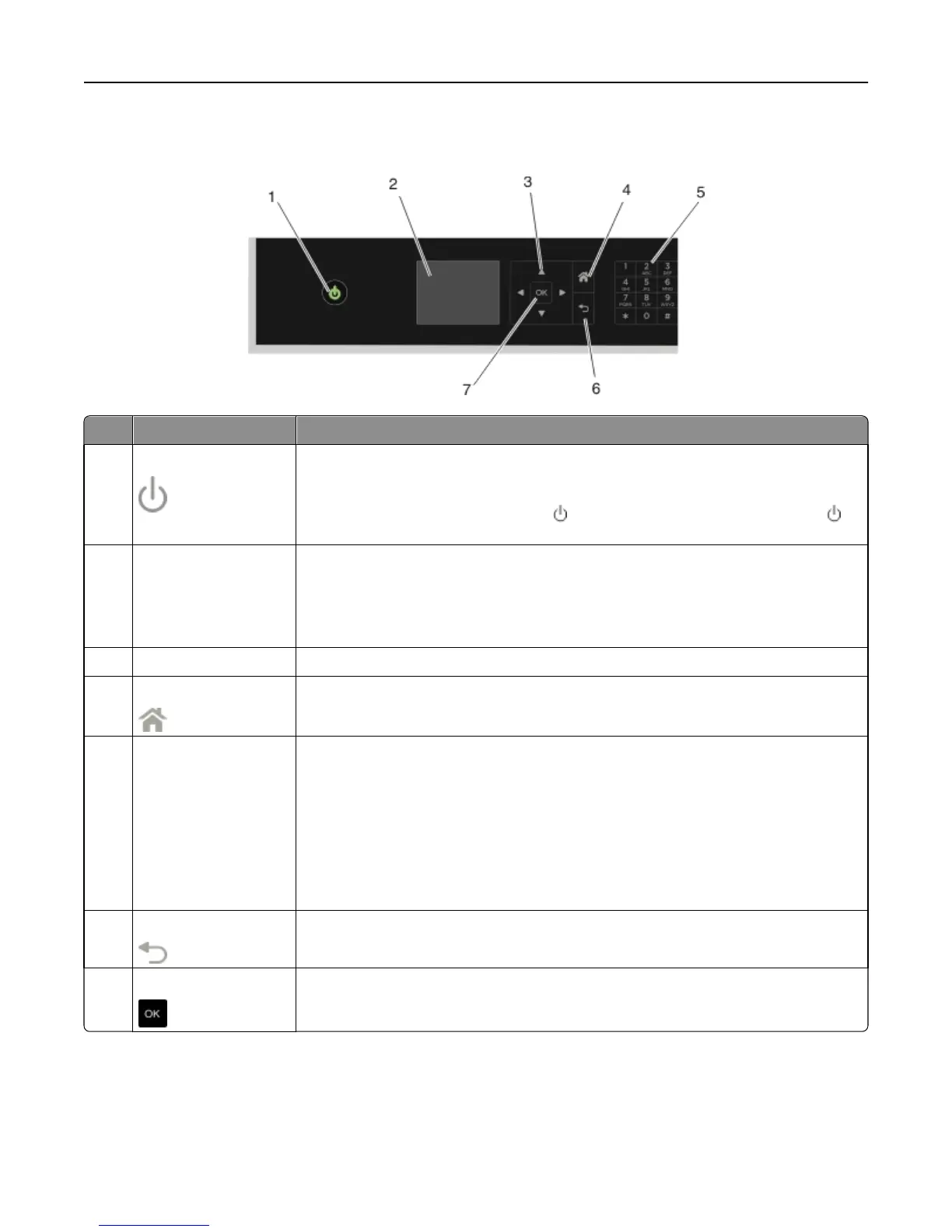
Using the printer control panel
Use To
1 Power
• Turn the printer on and off.
• Switch to Sleep mode.
Note: When the printer is on, press
to switch to Sleep mode. Press and hold for
three seconds to turn off the printer.
2 Display
Note: The display is
turned off in Sleep
mode.
View:
• Printer status
• Messages
• Menus
3 Arrow buttons Navigate through menu items that appear on the display.
4 Home
Return to the home screen.
5 Keypad In Copy mode or Photo mode:
Enter the number of copies or prints you want to make.
In Fax mode:
• Enter fax numbers.
• Operate an automated answering system.
• Select letters when creating a Speed Dial list.
• Type numbers to enter or edit the date and time shown on the display.
6 Back
• Return to the previous screen.
• Exit from one menu level to a higher one.
7 Select
• Select menu options.
• Save settings.
Using the printer control panel buttons and menus 20












 To Next Page