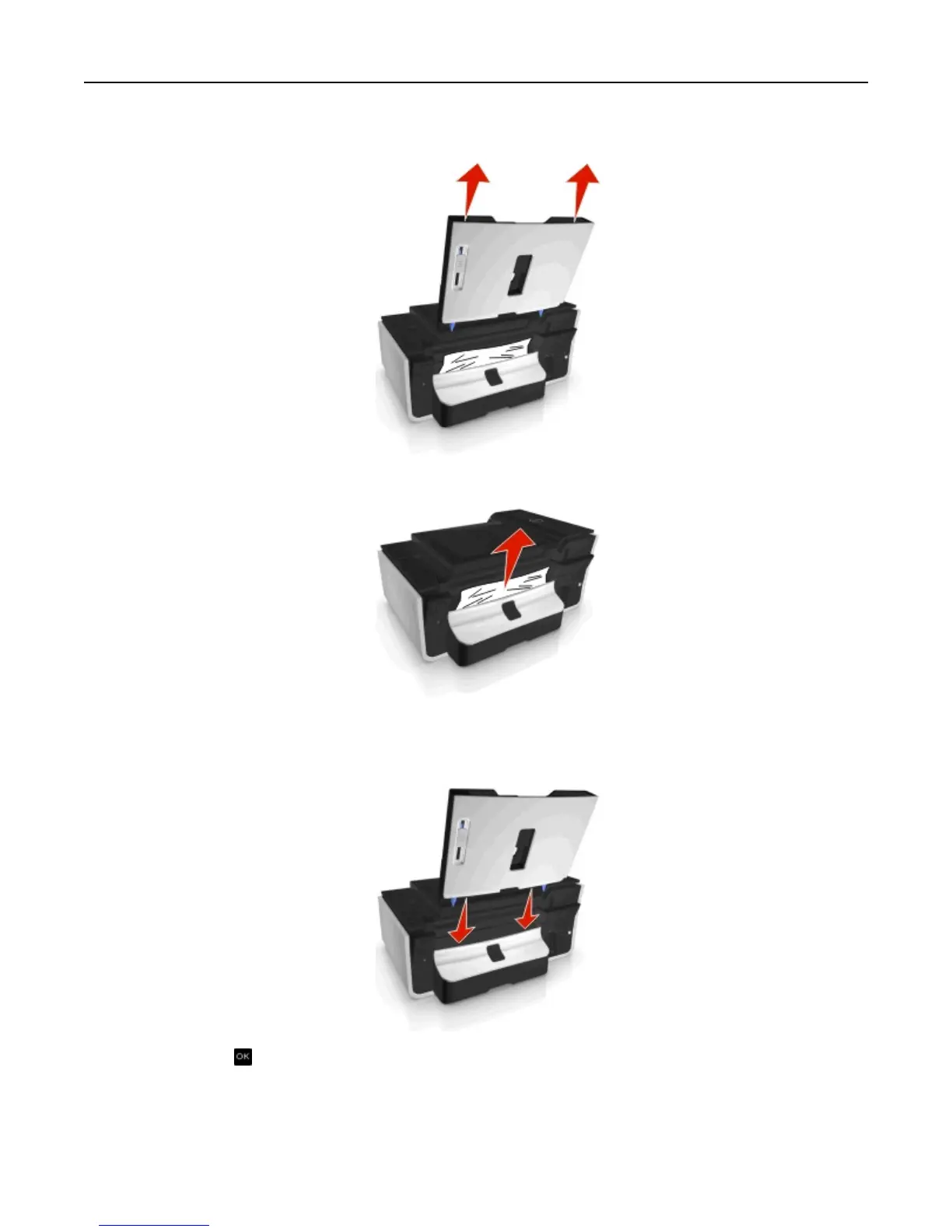
1 Remove the paper support.
2 Firmly grasp the paper, and then gently pull it out.
Note: Make sure all paper fragments are removed.
3 Reattach the paper support until it clicks into place.
4 Touch OK or press , depending on your printer model.
Paper jam in the duplex unit
Note: The parts inside the printer are sensitive. Avoid unnecessarily touching these parts while clearing jams.
Troubleshooting 136












 To Next Page