Printhead Unsupported
Try one or more of the following:
• Turn the printer off, and then turn it back on.
• Install a supported printhead.
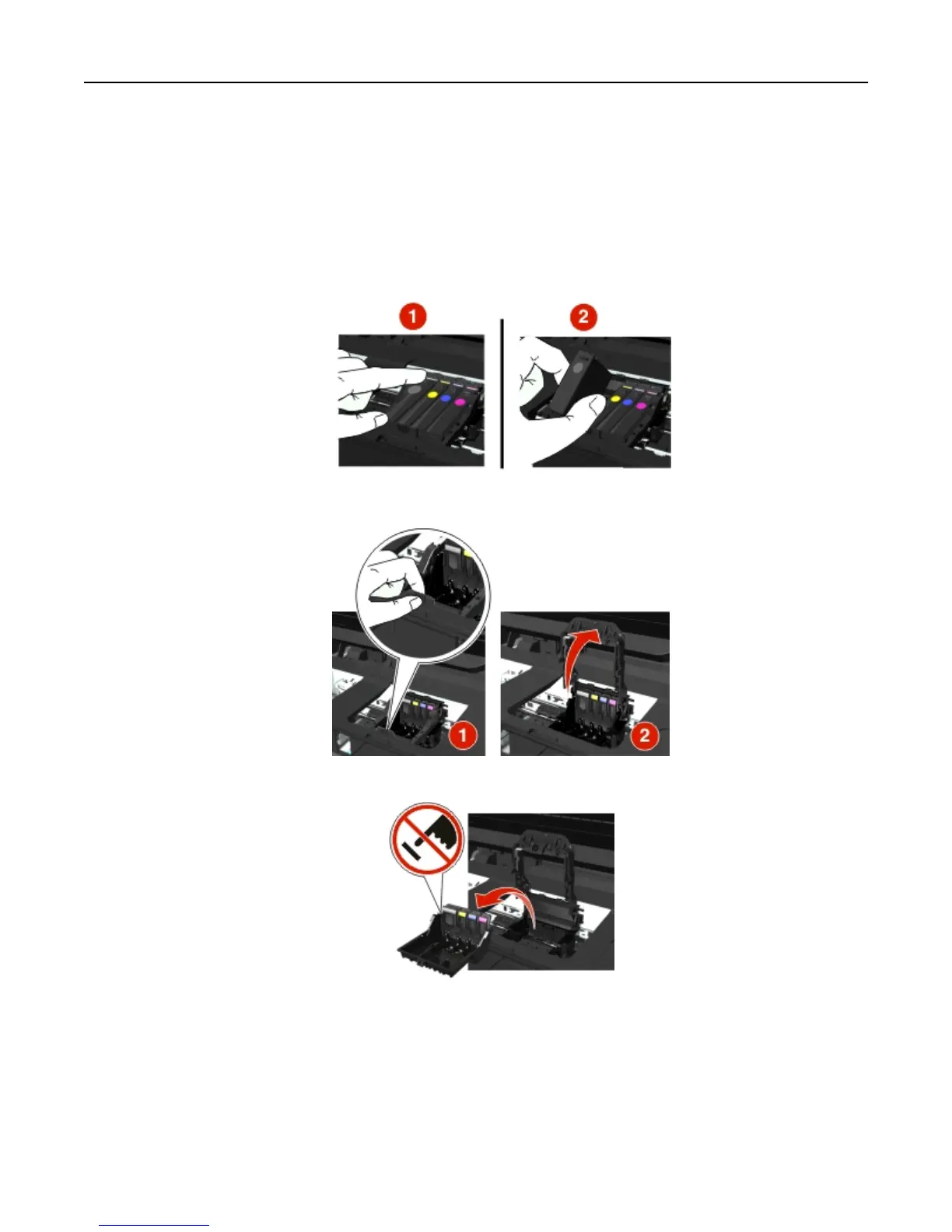
1 Open the printer.
2 Press the release tab, and then remove the cartridges.
3 Lift the carrier latch.
4 Remove the unsupported printhead.
Troubleshooting 131







 To Next Page