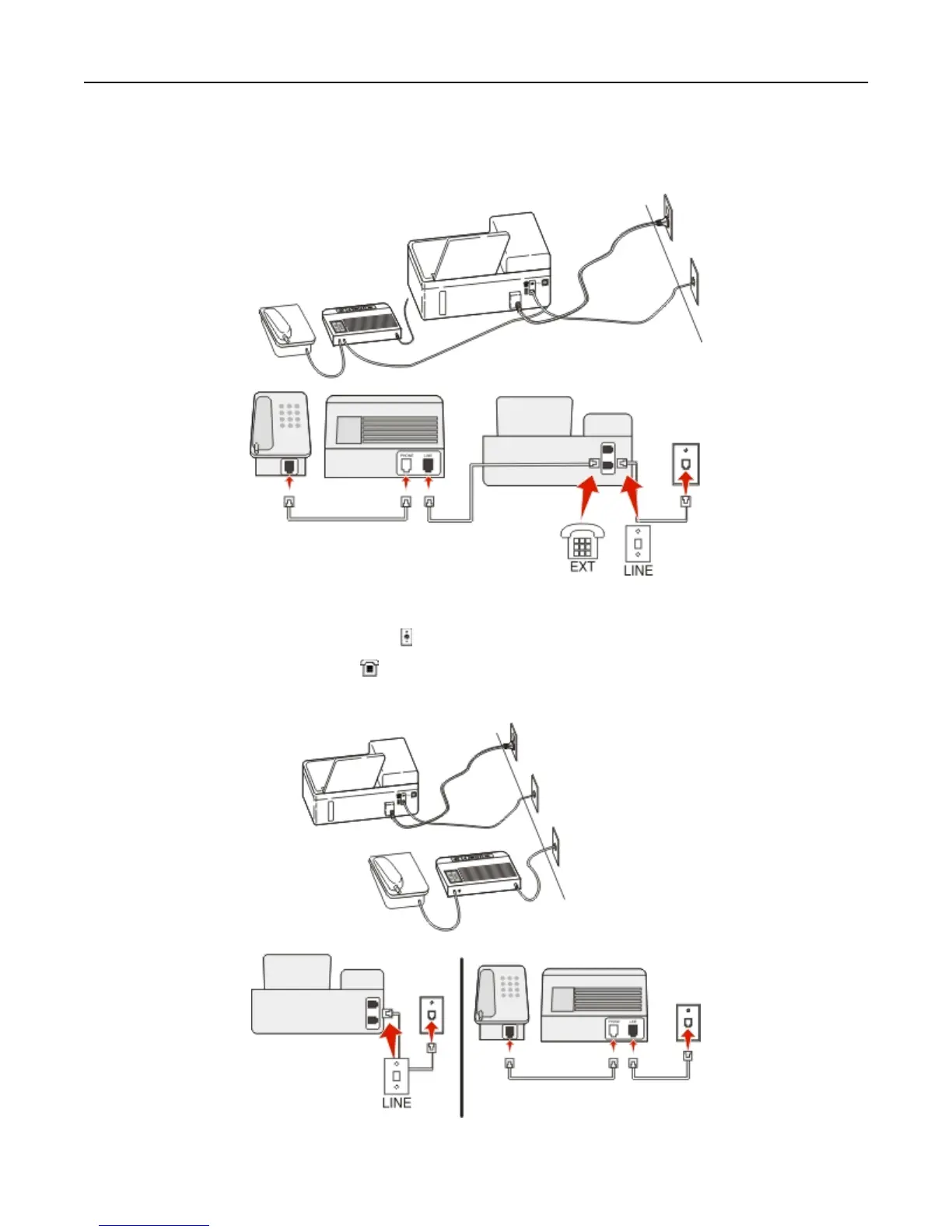
Setup 2: Printer is sharing the line with an answering machine
Connected to the same telephone wall jack
To connect:
1 Connect the cable from the wall jack to the port of the printer.
2 Remove the protective plug from the port of the printer, and then connect the answering machine to the port.
Connected to different wall jacks
Faxing 66



 To Next Page