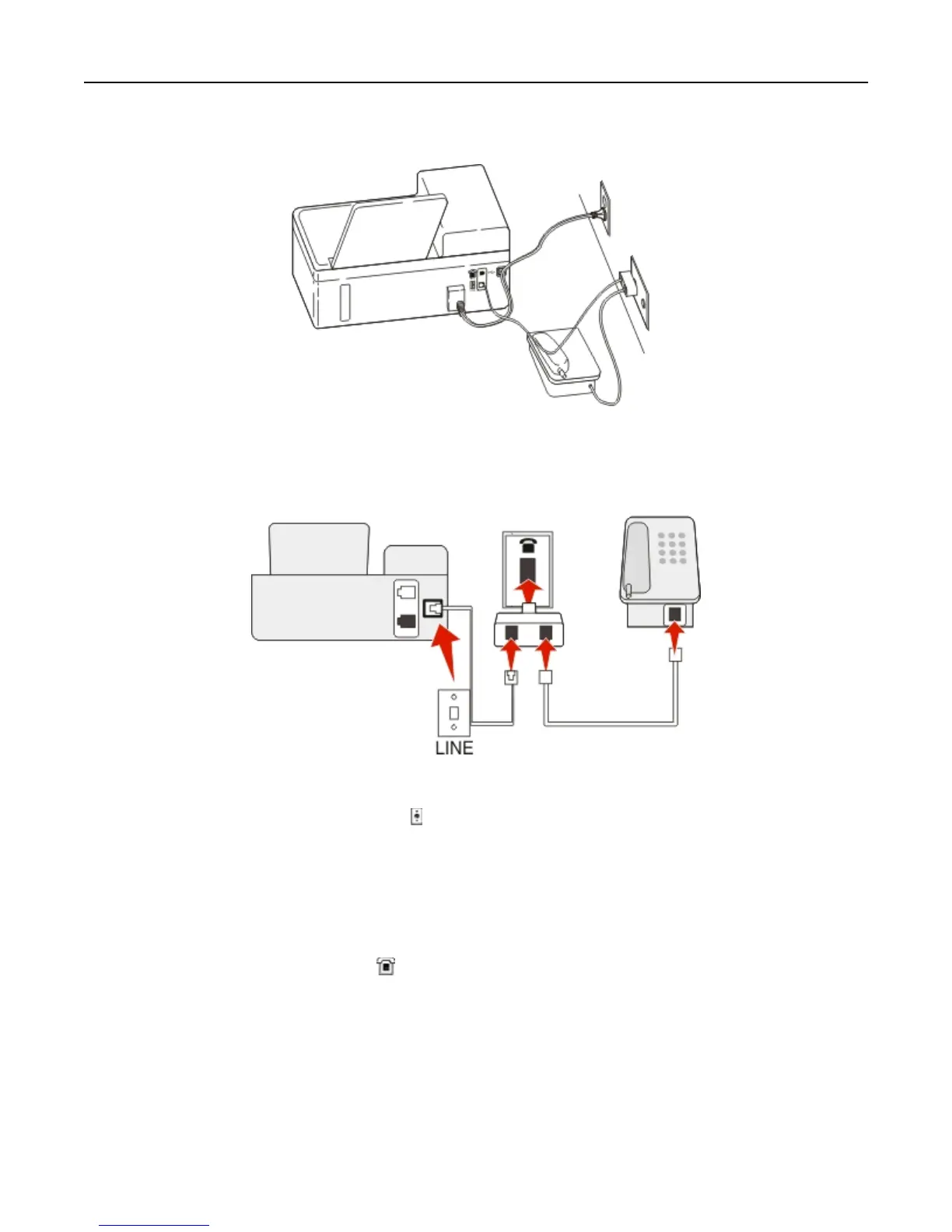
Connecting the printer to a non‑RJ‑11 wall jack
To connect:
1 Connect one end of a telephone cable to the port of the printer.
2 Connect the other end of the cable to the RJ‑11 adapter, and then connect the adapter to the wall jack.
3 If you want to connect another device (telephone or answering machine) to the same wall jack, and if the device
has a non‑RJ 11 connector, then connect it directly to the wall jack.
Notes:
• Do not remove the wrap plug from the port of the printer.
• The printer may not come with an RJ-11 adapter in your country or region.
Faxing 72












 To Next Page