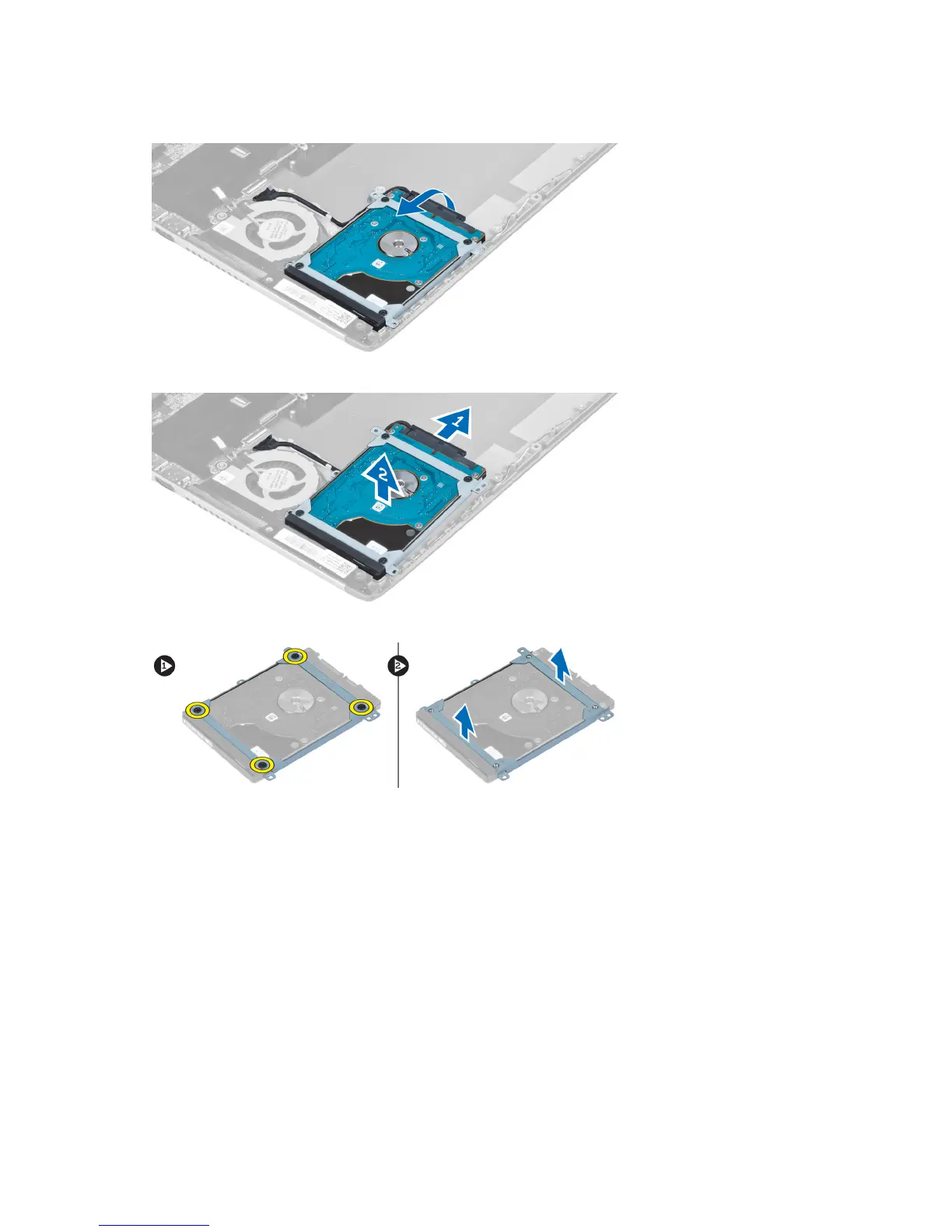
4. Lift the hard drive to disconnect the hard-drive cable.
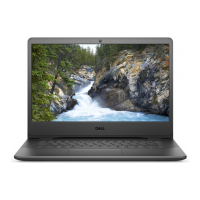
5. Disconnect the hard-drive cable from the hard drive and remove the hard drive from the computer.
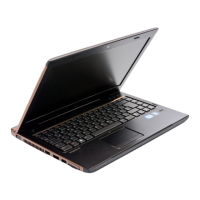
6. Remove the screws that secure the hard-drive bracket to the hard drive and remove the hard drive bracket from it.
Installing the Hard Drive
1. Tighten the screws to secure the hard drive bracket to the hard drive.
2. Connect the hard drive cable to the hard drive and place the hard drive back to its original position on the
computer.
3. Tighten the screws to secure the hard drive to the computer.
4. Install:
a) battery
b) palmrest
c) keyboard
d) access panel
5. Follow the procedures in
After Working Inside Your Computer
.
20


 To Next Page