e) access panel
5. Follow the procedures in
After Working Inside Your Computer
.
Removing the Display Bezel
1. Follow the procedures in
Before Working Inside Your Computer
.
2. Remove:
a) access panel
b) keyboard
c) palmrest
d) battery
e) display assembly
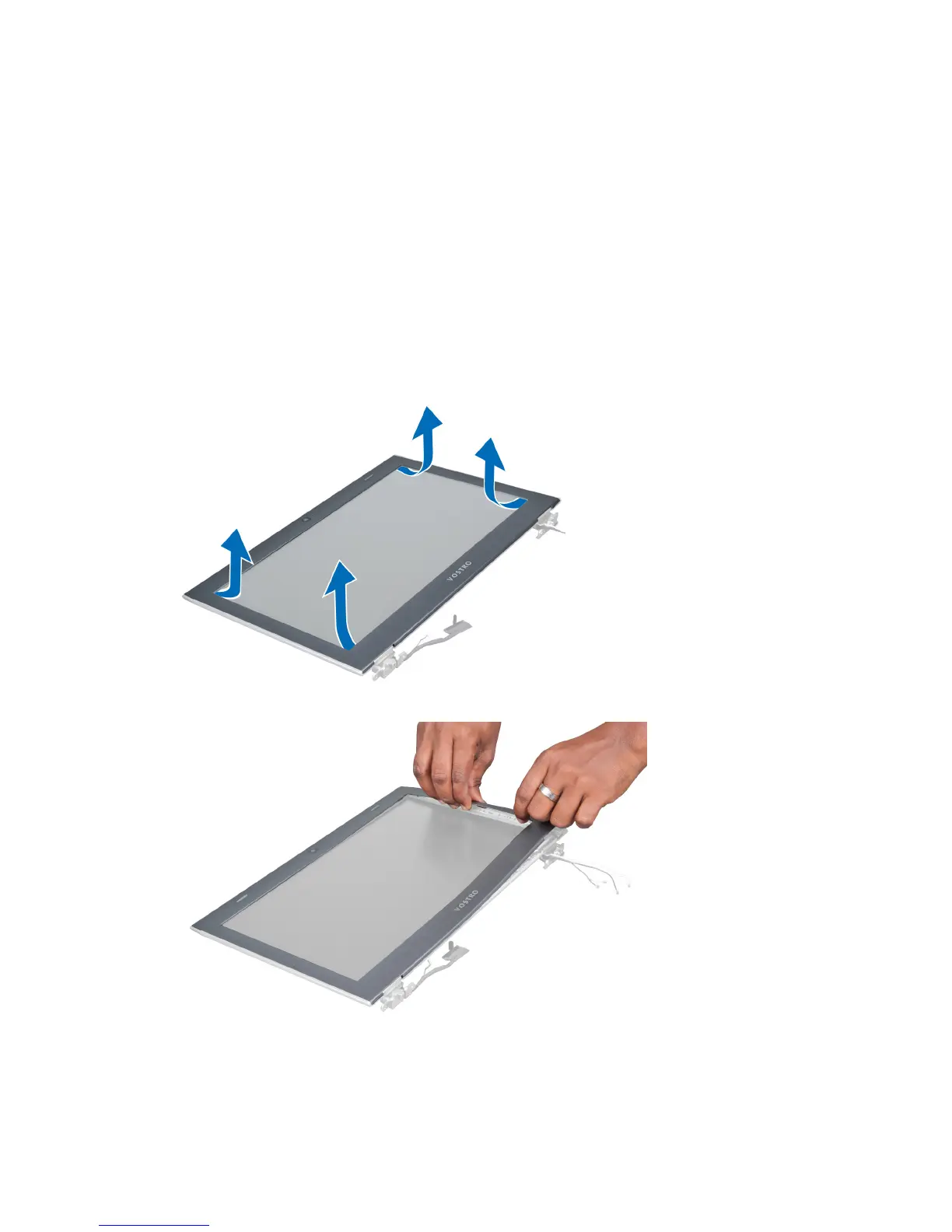
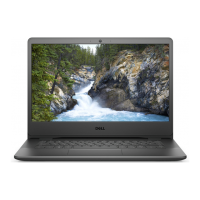
3. Using a plastic scribe, pry under the display bezel to release it from the display assembly.
4. Lift the display bezel and remove it from the display assembly.
23



 To Next Page