Removing the Display Assembly
1. Follow the procedures in
Before Working Inside Your Computer
.
2. Remove the:
a) access panel
b) keyboard
c) palmrest
d) battery
e) display hinge cover
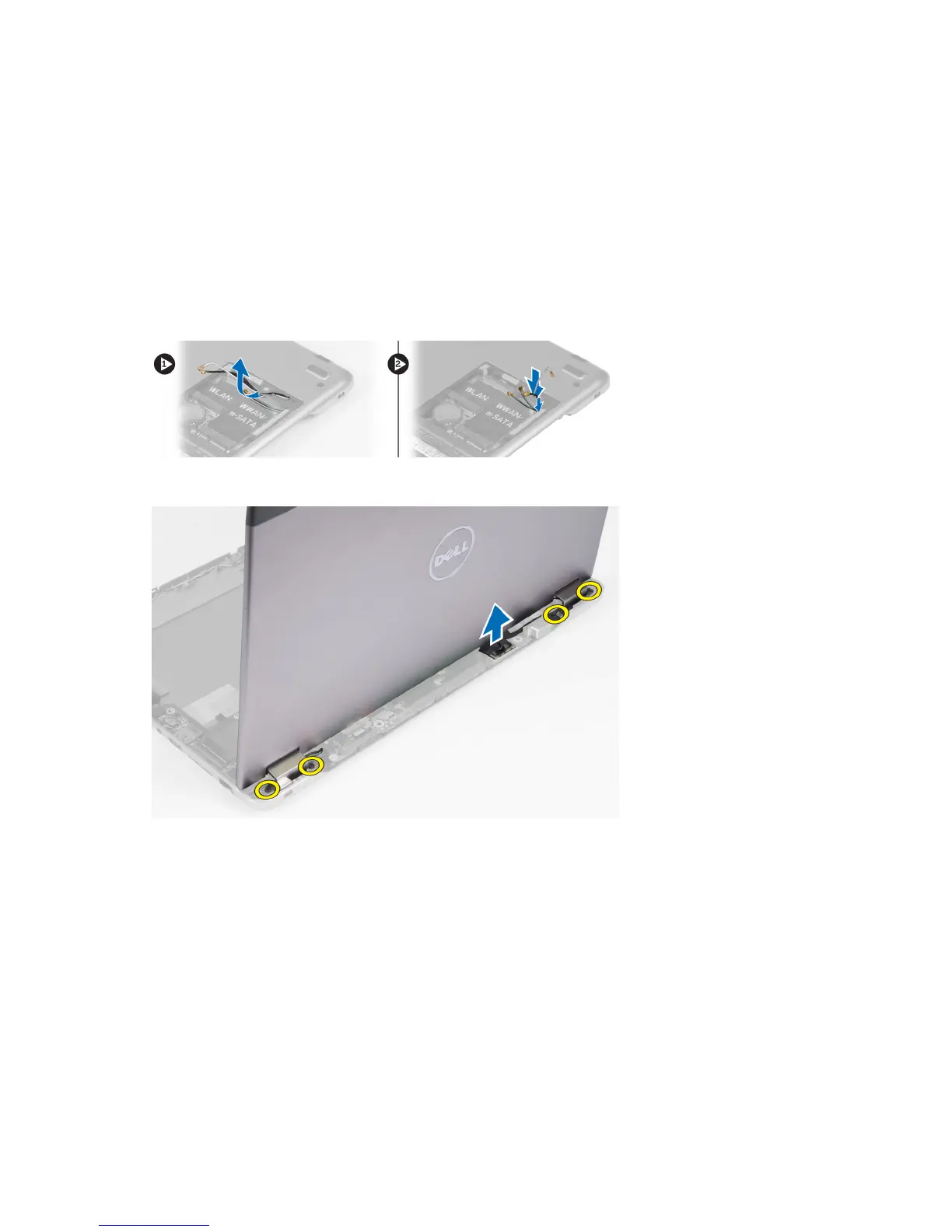
3. Release the antenna cables from their routing.
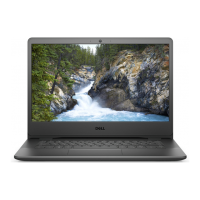
4. Disconnect the display cable from the system board and remove the screws that secure the display assembly to
the computer.
Installing the Display Assembly
1. Connect the display cable to the system board and tighten the screws to secure the display assembly to the
computer.
2. Thread the hard drive cable through its routing tabs.
3. Thread the antenna cables through their routing tabs.
4. Install :
a) display hinge cover
b) battery
c) palmrest
d) keyboard
22



 To Next Page