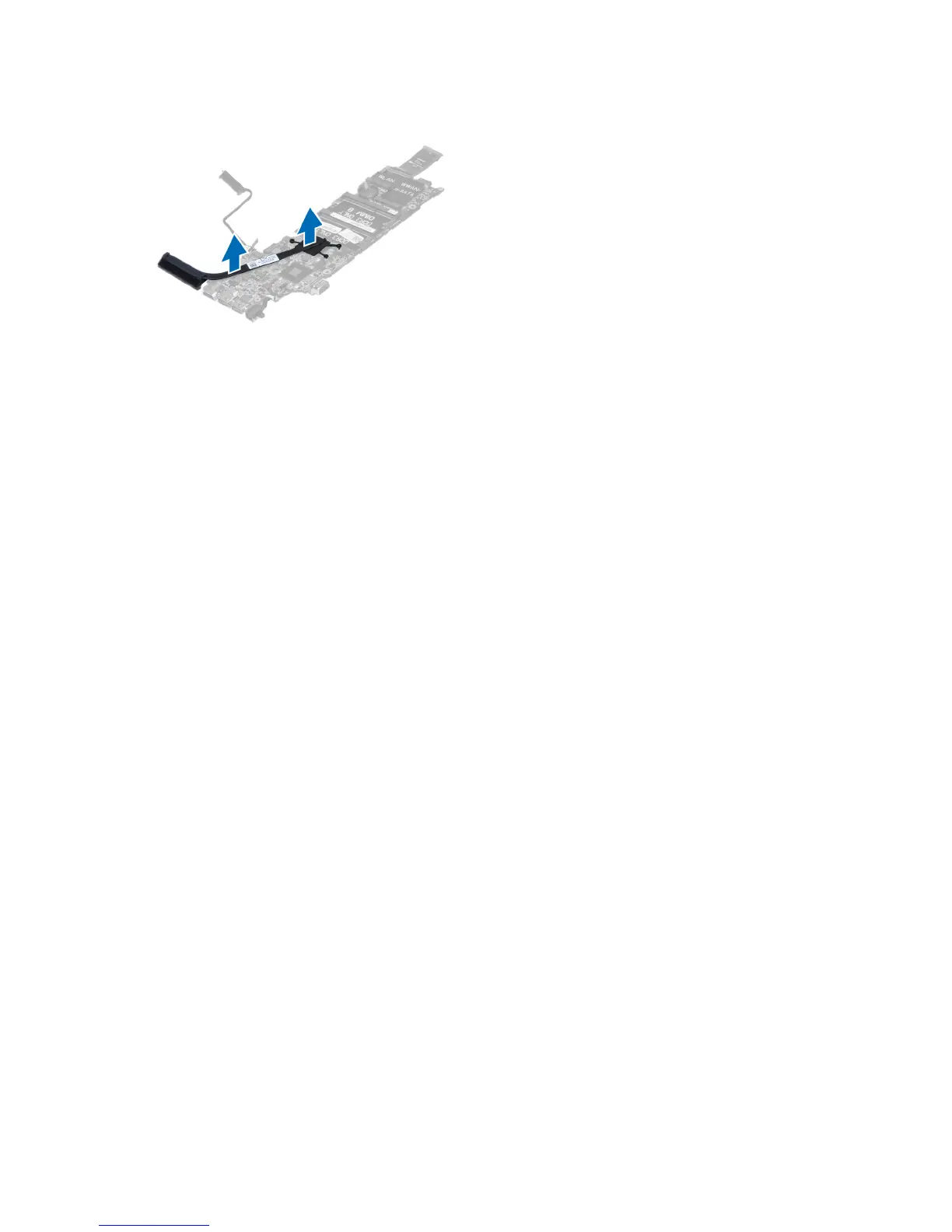
4. Remove the heat sink from the system board,
Installing the Heat Sink
1. Tighten the screws to secure the heat sink to the system board.
2. Install :
a) system board
b) fan
c) display assembly
d) display hinge cover
e) battery
f) palmrest
g) keyboard
h) access panel
3. Follow the procedures in
After Working Inside Your Computer
.
Removing the Speakers
1. Follow the procedures in
Before Working Inside Your Computer
.
2. Remove:
a) access panel
b) keyboard
c) palmrest
d) battery
e) hard drive
3. Disconnect the speaker cable from the I/O board.
32



 To Next Page