Steps
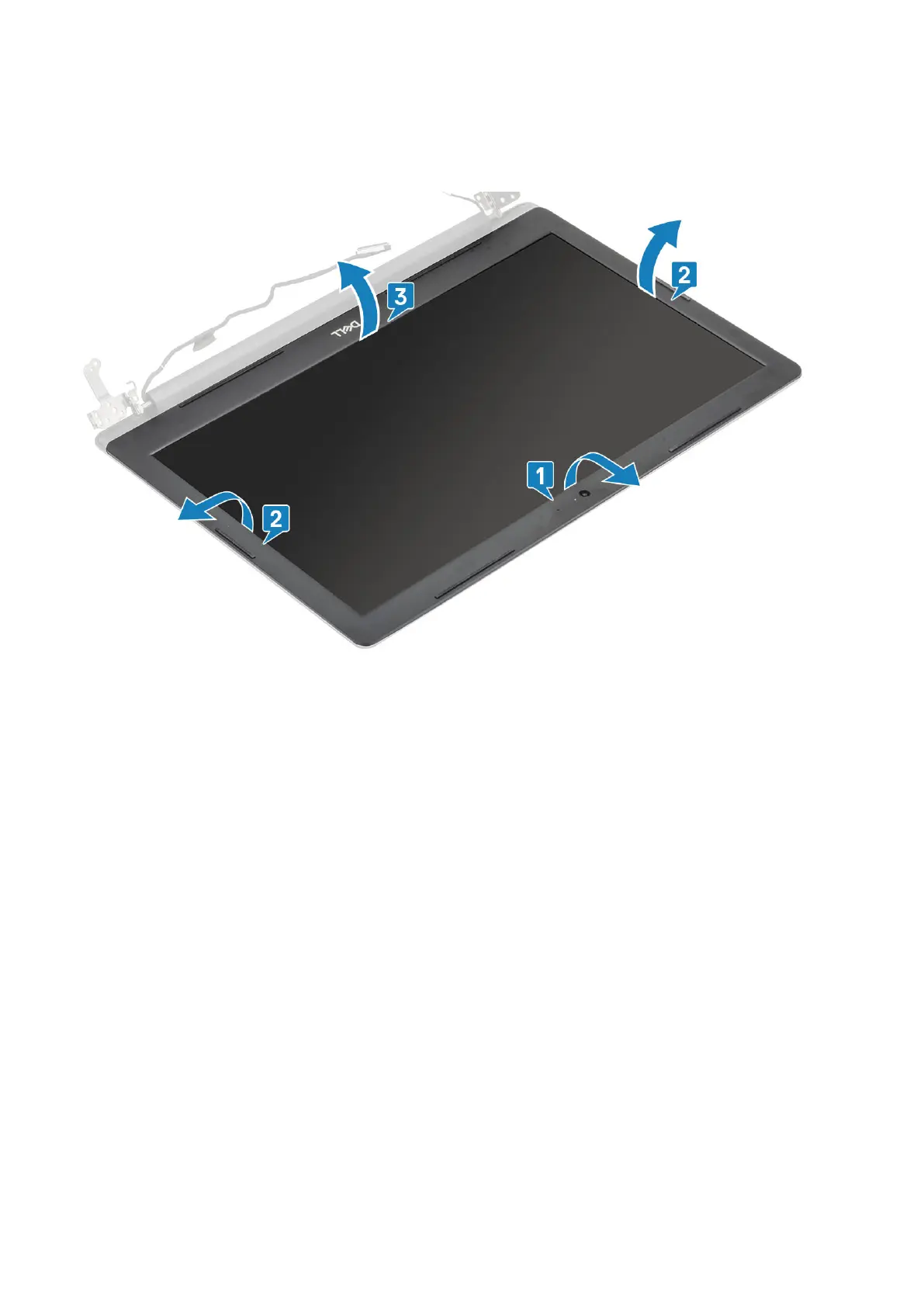
1. Pry the inner top side of the display bezel [1].
2. Continue to pry the inner left and inner right edges of the display bezel [2].
3. Pry up the bottom inner edge of the display bezel and lift the bezel off the display assembly [3].
Installing the display bezel
Steps
Align the display bezel with the display back-cover and antenna assembly, and then gently snap the display bezel into place [1].
Removing and installing components
63



 To Next Page