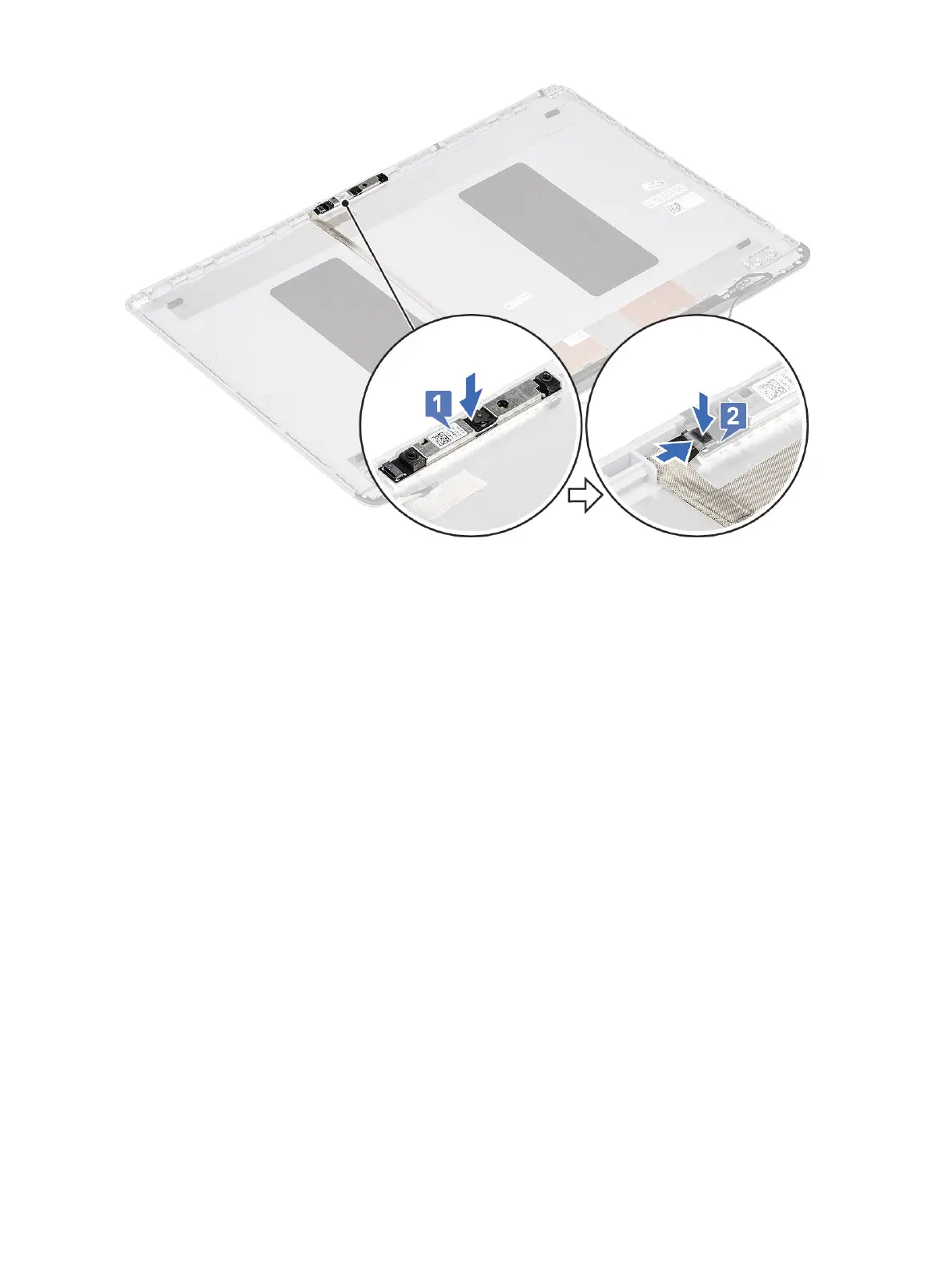
b Connect the display cable to the camera module and ax the adhesive tape to secure the display cable connector [2].
2 Install the:
a display panel
b display bezel
c display assembly
d WLAN
e battery
f base cover
3 Follow the procedure in After working inside your computer.
Display cable
Removing the display cable
1 Follow the procedure in Before working inside your computer.
2 Remove the:
a base cover
b battery
c WLAN
d display assembly
e display bezel
f display panel
g camera
3 To remove the display cable:
a Peel the display cable from the display back cover and unroute the cable from the routing channel.
b Remove the display cable from the display back cover.
Removing and installing components
79




 To Next Page