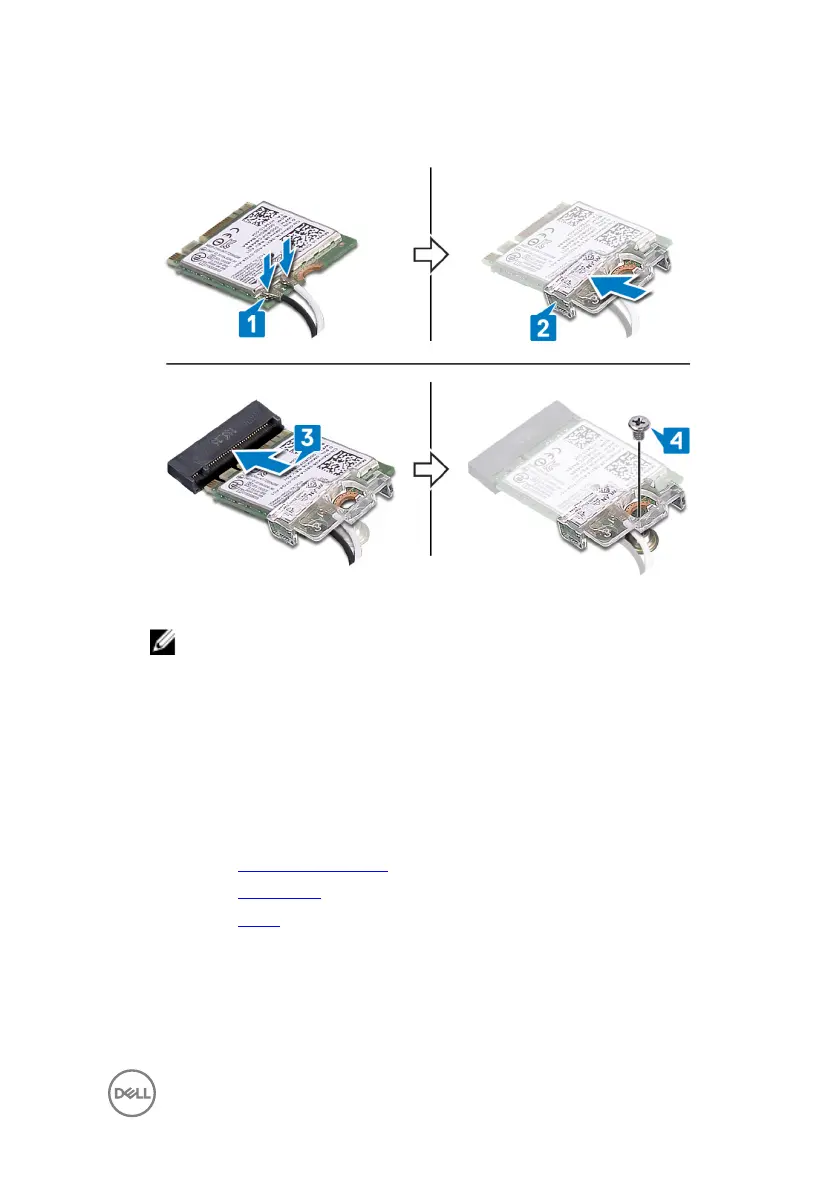
5 Replace the screw that secures the wireless-card bracket and the wireless card
to the system board.
6 Place the wireless-card shield on top of the wireless card.
NOTE: There is a cut-out on the wireless-card shield for the antenna
cables to come out.
7 Align the screw holes on the wireless-card shield with the screw holes on the
system board.
8 Replace the two screws (M2x2.5) that secure the wireless-card shield to the
system board.
Post-requisites
1 Replace the system-board shield.
2 Replace the back cover.
3 Replace the stand.
35



 To Next Page