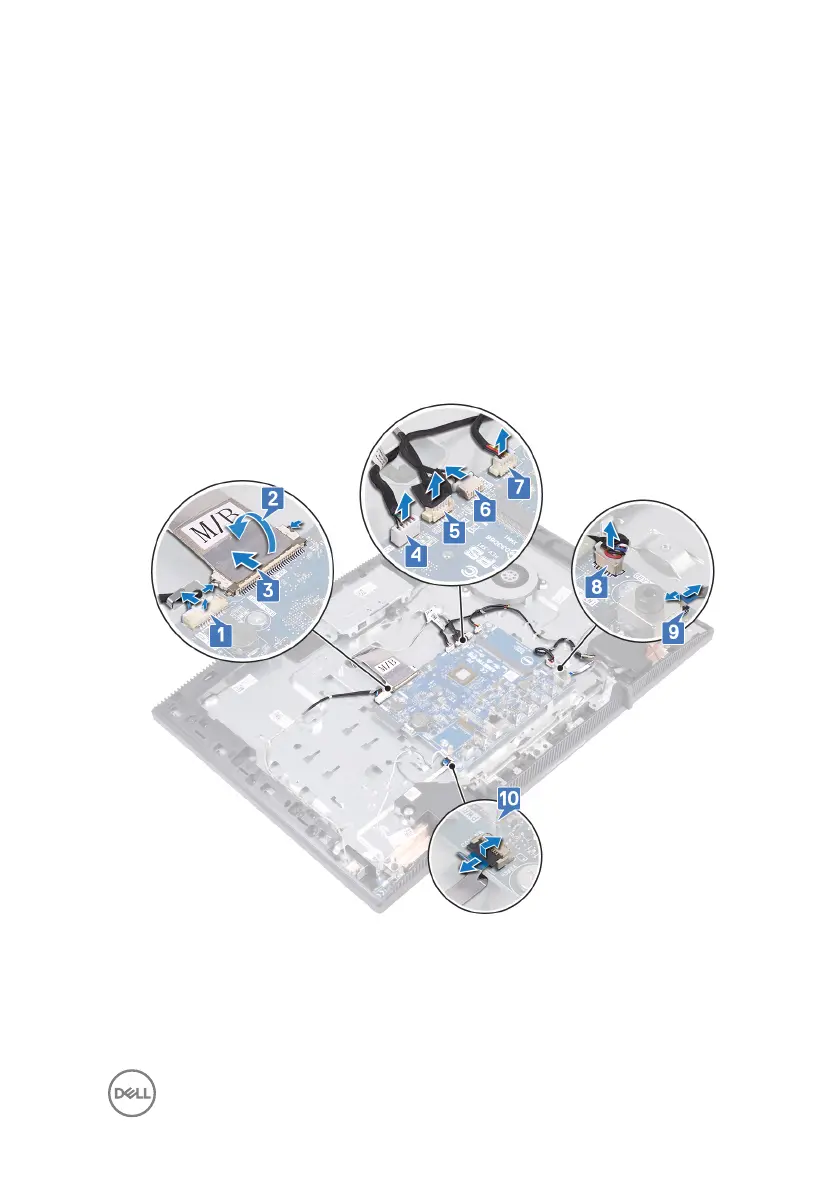
3 Using your nger tips, push the securing clips on the display cable inwards and
disconnect it from the system board.
4 Disconnect the microphone cable from the system board.
5 Disconnect the camera cable from the system board.
6 Disconnect the touch-screen cable (optional) from the system board.
7 Disconnect the fan cable from the system board.
8 Disconnect the speaker cable from the system board.
9 Open the latch, and disconnect the media-card reader cable from the system
board.
10 Open the latch, and disconnect the power-button board cable from the system
board.
11 Remove the ve screws (M3x5) that secure the system board to the display-
assembly base.
65



 To Next Page