Procedure
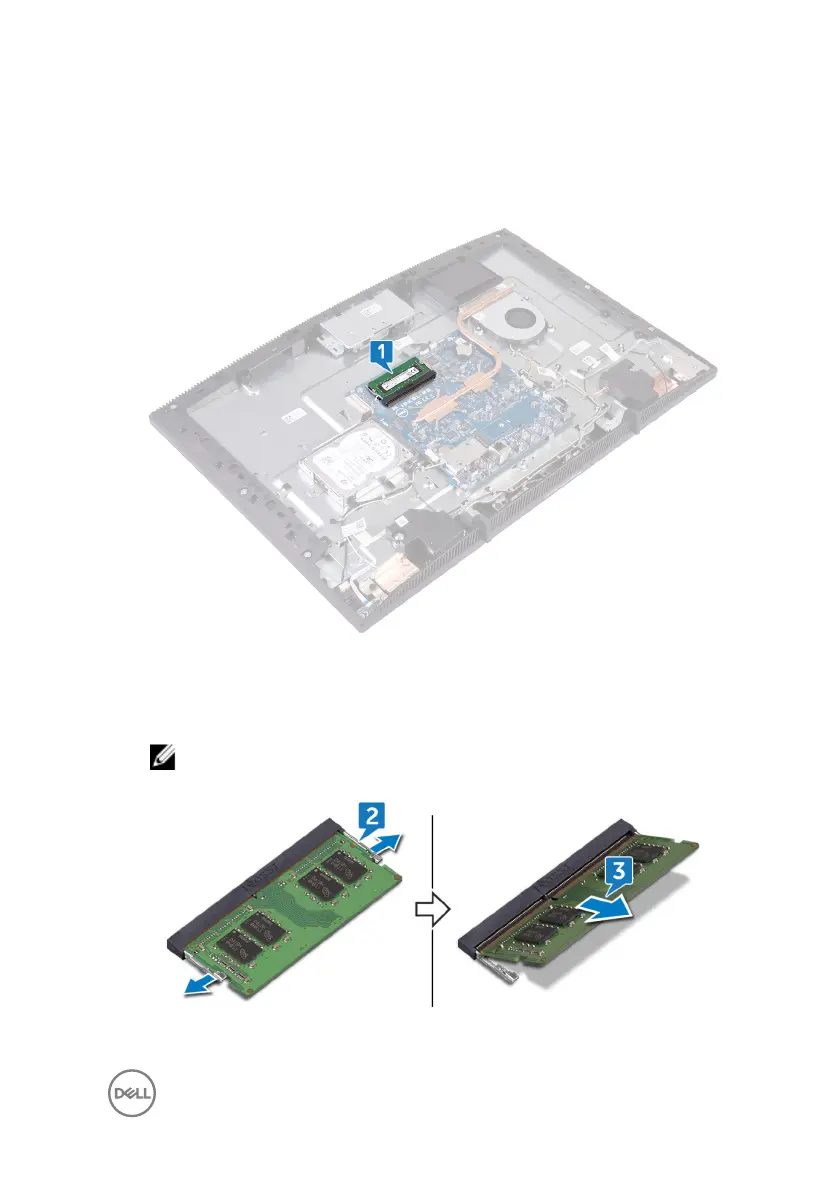
1 Locate the memory module on the system board.
2 Using your ngertips, spread apart the securing clips at each end of the
memory-module slot until the memory module pops up.
3 Slide and remove the memory module from the memory-module slot.
NOTE: Remove the DIMM1, and then remove the DIMM2.
29








 To Next Page