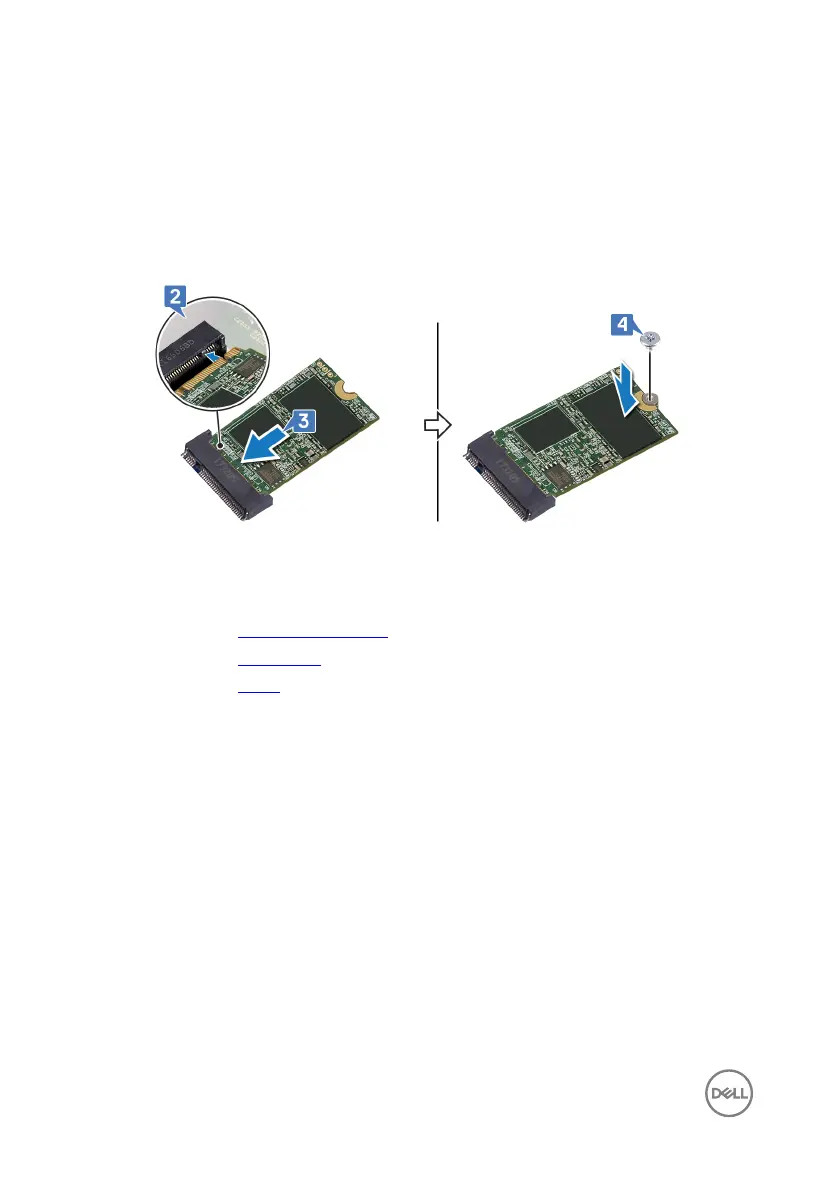
2 Align the notch on the solid-state drive/Intel Optane memory with the tab on the
solid-state drive/Intel Optane memory slot.
3 Slide the solid-state drive/Intel Optane memory rmly into the solid-state drive/
Intel Optane memory slot at an angle.
4 Press the other end of the solid-state drive/Intel Optane memory and replace
the screw (M2x3) that secures the solid-state drive/Intel Optane memory to the
keyboard shield.
Post-requisites
1 Replace the system-board shield.
2 Replace the back cover.
3 Replace the stand.
42








 To Next Page