Setting Up Your TV 15
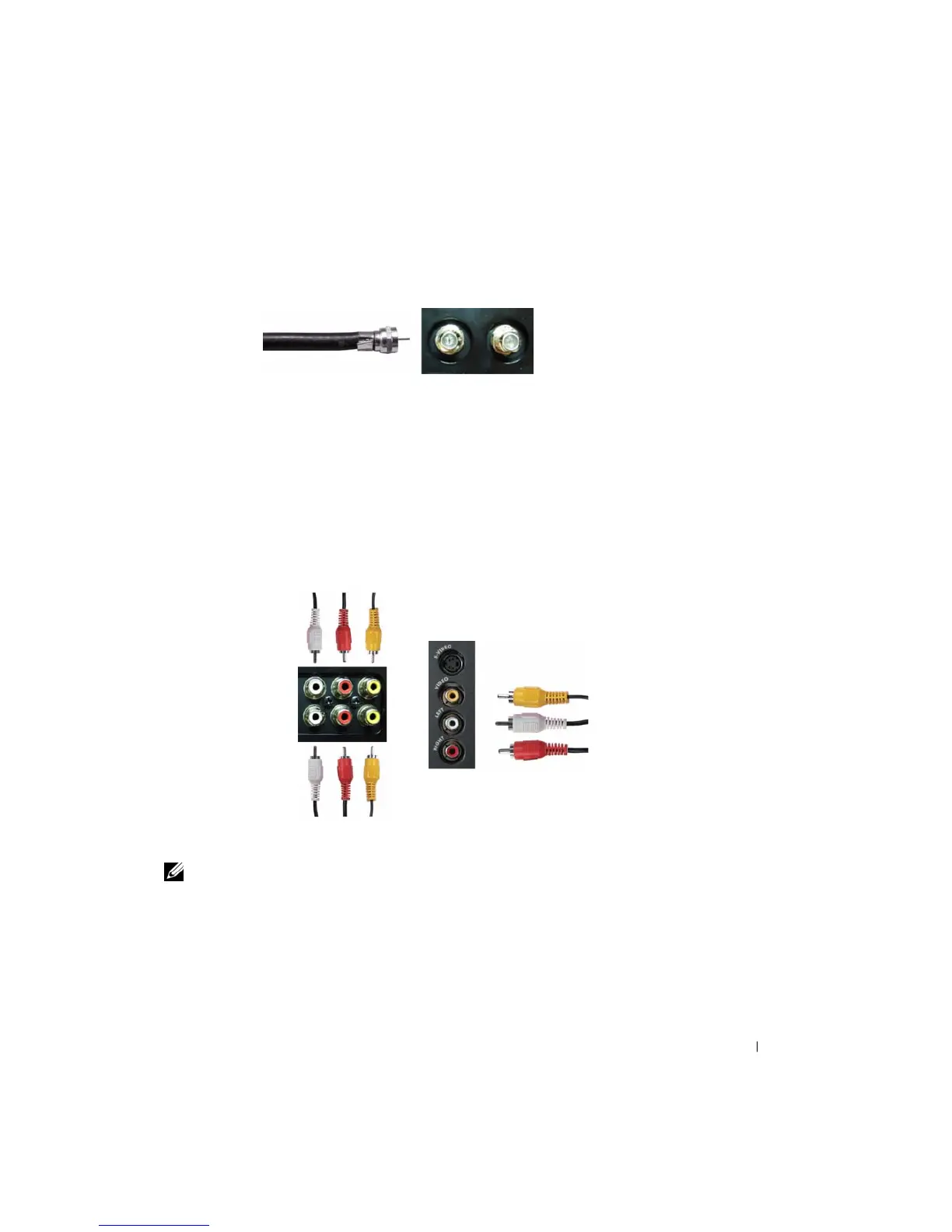
Using the NTSC or HDTV Connector (Coaxial)
1
Turn off the TV and unplug the power cord.
2
Connect the coaxial cable to the NTSC or the HDTV connectors on the TV.
3
Plug in the power cord for the TV and turn on the TV.
4
Enter the TV Menu and select
TV Analog
for NTSC or
TV Digital
for HDTV. See "
Input
Select
" on page 26 for more information.
Using the Composite Connector
1
Turn off the TV and unplug the power cord.
NOTE: If you are connecting a device that you want to be able to remove, such as a video game system
or a camcorder, use the composite connector on the left side of the TV (see "Left View" on page 6).
2
Connect your device to the TV using the audio and video cable.
3
Plug in the power cords for the TV and devices and turn them on.
4
Enter the TV Menu and select
AV1 (Composite 1)
,
AV2 (Composite 2)
or
AV SIDE
(Composite 3)
. See "
Input Select
" on page 26 for more information.


 To Next Page