Status Indicator Information, Troubleshooting, and Specifications 17
5
Status Indicator Information,
Troubleshooting, and Specifications
Status Indicator Information
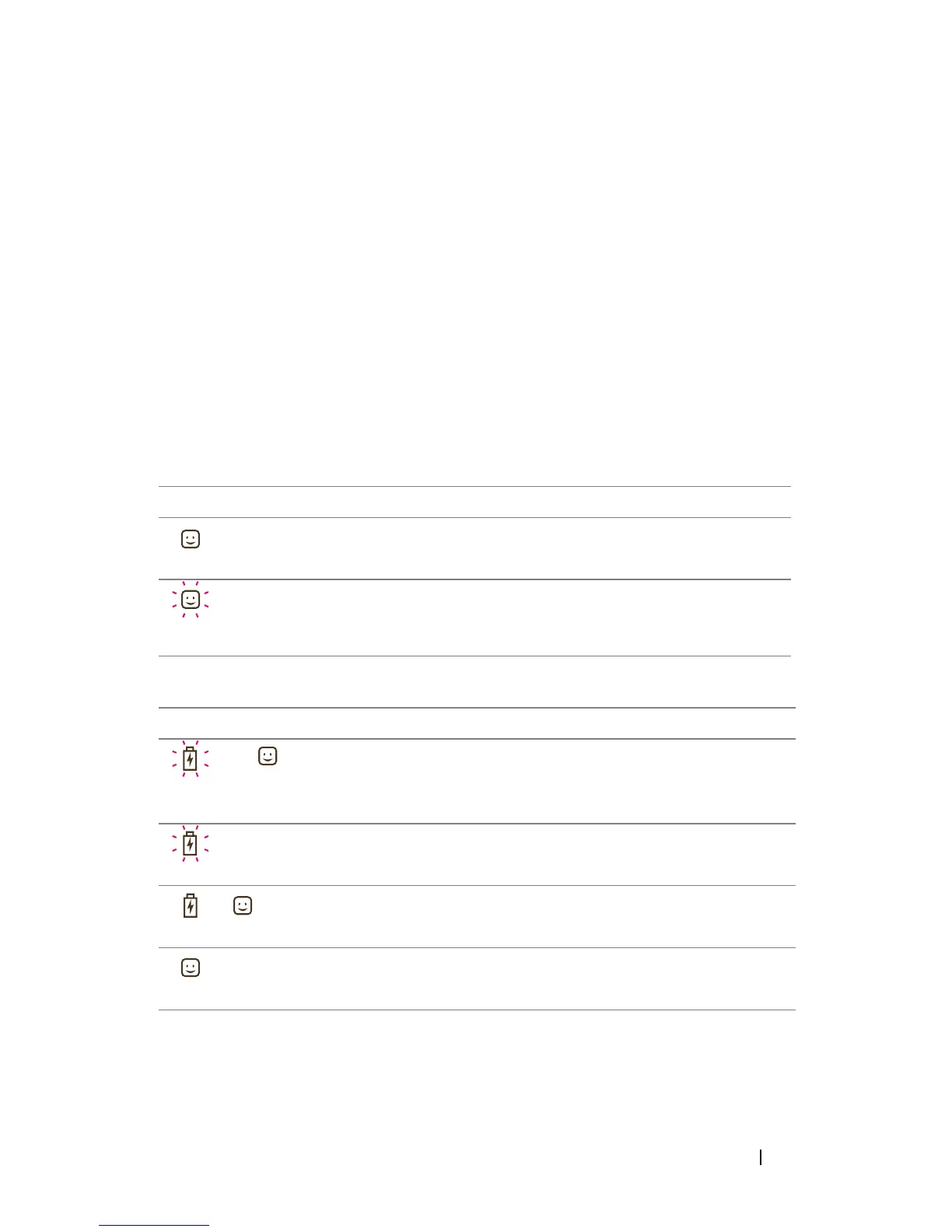
Power Status
Battery Status
LED Status Description
Ready indicator: on The power is on
x3 Ready indicator: blinks
3 times before shut
down
Manual or auto power off (after
5 minutes of idle time)
LED Status Description
x3+ Battery indicator: blinks
3 times and turns off;
Ready indicator: on
The charge in the battery is low.
(Power available for 1 print)
Battery indicator:
1 second per blink
Low battery
+ Battery indicator: on;
Ready indicator: on
Charging the battery
Ready indicator: on The battery is fully charged












 To Next Page