Status Indicator Information, Troubleshooting, and Specifications 19
Page Count Status
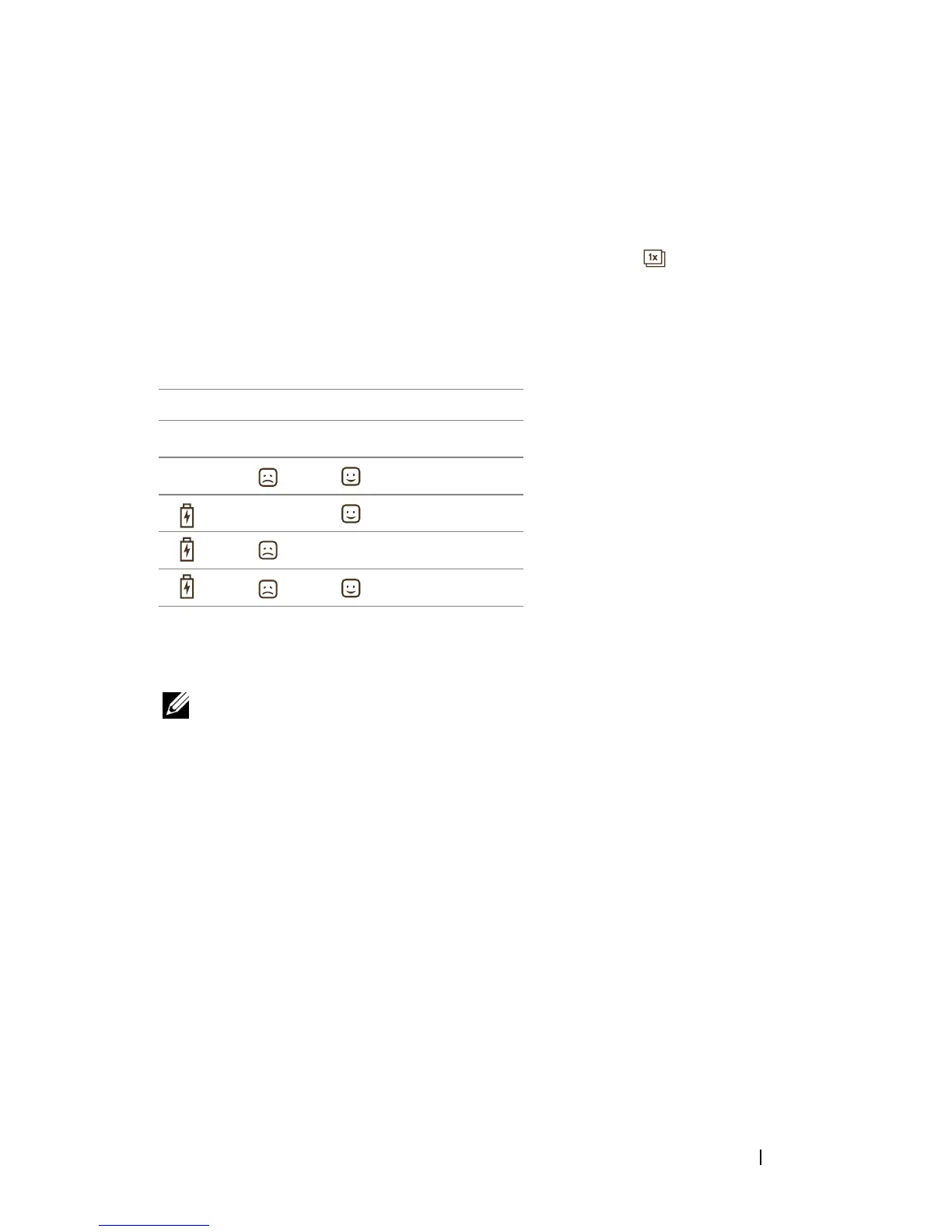
To know the count of pages printed using your printer:
1
Turn on the printer.
2
Press and hold the Reprint button for 7 to 8 seconds until the battery,
error, and ready indicators start to blink.
3
The page count can be determined by correlating the status of the 3 LEDs
with the table given below:
The printer turns off automatically after 30 seconds.
NOTE: Printing cannot be performed in the page count status mode. Turn off and
then turn on the printer to revert to the normal mode.
LED 1 LED 2 LED 3 Page Count
<13
<250
<500
<=1000
>1000












 To Next Page