Loading the ZINK™ Photo Paper 9
3
Loading the ZINK™ Photo Paper
1
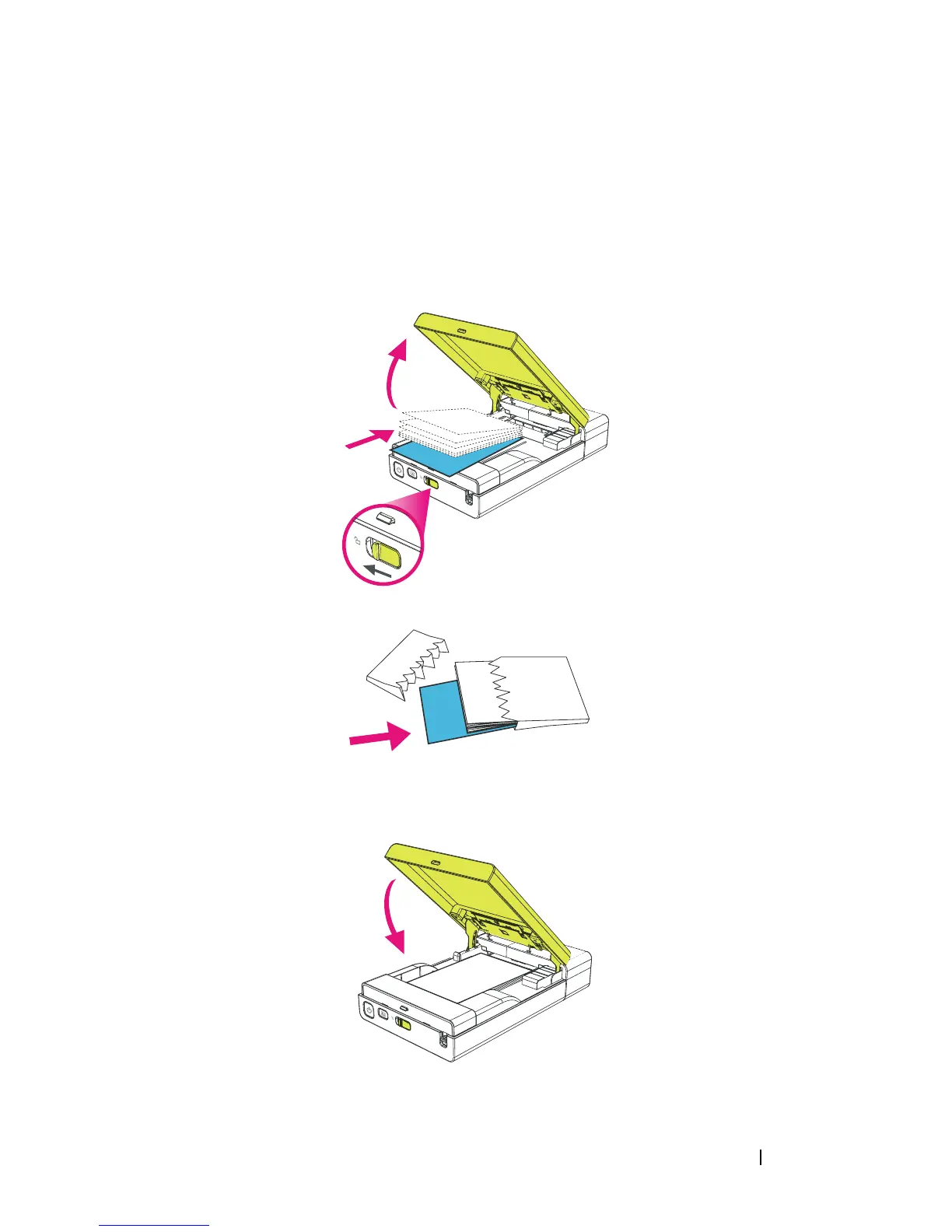
Slide the media cover latch to open the Media cover.
2
Load the Dell-branded
ZINK Photo Paper into the media tray. Ensure
that ZINK Smart Sheet is at the bottom of pack with the barcode facing
down when loading.
3
Close the media cover. The Smart Sheet is ejected automatically.












 To Next Page