Delta Controls
Document Edition 3.1
Page 33 of 35
Calibrate 0 = C
ALIBRATE text is turned off
1 = C
ALIBRATE text is turned on
On 0 = ON text is turned off
1 = O
N text is turned on
Off 0 = OFF text is turned off
1 = O
FF text is turned on
Time 0 = TIME text is turned off
1 = T
IME text is turned on
Minimum 0 = MIN text is turned off
1 = M
IN text is turned on
Maximum 0 = MAX text is turned off
1 = M
AX text is turned on
Set 0 = SET text is turned off
1 = S
ET text is turned on
Examples
With a BACstat II connected on a LINKnet network with an address of 1 (which is associated with LCD1 in the
DAC) and the Application set to N
ONE, here is a simple example of GCL programming using the LCD
properties.
IF SCH1 ON THEN
LCD1.OCCUPANCY = 2
ELSE
LCD1.OCCUPANCY = 1
ENDIF
Note: It is recommended practice to place this program strategy within an appropriate D
OEVERY.
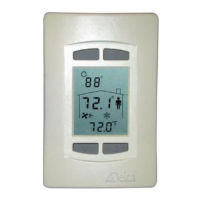
As a result, the BACstat LCD will display the Man in the House during occupancy hours (according to SCH1),
and the House without the Man during unoccupancy hours. Note, however, that the command for either
occupancy or unoccupancy is sent every program scan (or the D
OEVERY interval, as per recommendations). This
means that a user would not be able to do any local override at the stat (which may be desirable for certain
applications). If the user tries to do an override at the stat it will be over-written the next time the program in the
DAC is executed (possibly within split-seconds).
The following program is the same as above, except that the command for either occupancy or unoccupancy is
only sent when the SCH1 changes. This allows user override at the stat between schedule changes, and the stat
will revert back to matching the SCH1 object on the next change.
IFONCE SCH1 ON THEN
LCD1.OCCUPANCY = 2
ENDIF
IFONCE SCH1 OFF THEN
LCD1.OCCUPANCY = 1
ENDIF
Note: It is recommended practice to place this program strategy within an appropriate D
OEVERY.
NOTE: BACstats connected to a BACnet MS/TP network are designed to operate as stand-
alone devices using a local control application. Do not use GCL programs in remote
devices to command a lot of BACstat values. Otherwise you may overwhelm the network
with too much traffic. For custom applications and MUXing purposes, connect the BACstat
to a LINKnet network


 To Next Page
 Loading...