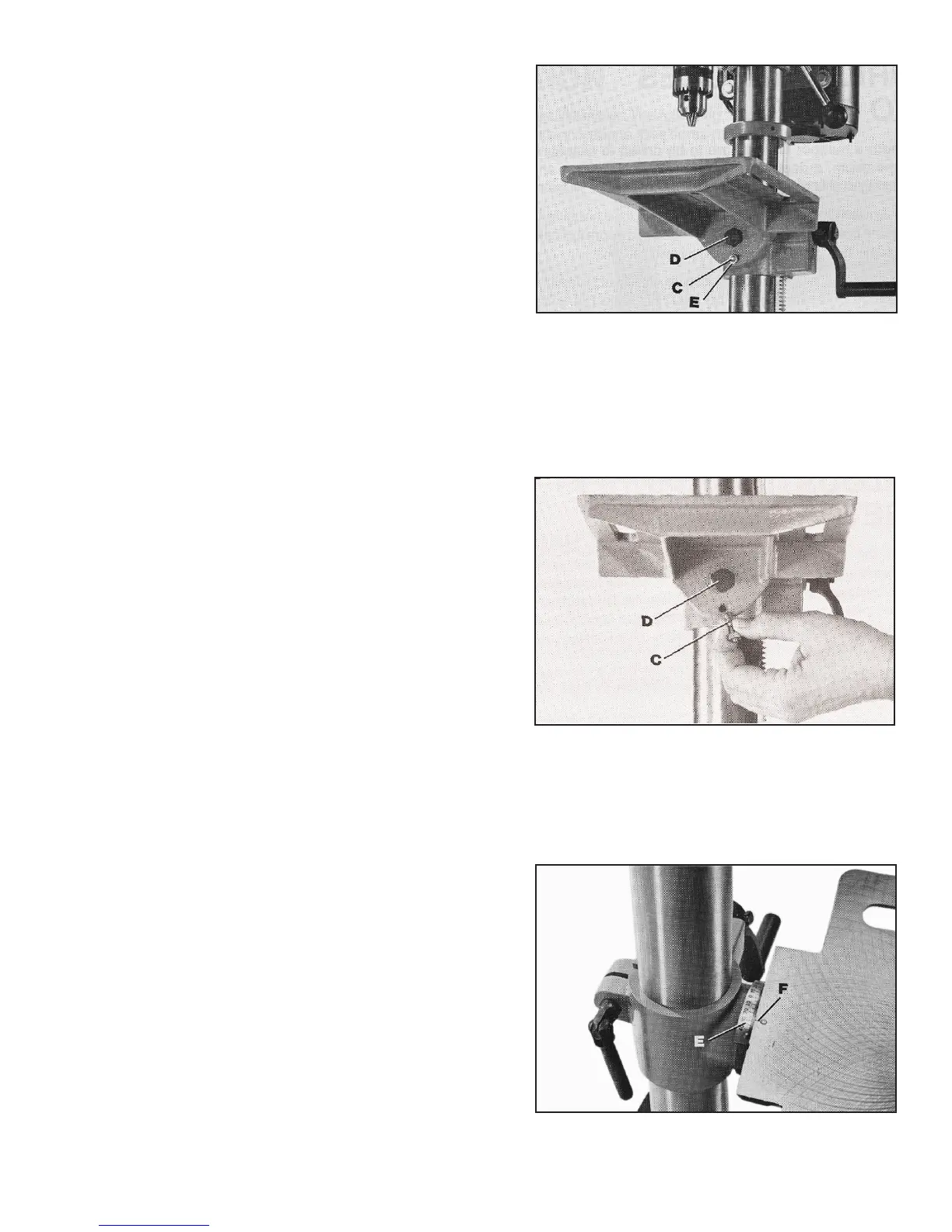
3. The table can be tilted right or left by pulling out and
removing table alignment pin (C) Fig. 20, and loosening table lock-
ing bolt (D). NOTE: If pin (C) is difficult to remove, turn nut (E) clock-
wise to pull pin out of casting. Tilt table to the desired angle and
tighten bolt (D).
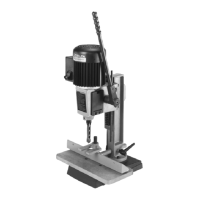
4. When returning table to the level position, replace table
alignment pin (C) Fig. 21. This will automatically position the table
surface at 90 degrees to the spindle. Then tighten bolt (D).
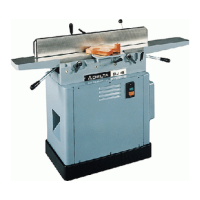
5. A tilt scale (E) Fig. 22, is provided on the table bracket
casting to indicate the degree of tilt. A witness line (F) is also pro-
vided on the table to line up with scale (E).
Fig. 20
Fig. 21
Fig. 22


 To Next Page