EasyManua.ls Logo

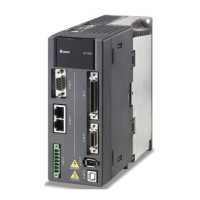
Delta ASD-M-1521 Series - User Manual

Delta ASD-M-1521 Series
645 pages
Print Icon
To Next Page IconTo Next Page
Loading...
Delta Ultimate Integrated
AC Servo Drive with
Excellent Performance
ASDA-M
Series
User Manual
www.delta.com.tw/ia
V2.0
DELTA_
IA-ASDA_M_UM_EN_20141219
Industrial Automation Headquarters
Delta Electronics, Inc.
Taoyuan Technology Center
No.18, Xinglong Rd., Taoyuan City,
Taoyuan County 33068, Taiwan
TEL: 886-3-362-6301 / FAX: 886-3-371-6301
Asia
Delta Electronics (Jiangsu) Ltd.
Wujiang Plant 3
1688 Jiangxing East Road,
Wujiang Economic Development Zone
Wujiang City, Jiang Su Province,
People's Republic of China (Post code: 215200)
TEL: 86-512-6340-3008 / FAX: 86-769-6340-7290
Delta Greentech (China) Co., Ltd.
238 Min-Xia Road, Pudong District,
ShangHai, P.R.C.
Post code : 201209
TEL: 86-21-58635678 / FAX: 86-21-58630003
Delta Electronics (Japan), Inc.
Tokyo Ofce
2-1-14 Minato-ku Shibadaimon,
Tokyo 105-0012, Japan
TEL: 81-3-5733-1111 / FAX: 81-3-5733-1211
Delta Electronics (Korea), Inc.
1511, Byucksan Digital Valley 6-cha, Gasan-dong,
Geumcheon-gu, Seoul, Korea, 153-704
TEL: 82-2-515-5303 / FAX: 82-2-515-5302
Delta Electronics Int’l (S) Pte Ltd
4 Kaki Bukit Ave 1, #05-05, Singapore 417939
TEL: 65-6747-5155 / FAX: 65-6744-9228
Delta Electronics (India) Pvt. Ltd.
Plot No 43 Sector 35, HSIIDC
Gurgaon, PIN 122001, Haryana, India
TEL : 91-124-4874900 / FAX : 91-124-4874945
Americas
Delta Products Corporation (USA)
Raleigh Ofce
P.O. Box 12173,5101 Davis Drive,
Research Triangle Park, NC 27709, U.S.A.
TEL: 1-919-767-3800 / FAX: 1-919-767-8080
Delta Greentech (Brasil) S.A
Sao Paulo Ofce
Rua Itapeva, 26 - 3° andar Edicio Itapeva One-Bela Vista
01332-000-São Paulo-SP-Brazil
TEL: +55 11 3568-3855 / FAX: +55 11 3568-3865
Europe
Deltronics (The Netherlands) B.V.
Eindhoven Ofce
De Witbogt 15, 5652 AG Eindhoven, The Netherlands
TEL: 31-40-2592850 / FAX: 31-40-2592851
*We reserve the right to change the information in this catalogue without prior notice.
Delta Ultimate Integrated AC Servo Drive with
Excellent Performance
ASDA-M
Series User Manual
Via Polesine, 1/4
10020 Cambiano ( TO ) Italy
+39 011 9454523
www.e-comtech.it
info@e-comtech.it


Table of Contents

Questions and Answers

  • L
    lklineSep 23, 2025
    What to do if the specified Index in the message does not exist in Delta ASD-M-1521?
    • S
      Sherri WilsonSep 23, 2025
      If the specified Index in the message does not exist in Delta Servo Drives, use the command NMT: Reset node or 0x6040.Fault Reset.
  • M
    Michael MaddoxAug 25, 2025
    What to do if Delta ASD-M-1521 show overvoltage?
    • A
      Amanda WellsAug 25, 2025
      If your Delta Servo Drive displays an overvoltage error, the issue might stem from a few potential causes. It could be that the input voltage of the main circuit is higher than the allowable voltage (apply the correct power supply or a serial voltage regulator), or the power input is wrong for your system (use the correct power supply or a serial adapter). In some cases, the servo drive hardware itself may be damaged, requiring you to send the drive back to the distributors or contact Delta.
  • K
    kimberly19Aug 25, 2025
    Why is my Delta ASD-M-1521 showing overload?
    • C
      Carol EdwardsAug 26, 2025
      An overload error in your Delta Servo Drives can occur for several reasons. It may be due to exceeding the drive's rated load or continuous excessive use (increase the motor capacity or reduce the load). The control system parameter settings might be inappropriate (adjust the gain value of the control circuit, or slow down the acceleration/deceleration setting time). Also, check for incorrect wiring of the motor and encoder (correct the wiring). If these steps don't resolve the issue, the motor encoder may be defective (contact Delta or your distributor).
  • K
    Kathleen RichardsAug 27, 2025
    How to troubleshoot undervoltage on Delta ASD-M-1521?
    • S
      Samantha BenderAug 27, 2025
      If you're experiencing an undervoltage error with your Delta Servo Drives, there are a few things to check. First, ensure that the input voltage of the main circuit is within the rated allowable voltage by re-confirming the voltage wiring. Also, verify that the main circuit has power supply by checking the power switch. Finally, make sure you're using the correct power input for your system by applying the correct power supply or serial adapter.
  • J
    Justin SmithAug 27, 2025
    What causes regeneration error in Delta ASD-M-1521 Servo Drives?
    • R
      Rebecca GarciaAug 27, 2025
      A regeneration error in Delta Servo Drives can be caused by several factors: selecting the wrong regenerative resistor or having an unconnected external regenerative resistor (reconnect the resistor or calculate the correct value; if the problem persists, contact Delta or your distributor), failing to set parameter P1-53 to zero when no regenerative resistor is in use (set P1-53 to zero), or incorrect parameter settings (reset the values of P1-52 and P1-53 correctly).
  • C
    Catherine KramerSep 13, 2025
    What causes encoder initial magnetic field error for Delta Servo Drives?
    • H
      Heather AndersonSep 14, 2025
      If your Delta Servo Drive displays an encoder initial magnetic field error, it indicates an issue with the encoder's initial magnetic field. If the situation doesn't improve, contact Delta or your distributor.
  • J
    Jason WilsonSep 12, 2025
    What to do if Delta ASD-M-1521 show main circuit power leak phase?
    • J
      Jonathan PooleSep 12, 2025
      If your Delta Servo Drive indicates a main circuit power leak phase, it suggests an abnormality in the main circuit power. Ensure you are applying three-phase power. If the issue persists, contact Delta or your distributor.
  • R
    Robert BaldwinSep 12, 2025
    What does abnormal EEPROM mean for Delta Servo Drives?
    • W
      William AlexanderSep 12, 2025
      When a Delta Servo Drive displays an abnormal EEPROM error, it indicates an error occurred when the DSP accessed the EEPROM, specifically during parameter writing in normal operation. Clear the alarm using DI.ARST.
  • T
    Timothy WilsonSep 4, 2025
    What causes abnormal pulse command errors in Delta ASD-M-1521 Servo Drives?
    • E
      Erik McdonaldSep 4, 2025
      An abnormal pulse command error in Delta Servo Drives occurs when the pulse command frequency exceeds the rated input frequency. To resolve this, correctly set the input pulse frequency.
  • K
    Kaylee HigginsSep 2, 2025
    How do I troubleshoot serial communication errors on Delta Servo Drives?
    • J
      Jordan CervantesSep 2, 2025
      If you're having serial communication errors with your Delta Servo Drives, check the following: ensure the communication parameter is set correctly, verify the communication address is correct, and confirm the communication value is set correctly.

Delta ASD-M-1521 Series Specifications

General IconGeneral
Rated Output Power1.5 kW
Rated Current7.5 A
Control ModesPosition, Speed, Torque
Communication InterfaceRS-485, CANopen
SeriesASD-M
ModelASD-M-1521
Input Voltage3-phase 200 ~ 230VAC, 50/60Hz
Control MethodPWM Control
Protection FeaturesOvercurrent, Overvoltage, Undervoltage, Overheating, Encoder Error

Related product manuals