EasyManua.ls Logo

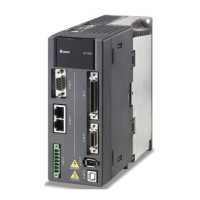
Delta ASD-A2-3023 Series - User Manual

Delta ASD-A2-3023 Series
721 pages
Print Icon
To Next Page IconTo Next Page
Loading...
V5.1
DELTA_IA-ASDA_A2_UM_EN_20170209

Table of Contents

Other manuals for Delta ASD-A2-3023 Series

Questions and Answers

  • C
    Cynthia GilbertAug 31, 2025
    What causes overspeed in Delta ASD-A2-3023?
    • N
      Nathan CunninghamAug 31, 2025
      Overspeed in Delta Servo Drives can be triggered by: * Unstable speed input command (too much fluctuation). If this is the case, ensure that input command frequency is stable (not fluctuate too much) and activate filter function. * Defective over-speed parameter setting. If this is the case, correctly set over-speed parameter setting (P2-34).
  • S
    scott67Aug 25, 2025
    What causes undervoltage in Delta Servo Drives and how to fix it?
    • R
      Rachel ChavezAug 25, 2025
      Undervoltage in Delta Servo Drives can be caused by: * The main circuit voltage being below its minimum specified value. If this is the case, reconfirm voltage wiring. * No input voltage at the main circuit. If this is the case, reconfirm the power switch. * Incorrect power input. If this is the case, use the correct power supply, a stabilizing power supply, or a series transformer.
  • D
    deborahfarmerSep 23, 2025
    How to fix An error occurs when loading CANopen data in Delta ASD-A2-3023?
    • W
      Wayne Davis MDSep 23, 2025
      To fix an error occurs when loading CANopen data in Delta Servo Drives, when an error occurs when loading data via EEPROM, use DI.ARST, CANopen 0x1011 Restore default parameter.
  • R
    Rachel RosarioSep 5, 2025
    What to do if CANopen PDO object does not support PDO on Delta ASD-A2-3023?
    • M
      Michael Beard PhDSep 5, 2025
      If the specified object in the message does not support PDO, NMT Maser send “Reset node“ command to its slave or reset the fault by sending the control word (0x6040) through CAN communication (the value of CANopen object 0x6040 should be reset).
  • D
    David ThompsonSep 9, 2025
    What to do if Delta Servo Drives show abnormal pulse command?
    • S
      Stephanie MarshSep 9, 2025
      If your Delta Servo Drives are showing an abnormal pulse command, it could be because the pulse command frequency is higher than the rated input frequency. Correctly set the input pulse frequency.
  • M
    Morgan DavidsonSep 2, 2025
    How to resolve a serial communication timeout on Delta ASD-A2-3023?
    • R
      Ronald OliverSep 2, 2025
      A serial communication timeout on Delta Servo Drives can occur if: * The setting value in the timeout parameter is not correct. If this is the case, correctly set P3-07. * Communication command is not being received for a long time. If this is the case, tighten the communication cable, make sure the communication cable is not damaged and ensure all wiring is correct.
  • C
    Corey PetersAug 29, 2025
    What to do if index error occurs when accessing CANopen object on Delta Servo Drives?
    • M
      Marc ConwayAug 29, 2025
      If the specified Index in the message does not exist, NMT Maser send “Reset node“ command to its slave or reset the fault by sending the control word (0x6040) through CAN communication (the value of CANopen object 0x6040 should be reset).
  • P
    pibarraSep 12, 2025
    How to troubleshoot serial communication error in Delta ASD-A2-3023 Servo Drives?
    • M
      matthew77Sep 12, 2025
      If you're experiencing a serial communication error with your Delta Servo Drives, check the following: * Improper setting of the communication parameter: Correctly set the parameter value. * Incorrect communication address: Correctly set the communication address. * Incorrect communication value: Correctly set the value.
  • E
    ethan77Sep 7, 2025
    How to fix over current in Delta ASD-A2-3023 Servo Drives?
    • J
      Jessica McgeeSep 7, 2025
      If your Delta Servo Drive is showing an over current error, there are several potential causes and solutions: * A short circuit in the drive output: Eliminate the short circuit, ensuring no metal conductors are exposed. * Incorrect motor wiring: Rewire the motor following the wiring instructions in the user manual. * A faulty IGBT: Send the drive back to the distributors or contact Delta. * Incorrect control parameter settings: Reset to the default settings and then gradually adjust the values. * Unreasonable command: Use a less steep command or apply a filter to smooth the command.
  • T
    Thomas GordonAug 27, 2025
    What causes CANbus error on Delta ASD-A2-3023 Servo Drives?
    • G
      Gregory HamiltonAug 27, 2025
      A CANbus error on Delta Servo Drives is caused by CANbus off or Error Rx/Tx Counter exceeding 128. NMT Maser send “Reset node“ command to its slave or restart the servo drive.

Summary

Preface

Safety Precautions

Provides essential safety guidelines for handling and operating the servo drive.

Maintenance and Inspection

Outlines routine maintenance and inspection procedures for the servo drive.

Chapter 1 Inspection and Model Explanation

1.1 Inspection

Crucial initial checks for product verification and damage assessment before installation.

1.3 Servo Drive and Corresponding Servo Motor

Details on matching servo drives with their corresponding servo motors for system configuration.

Chapter 2 Installation

2.3 Ambient Conditions of Installation

Critical environmental requirements for the servo drive and motor during installation.

Chapter 3 Wiring

3.1 Connections - 220 V series

Detailed wiring instructions for 220V series servo drives and peripheral devices.

3.2 Connections - 400 V series

Detailed wiring instructions for 400V series servo drives and peripheral devices.

Chapter 4 Panel Display and Operation

4.2 Parameter Setting Procedure

Step-by-step guide for setting parameters via the servo drive's panel.

Chapter 5 Trial Operation and Tuning

5.1 Inspection without Load

Procedure for inspecting the servo motor and drive without load before operation.

5.2 Applying Power to the Servo Drive

Instructions for safely applying power to the servo drive and motor.

5.6 Tuning Procedure

Comprehensive guide on tuning the servo system for optimal performance.

Chapter 8 Parameters

8.2 List of Parameters

A comprehensive list of all servo drive parameters with their functions and related sections.

Chapter 9 Communications

9.2 RS-485; RS-232 Communication Parameters Setting

Configuration settings for RS-485 and RS-232 communication parameters.

Chapter 10 Troubleshooting

10.1 Alarm of Servo Drive

Lists common alarms for the servo drive, their descriptions, and corresponding actions.

10.4 Causes and Corrective Actions

Detailed table of common causes and corrective actions for servo drive alarms.

10.5 Corrective Actions after the Alarm Occurs

Provides specific corrective actions for various alarm codes after they occur.

Chapter 11 Specifications

11.1 Specifications of Servo Drives

Technical specifications for the ASDA-A2 series servo drives.

11.2 Specifications of Servo Motors (ECMA Series)

Technical specifications for the ECMA series servo motors.

Chapter 12 Absolute System

12.2 Installation

Instructions for installing absolute encoder systems, including connection examples.

12.3 System Initialization Procedure and Operation

Steps for initializing and operating absolute systems.

Appendix B Maintenance and Inspection

Inspection before operation

Checks to be performed before applying power to the servo drive.

Delta ASD-A2-3023 Series Specifications

General IconGeneral
Control ModesPosition, Speed, Torque
Protection ClassIP20
SeriesA2
TypeServo Drive
Communication InterfaceRS-485, CANopen
Protection FeaturesOvervoltage, Undervoltage, Overcurrent, Overtemperature, Short Circuit
Ambient Temperature0°C to 45°C
Storage Temperature-20 ~ 65°C
Humidity20 ~ 90% RH, non-condensing

Related product manuals