EasyManua.ls Logo

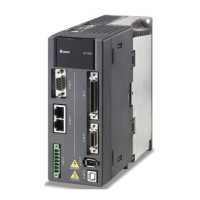
Delta ASD-A2-3043 Series - User Manual

Delta ASD-A2-3043 Series
721 pages
Print Icon
To Next Page IconTo Next Page
Loading...
V5.1
DELTA_IA-ASDA_A2_UM_EN_20170209

Table of Contents

Other manuals for Delta ASD-A2-3043 Series

Questions and Answers

  • K
    kingdeborahAug 31, 2025
    What causes overspeed in Delta Servo Drives?
    • C
      Christy FlemingAug 31, 2025
      Overspeed in Delta Servo Drives can be triggered by: * Unstable speed input command (too much fluctuation). If this is the case, ensure that input command frequency is stable (not fluctuate too much) and activate filter function. * Defective over-speed parameter setting. If this is the case, correctly set over-speed parameter setting (P2-34).
  • D
    Dr. Lawrence HernandezAug 25, 2025
    What causes undervoltage in Delta ASD-A2-3043 Servo Drives and how to fix it?
    • C
      christie21Aug 25, 2025
      Undervoltage in Delta Servo Drives can be caused by: * The main circuit voltage being below its minimum specified value. If this is the case, reconfirm voltage wiring. * No input voltage at the main circuit. If this is the case, reconfirm the power switch. * Incorrect power input. If this is the case, use the correct power supply, a stabilizing power supply, or a series transformer.
  • L
    Lauren ThomasSep 23, 2025
    How to fix An error occurs when loading CANopen data in Delta Servo Drives?
    • K
      Kelsey RamosSep 23, 2025
      To fix an error occurs when loading CANopen data in Delta Servo Drives, when an error occurs when loading data via EEPROM, use DI.ARST, CANopen 0x1011 Restore default parameter.
  • I
    ivillarrealSep 5, 2025
    What to do if CANopen PDO object does not support PDO on Delta ASD-A2-3043?
    • E
      Emily ArcherSep 5, 2025
      If the specified object in the message does not support PDO, NMT Maser send “Reset node“ command to its slave or reset the fault by sending the control word (0x6040) through CAN communication (the value of CANopen object 0x6040 should be reset).
  • C
    Cynthia DavenportSep 9, 2025
    What to do if Delta ASD-A2-3043 Servo Drives show abnormal pulse command?
    • F
      fgarciaSep 9, 2025
      If your Delta Servo Drives are showing an abnormal pulse command, it could be because the pulse command frequency is higher than the rated input frequency. Correctly set the input pulse frequency.
  • B
    Benjamin WilliamsSep 2, 2025
    How to resolve a serial communication timeout on Delta ASD-A2-3043?
    • J
      Joshua DawsonSep 2, 2025
      A serial communication timeout on Delta Servo Drives can occur if: * The setting value in the timeout parameter is not correct. If this is the case, correctly set P3-07. * Communication command is not being received for a long time. If this is the case, tighten the communication cable, make sure the communication cable is not damaged and ensure all wiring is correct.
  • J
    Jason CooperAug 29, 2025
    What to do if index error occurs when accessing CANopen object on Delta Servo Drives?
    • L
      Lee PerezAug 29, 2025
      If the specified Index in the message does not exist, NMT Maser send “Reset node“ command to its slave or reset the fault by sending the control word (0x6040) through CAN communication (the value of CANopen object 0x6040 should be reset).
  • C
    Cody GomezSep 12, 2025
    How to troubleshoot serial communication error in Delta ASD-A2-3043?
    • A
      allisonterrySep 12, 2025
      If you're experiencing a serial communication error with your Delta Servo Drives, check the following: * Improper setting of the communication parameter: Correctly set the parameter value. * Incorrect communication address: Correctly set the communication address. * Incorrect communication value: Correctly set the value.
  • J
    Joseph WoodSep 7, 2025
    How to fix over current in Delta ASD-A2-3043?
    • J
      Jordan EdwardsSep 7, 2025
      If your Delta Servo Drive is showing an over current error, there are several potential causes and solutions: * A short circuit in the drive output: Eliminate the short circuit, ensuring no metal conductors are exposed. * Incorrect motor wiring: Rewire the motor following the wiring instructions in the user manual. * A faulty IGBT: Send the drive back to the distributors or contact Delta. * Incorrect control parameter settings: Reset to the default settings and then gradually adjust the values. * Unreasonable command: Use a less steep command or apply a filter to smooth the command.
  • J
    Joshua GarnerAug 27, 2025
    What causes CANbus error on Delta ASD-A2-3043?
    • M
      Matthew GriffinAug 27, 2025
      A CANbus error on Delta Servo Drives is caused by CANbus off or Error Rx/Tx Counter exceeding 128. NMT Maser send “Reset node“ command to its slave or restart the servo drive.

Summary

Safety Precautions

Operation

Maintenance and Inspection

Main Circuit Wiring

Terminal Wiring of the Main Circuit

Chapter 2 Installation

2.3 Ambient Conditions of Installation

Specifies environmental requirements for servo drive and motor installation for optimal reliability.

2.4 Installation Direction and Space

Details correct mounting orientation and required clearance for ventilation to prevent malfunction.

Chapter 3 Wiring

3.1 Connections - 220 V series

Provides wiring information for connecting peripheral devices to the 220V series servo drives.

3.1.2 Connectors and Terminals of Servo Drive

Details the terminal signals, names, and descriptions for connecting motors and regenerative resistors.

3.1.3 Wiring Method

Explains the wiring methods for single-phase and three-phase power supplies for 220V servo drives.

3.2 Connections - 400 V series

Provides wiring information for connecting peripheral devices to the 400V series servo drives.

3.2.2 Connectors and Terminals of the Servo Drive

Details terminal signals, names, and descriptions for 400V series servo drives.

3.2.3 Wiring Method

Explains the wiring methods for 400V servo drives, covering three-phase power supply.

3.3.1 220 V series

Illustrates basic wiring diagrams for 220V series servo drives, including models with and without regenerative resistors.

3.3.2 400 V series

Illustrates basic wiring diagrams for 400V series servo drives, covering models with and without regenerative resistors.

3.4 I;O Signal (CN1) Connection

Details the CN1 connector's terminal layout for I/O signals, including digital and analog inputs/outputs.

3.4.1 I;O Signal (CN1) Connector Terminal Layout

Provides pin diagrams for the CN1 connector, showing digital, analog, and encoder signals.

3.4.2 Signals Explanation of Connector CN1

Explains the function and wiring method for various signals connected to the CN1 connector.

3.4.3 Wiring Diagrams (CN1)

Illustrates wiring diagrams for analog and pulse inputs, as well as digital outputs for CN1.

3.8 CN5 Connector (Full-closed loop)

Details the CN5 connector for connecting external linear scales or encoders for full-closed loop control.

3.12 Standard Connection Example - 220 V series

Provides standard wiring diagrams for 220V series servo drives in various control modes.

3.12.1 Position (PT) Control Mode

Illustrates the standard wiring for Position (PT) control mode with 220V series servo drives.

3.12.2 Position (PR) Control Mode

Illustrates the standard wiring for Position (PR) control mode with 220V series servo drives.

3.12.3 Speed Control Mode

Illustrates the standard wiring for Speed Control Mode with 220V series servo drives.

3.12.4 Torque Control Mode

Illustrates the standard wiring for Torque Control Mode with 220V series servo drives.

3.13 Standard Connection Example - 400 V series

Provides standard wiring diagrams for 400V series servo drives in various control modes.

3.13.1 Position (PT) Control Mode

Illustrates the standard wiring for Position (PT) control mode with 400V series servo drives.

3.13.2 Position (PR) Control Mode

Illustrates the standard wiring for Position (PR) control mode with 400V series servo drives.

3.13.3 Speed Control Mode

Illustrates the standard wiring for Speed Control Mode with 400V series servo drives.

3.13.4 Torque Control Mode

Illustrates the standard wiring for Torque Control Mode with 400V series servo drives.

Chapter 4 Panel Display and Operation

4.1 Panel Description

Describes the functions of the display, SHIFT, SET, DOWN, MODE, UP keys, and Charge LED.

4.2 Parameter Setting Procedure

Details the procedure for switching between modes and operating within each mode.

Chapter 5 Trial Operation and Tuning

5.1 Inspection without Load

Guides through pre-operation checks like appearance, wiring, and component integrity before applying power.

5.2 Applying Power to the Servo Drive

Provides step-by-step instructions for correctly wiring and powering on the servo drive.

5.3 JOG Trial Run without Load

Explains how to perform a JOG trial run without load using software or DI control for testing.

5.4 Trial Run without Load (Speed Mode)

Details the procedure for trial run in speed control mode, including digital input settings.

5.5 Trial Run without Load (Position Mode)

Outlines the procedure for trial run in position control mode, including digital input settings.

5.6 Tuning Procedure

Provides procedures for estimating inertia ratio using JOG mode and performing auto/semi-auto tuning.

5.6.1 Flowchart of Tuning Procedure

Visualizes the step-by-step process for tuning the servo system.

5.6.2 Inertia Estimation Flowchart (with Mechanism)

Illustrates the process of estimating inertia ratio, including checks for mechanical vibration.

5.6.3 Flowchart of Auto Tuning

Details the automatic tuning process, including inertia estimation and stiffness/bandwidth settings.

Chapter 6 Control Mode of Operation

Chapter 7 Motion Control

Chapter 8 Parameters

Chapter 9 Communications

Chapter 10 Troubleshooting

10.1 Alarm of Servo Drive

Lists servo drive alarms with descriptions, corresponding DO signals, and servo status.

10.2 Alarm of CANopen Communication

Details CANopen communication alarms, their descriptions, and corrective actions.

10.3 Alarm of Motion Control

Lists motion control alarms including loading errors, parameter range issues, and PR command overflows.

10.4 Causes and Corrective Actions

Provides causes and corrective actions for common servo drive alarms like Over current, Over voltage, and Under voltage.

10.5 Corrective Actions after the Alarm Occurs

Lists corrective actions for various alarms, including turning DI.ARST on or re-powering the servo.

Chapter 12 Absolute System

12.7 Alarms for Absolute System

Lists alarms related to absolute systems, including encoder voltage errors, gray code errors, and position loss.

Delta ASD-A2-3043 Series Specifications

General IconGeneral
ModelASD-A2-3043 Series
SeriesASD-A2
CategoryServo Drives
Output Power3.0 kW
Control ModesPosition, Speed, Torque
Communication InterfaceRS-485, CANopen
Protection ClassIP20
Operating Temperature0°C to 55°C
Storage Temperature-20°C to 65°C
Weight3.5 kg
Power Supply3-phase 200-230VAC, 50/60Hz
Feedback SystemIncremental Encoder
Protection FeaturesOverload, Overvoltage, Overtemperature
Humidity20% to 90% RH (non-condensing)
Vibration Resistance5.9 m/s²
Shock Resistance19.6 m/s²

Related product manuals