EasyManua.ls Logo

Delta ShopMaster DP200 - User Manual

Delta ShopMaster DP200
16 pages
Print Icon
To Next Page IconTo Next Page
Loading...
INSTRUCTION MANUAL
10" Bench Drill Press
(Model DP200)
PART NO. 906770 - 07-01-02
Copyright © 2002 Delta Machinery
ESPAÑOL: PÁGINA 17
To learn more about DELTA MACHINERY
visit our website at: www.deltamachinery.com.
For Parts, Service, Warranty or other Assistance,
please call
1-800-223-7278 (In Canada call 1-800-463-3582).
Question and Answer IconNeed help?

Do you have a question about the Delta ShopMaster DP200 and is the answer not in the manual?

Summary

General Safety Rules

Read Instruction Manual

Understand the tool's applications, limitations, and specific hazards before operation.

Wear Eye Protection & Proper Apparel

Use ANSI Z87.1 approved safety glasses and appropriate clothing to prevent injury.

Disconnect Power Before Servicing

Always disconnect the tool from power before performing maintenance or changing accessories.

Additional Safety Rules for Drill Presses

Assemble and Install Properly

Ensure the drill press is fully assembled and installed according to instructions before use.

Secure Workpiece and Maintain Safe Distance

Firmly hold workpieces and keep hands away from the cutting tool during operation.

Power and Grounding

Grounding Instructions for Safety

Ensure the machine is properly grounded to protect against electric shock.

Assembly Instructions

Worm Gear and Raising Rack Installation

Install the worm gear and raising rack into the table bracket for height adjustment.

Chuck Installation and Operation

Chuck Installation and Securing

Install chuck on spindle taper and tighten using a soft tip hammer.

Starting and Stopping Drill Press

Operate the main switch to turn the drill press ON or OFF.

Switch Locking and Lamp Operation

Locking Switch in OFF Position

Remove the switch toggle to prevent unauthorized use when the machine is not in operation.

Table Adjustments

Spindle Speeds and Belt Tension

Drilling to Depth and Spindle Return

Operation and Installing Drill Bits

Summary

General Safety Rules

Read Instruction Manual

Understand the tool's applications, limitations, and specific hazards before operation.

Wear Eye Protection & Proper Apparel

Use ANSI Z87.1 approved safety glasses and appropriate clothing to prevent injury.

Disconnect Power Before Servicing

Always disconnect the tool from power before performing maintenance or changing accessories.

Additional Safety Rules for Drill Presses

Assemble and Install Properly

Ensure the drill press is fully assembled and installed according to instructions before use.

Secure Workpiece and Maintain Safe Distance

Firmly hold workpieces and keep hands away from the cutting tool during operation.

Power and Grounding

Grounding Instructions for Safety

Ensure the machine is properly grounded to protect against electric shock.

Assembly Instructions

Worm Gear and Raising Rack Installation

Install the worm gear and raising rack into the table bracket for height adjustment.

Chuck Installation and Operation

Chuck Installation and Securing

Install chuck on spindle taper and tighten using a soft tip hammer.

Starting and Stopping Drill Press

Operate the main switch to turn the drill press ON or OFF.

Switch Locking and Lamp Operation

Locking Switch in OFF Position

Remove the switch toggle to prevent unauthorized use when the machine is not in operation.

Table Adjustments

Spindle Speeds and Belt Tension

Drilling to Depth and Spindle Return

Operation and Installing Drill Bits

Overview

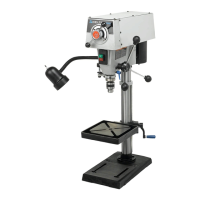
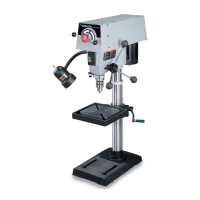
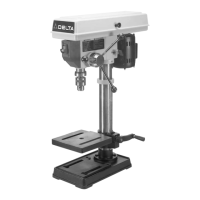
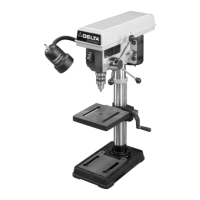
The Delta ShopMaster Model DP200 is a 10" bench drill press designed for various drilling operations. It is equipped with a 1/4 H.P. motor and a flexible work lamp, making it suitable for both general woodworking and metal drilling tasks.

Function Description:

The drill press is primarily used for drilling holes to precise depths in various materials, including wood and metal. It features a chuck that accommodates drill bits with shanks of 1/2" or less in diameter. The machine allows for adjustments in spindle speed, table height, and table tilt, providing versatility for different applications. The flexible work lamp illuminates the work area, enhancing visibility during operation.
Important Technical Specifications:

  • Model: DP200
  • Type: 10" Bench Drill Press
  • Motor: 1/4 H.P.
  • Voltage: 120 volt, 60 HZ alternating current
  • Spindle Speeds: Five selectable speeds: 620, 1100, 1720, 2340, and 3100 RPM. These speeds are achieved by positioning the drive belt on different steps of the motor and spindle pulleys.
  • Chuck Capacity: Accommodates drill bits with shanks of 1/2" or less.
  • Depth Stop: Calibrated scale in both inches and millimeters for precise depth drilling.
  • Table Tilt: The table can be tilted right or left, with a tilt scale indicating the degree of tilt.
  • Table Rotation: The table can be rotated 360 degrees on the column.
  • Power Cord: Requires a 3-wire extension cord with a 3-prong grounding type plug and matching receptacle. Minimum gauge extension cord recommendations are provided based on ampere rating and cord length (e.g., 18 AWG for 0-6 Amp, up to 25 feet; 12 AWG for 10-12 Amp, 100-150 feet).
  • Lamp: Flexible work lamp, requires a 40 watt or less, 120 volt, reflector track type light bulb (not supplied). Standard household light bulbs should not be used.

Usage Features:

  • Assembly and Installation: The manual provides detailed instructions for assembling the column to the base, installing the table bracket and raising rack, assembling the table raising and lowering handle, and placing the drill press head onto the column. It emphasizes the importance of securing the machine to a supporting surface to prevent tipping or sliding during operation.
  • Starting and Stopping: The drill press is controlled by a switch located on the front of the head. Moving the switch up turns the drill press "ON," and moving it down turns it "OFF."
  • Switch Lock-Out: For safety and to prevent unauthorized use, the switch can be locked in the "OFF" position by pulling out the switch toggle. The machine cannot be restarted without inserting the switch toggle.
  • Flexible Lamp Operation: The lamp operates independently of the drill press and is turned "ON" and "OFF" by rotating a dedicated switch.
  • Table Adjustments:
    • Height Adjustment: The table can be raised or lowered by loosening the table clamp and turning the table raising and lowering handle. The final positioning should always be from the bottom to the up position.
    • Rotation: The table can be rotated 360 degrees on the column by loosening the table clamp, rotating to the desired position, and then tightening the clamp.
    • Tilt Adjustment: The table can be tilted right or left by removing the table alignment pin, loosening the table locking bolt, tilting to the desired angle, and then tightening the bolt. A tilt scale is provided for accuracy.
  • Changing Spindle Speeds: To change speeds, the belt and pulley guard must be lifted, the tension lock knob loosened, and the motor pivoted forward. The belt is then repositioned on the desired steps of the motor and spindle pulleys according to the belt positioning speed chart located inside the top cover. After positioning, the motor is moved back to tension the belt, and the tension lock knob is tightened. Correct tension allows for about 1" of flex midway between pulleys with light finger pressure.
  • Drilling Depth Control: A depth stop mechanism is provided. The spindle is lowered until the pointer aligns with the desired depth mark on the scale, and the lock screw is tightened.
  • Spindle Return Spring Adjustment: The spindle automatically returns to its upper position when the handle is released. Instructions are provided for adjusting the spring tension if necessary, which involves loosening nuts, pulling out and rotating the spring housing, and then re-tightening the nuts.
  • Installing/Removing Drill Bits: Drill bits are inserted into the chuck, backed out slightly (1/16" or to the flutes for small bits), and then secured by tightening all three chuck jaws with the chuck key. The chuck key is equipped with a self-ejecting pin to minimize the risk of leaving it in the chuck. It is crucial to remove the chuck key before starting the drill press.
  • Workpiece Support: For long workpieces, one end should be positioned against the left side of the column to prevent rotation. If column support is not possible, the workpiece must be clamped to the table using clamps or a vise.
  • Boring in Wood: Twist drills can be used, but machine spur bits are generally preferred for flat-bottom holes and efficient chip removal. Hand bits with screw tips should be avoided. For through boring, the table should be aligned with the bit's entry point. Slow feeding is recommended when cutting through wood to prevent splintering, and a scrap wood base block should be used.
  • Drilling Metal: Workpieces must always be clamped firmly to the table when drilling metal to prevent injury and drill bit breakage. A wooden base under flat work is recommended. Irregularly shaped pieces should be securely blocked and clamped.

Maintenance Features:

  • Cleaning: The machine should be unpacked carefully, and protective coating removed from unpainted surfaces using a soft cloth moistened with kerosene. After cleaning, unpainted surfaces should be covered with a good quality household floor paste wax.
  • General Maintenance: The manual emphasizes maintaining tools in top condition, keeping them sharp and clean, following lubrication instructions, and changing accessories as needed.
  • Pre-Operation Checks: Before each use, check for damaged parts, ensure guards are in place and working, and verify that adjusting keys and wrenches are removed.
  • Cord Maintenance: Repair or replace damaged or worn power cords immediately.
  • Dust Management: Operate the machinery in well-ventilated areas and provide for proper dust removal, using wood dust collection systems whenever possible, due to potential health hazards from wood dust.
  • Service and Parts: Delta Machinery provides a network of service centers and authorized service stations for parts, service, warranty assistance, or location of the nearest service outlet. Contact information (1-800-223-7278 in the US, 1-800-463-3582 in Canada) and website (www.deltamachinery.com) are provided.
  • Warranty: The product comes with a Two Year Limited Warranty, covering repair or replacement of defective workmanship or material under normal use, provided the product is returned with proof of purchase. The warranty excludes normal wear, misuse, abuse, or unauthorized repairs.

Delta ShopMaster DP200 Specifications

General IconGeneral
BrandDelta
ModelShopMaster DP200
CategoryDrill
LanguageEnglish

Related product manuals