User’s Manual
Bass Multi
-
Effects Pedal
11
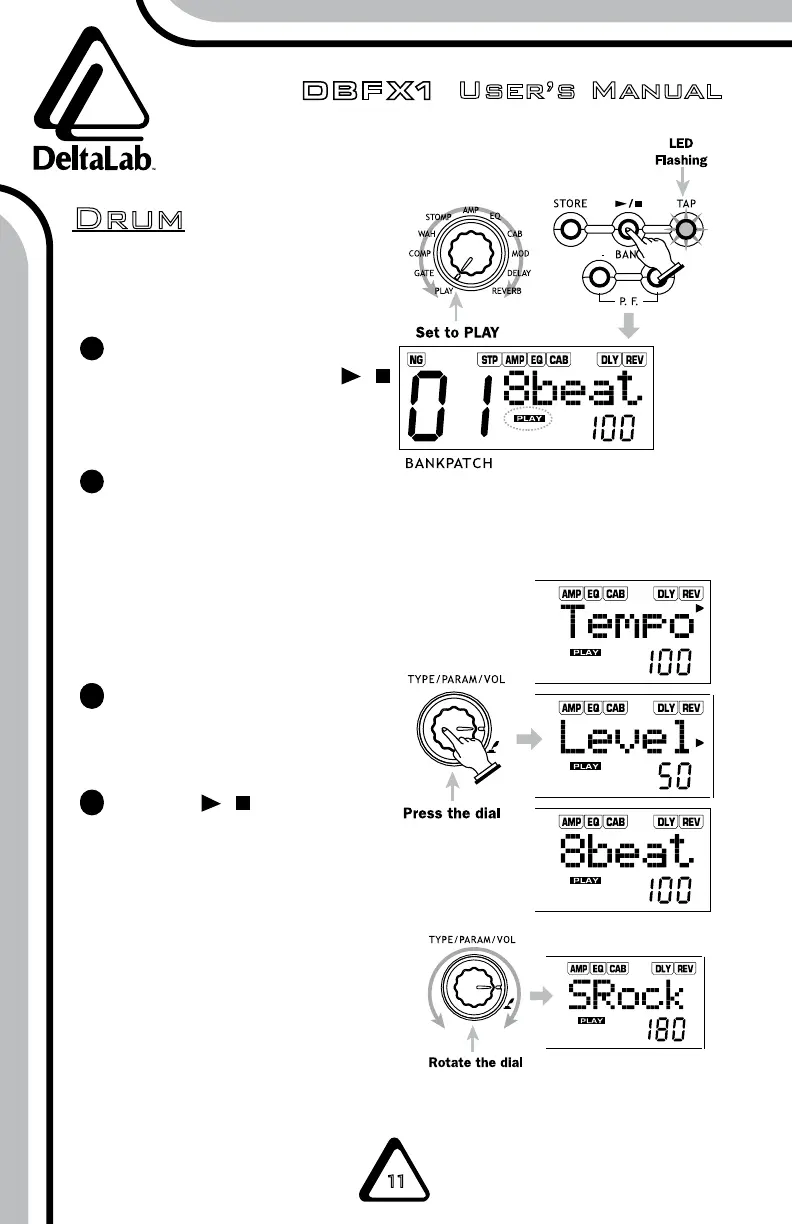
NOTE: The DBFX1 has a built-in rhythm
function that plays realistic
drum sounds.
Dial the TYPE/PARAM/VOL
knob to PLAY, press the /
button, and the PLAY
indicator will light up.
Press the TYPE/PARAM/
VOL dial to adjust these
parameters: rhythm pattern,
tempo, and rhythm volume.
NOTE: If no action is taken within 8
seconds, the LCD will redisplay the
patch name.
Dial the TYPE/PARAM/VOL
knob to set the value of
the parameter.
Press the / again to return
to the previous status.
1
2
3
3
3
4
4
Drum


 To Next Page