Bass Multi
-
Effects Pedal
www.deltalabeffects.com
8
Press
simultaneously
Press
simultaneously
Flashing
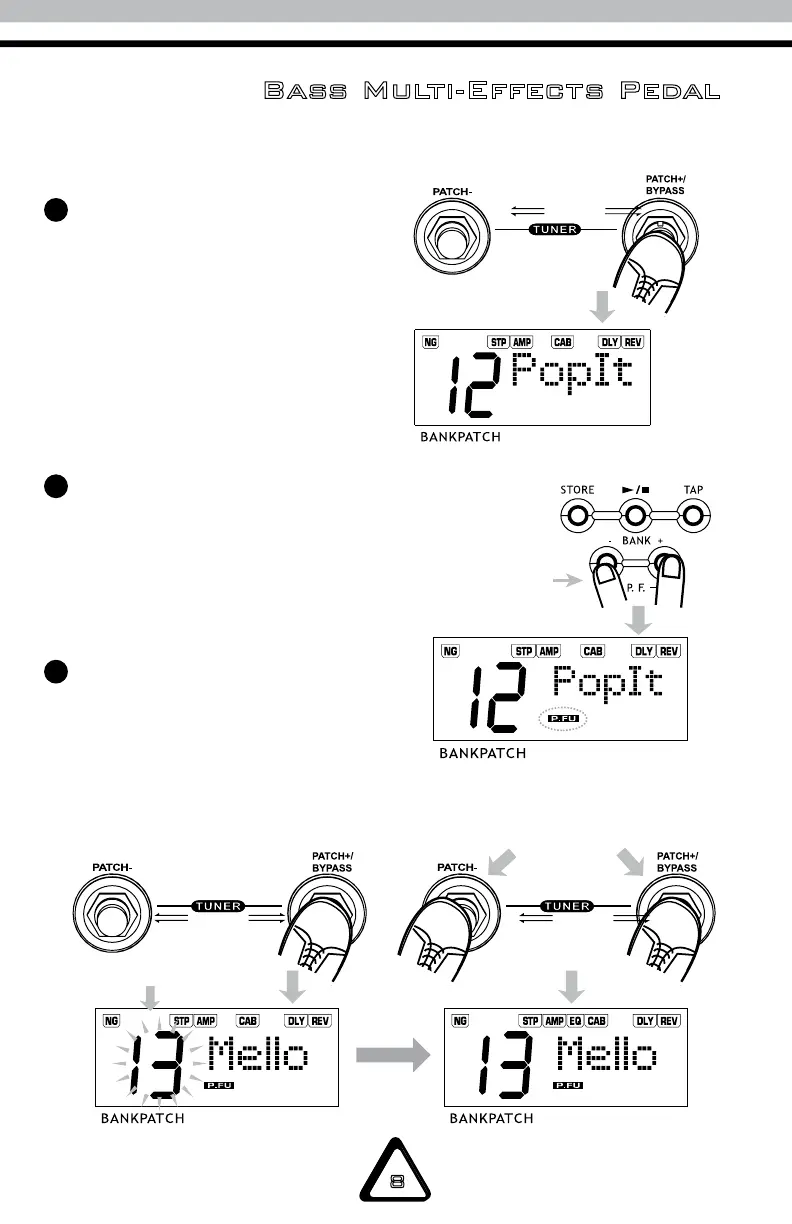
Press the PATCH +/- to select the
PATCH. Press and hold PATCH +/-
again to change patches.
The screen displays the current
patch number (1–6) with the
relevant tone name and
effect chain.
Patch Function
Press the BANK– and BANK+
buttons simultaneously to
activate the patch function.
At the same time, the indicator
‘P.FU’ will be displayed.
Press PATCH+/- or BANK+/- to
change the patch display. The
patch number flashes until you
press the PATCH+ and PATCH-
switches simultaneously to
select the patch.
3
1
2


 To Next Page