User’s Manual
Bass Multi
-
Effects Pedal
17
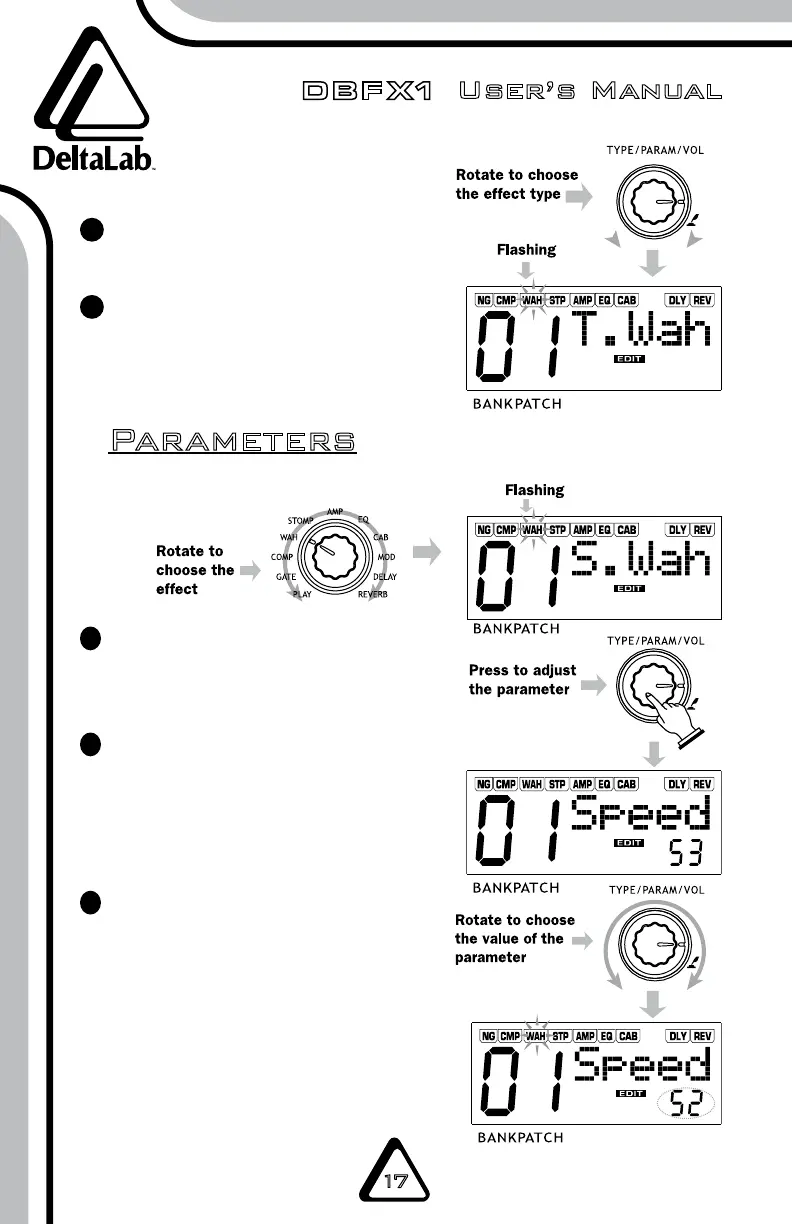
You can dial the TYPE/PARAM/VOL
knob to adjust the desired effect.
If the EFFECT SELECT knob is
not set to PLAY, the unit is in
edit status. The EDIT symbol
will be displayed.
3
4
Parameters
All parameter adjustments
are performed by dialing the
TYPE/PARAM/VOL knob.
Press the TYPE/PARAM/VOL
knob to select the parameter
you want to adjust. Each time
the knob is pressed it will
display a different parameter.
Dial the TYPE/PARAM/VOL
knob to choose the parameter
value.
1
2
3
Adjusting Parameters


 To Next Page