User’s Manual
Bass Multi
-
Effects Pedal
15
Storing Programs
1
2
3
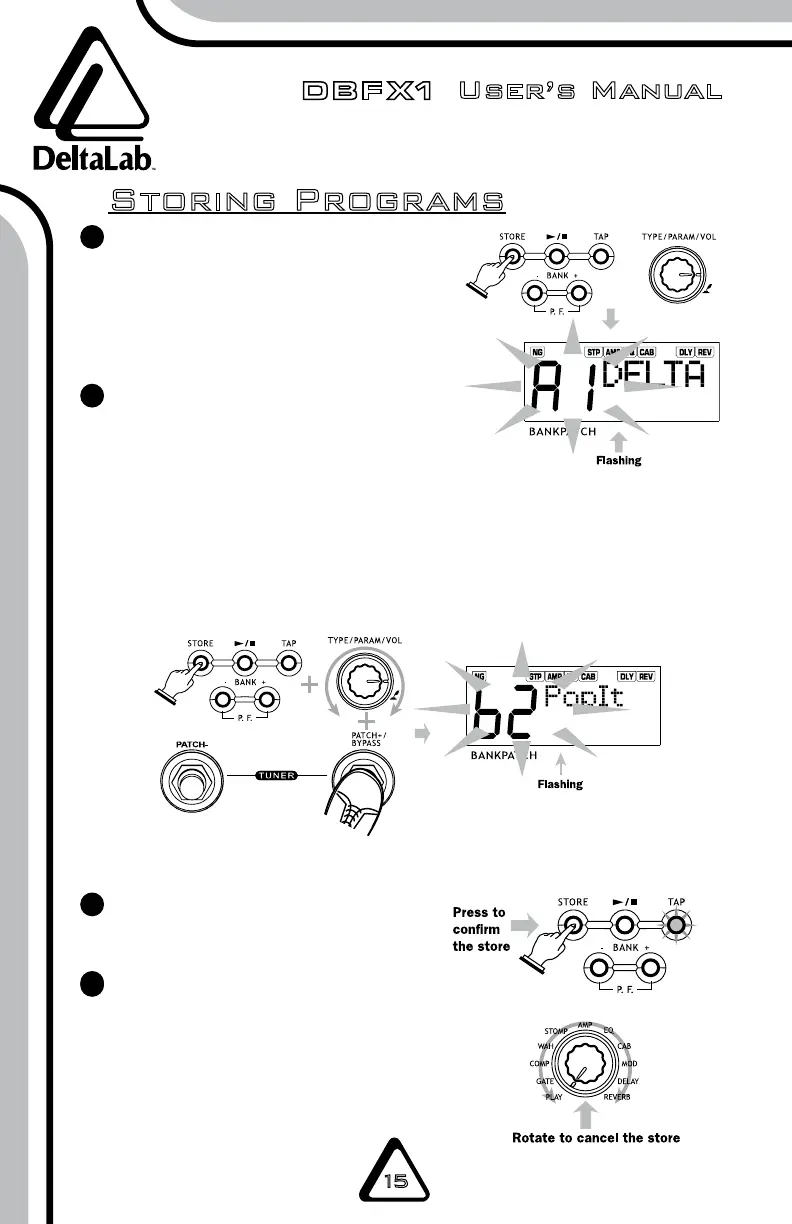
Press the STORE button again
to confirm.
At any time, you can cancel the
edits to the patch and return to
the original parameters by dialing
the EFFECT SELECTION knob back
to PLAY and selecting a new
patch number.
4
4
After editing any of the effect
programs, press the STORE button
to save your custom program. The
tone number and the patch name
will flash on the display.
You can select the tone that you
want to store by pressing BANK+/-
or PATCH +/-. You can save user
patches in banks A1–H6. To
change the patch name, press the
TYPE/PARAM/VOL dial to select
the letter to be changed. Choose
the new letter by dialing the knob.



 To Next Page