User’s Manual
Bass Multi
-
Effects Pedal
7
Power Supply
Patches
SettoPLAY
How to Select a Patch
Set the EFFECT SELECTION
knob button to PLAY.
Use BANK– or BANK+ button
to select a bank number.
The LCD displays the current
bank number (0–7 and A–H)
with the relevant tone name
and effect chain.
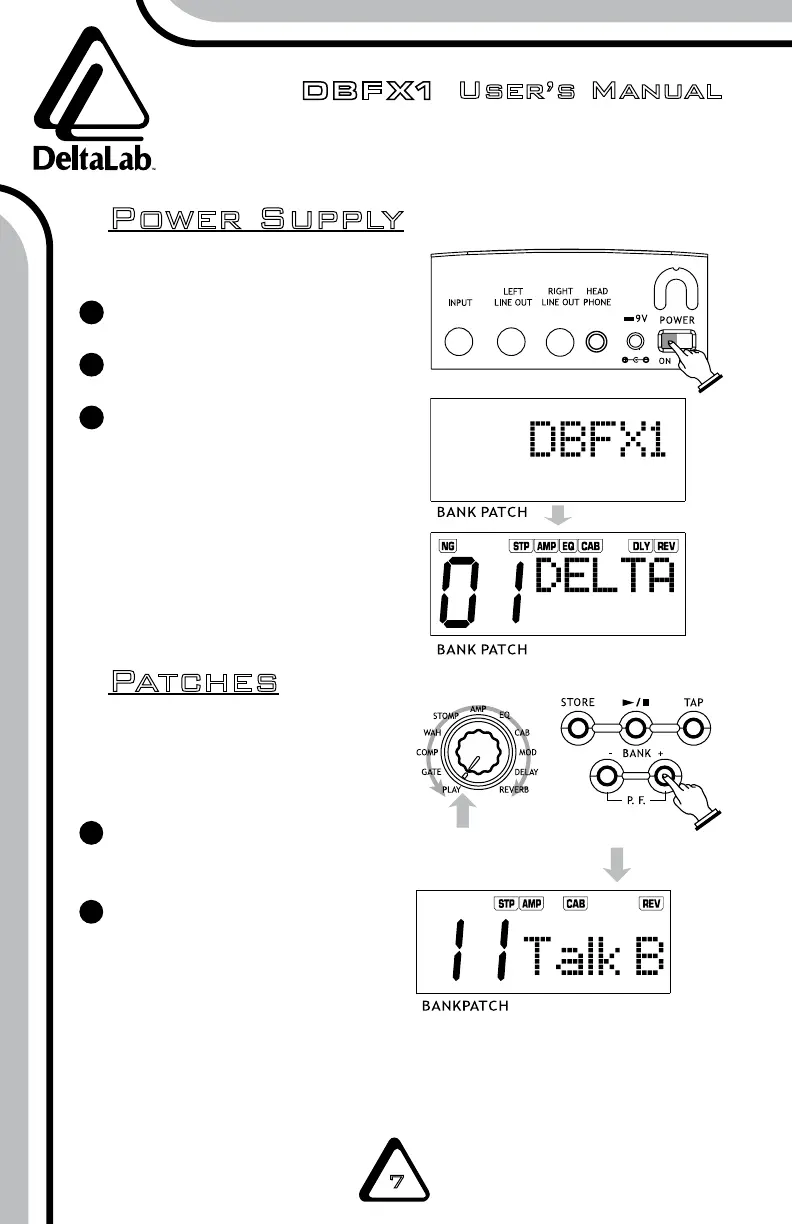
Connect all cables.
Switch on the DBFX1.
After the power is on,
the LCD will display “DBFX1”
followed by any previously
saved patch and effects chain.
1
2
3
NOTE: The unit has up to 96 patches:
48 default settings (0–1 and 7–6), and
48 user patches (A–1 and H–6).
1
2
NOTE: The PLAY mode will be automatically selected after you turn the unit on, even if
the knob has been set to a position other than PLAY.


 To Next Page