1
2
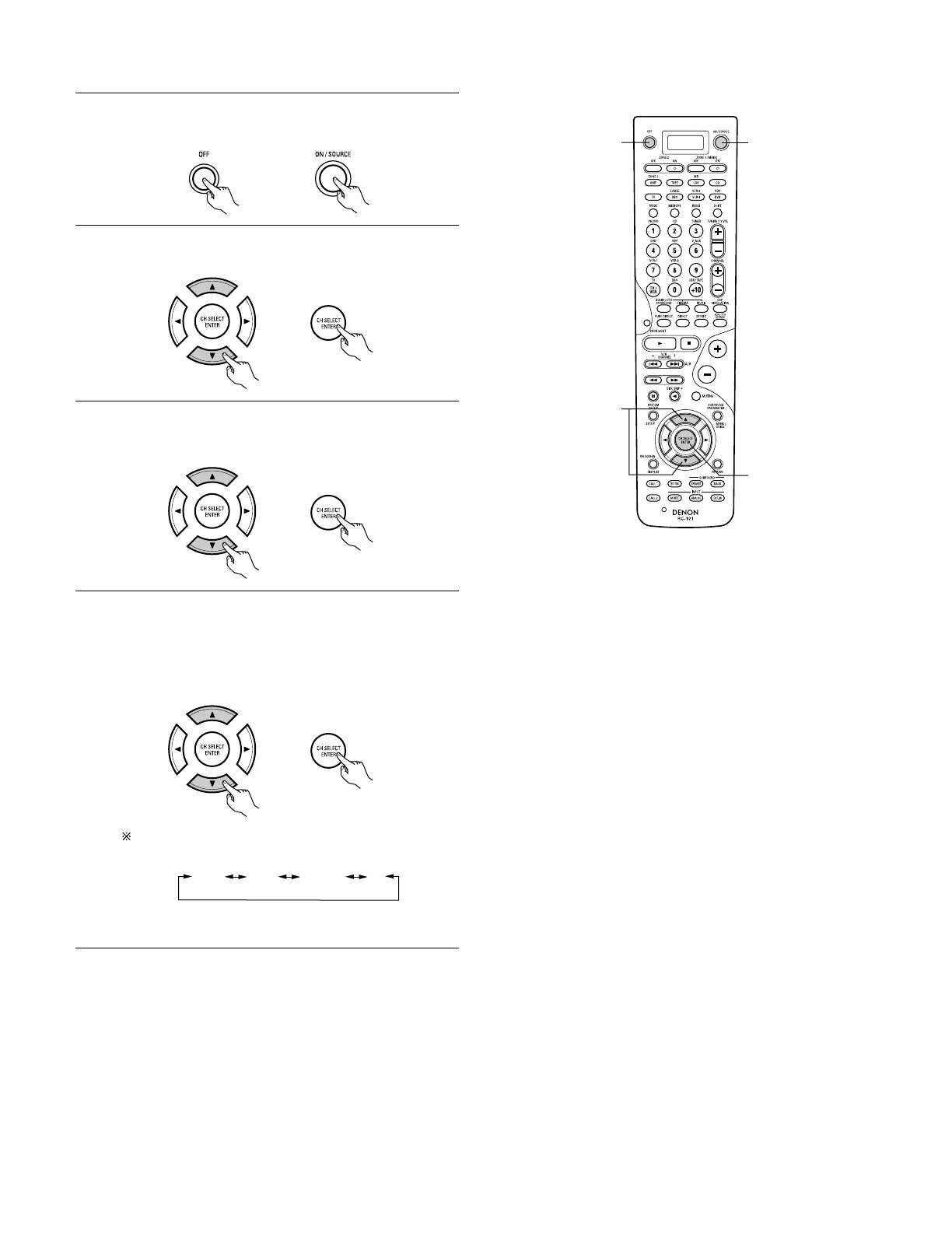
Press the power ON/SOURCE button and the OFF button at
the same time.
•“PRE” appears on the remote control unit’s display.
Use the • and ª cursor buttons to display “RST” on the
remote control unit, then press the ENTER button.
3
Use the • and ª cursor buttons to display “PUNCH” on the
remote control unit, then press the ENTER button.
•“SEL” appears on the remote control unit’s display.
4
Use the • and ª cursor buttons to display the mode whose
punch through setting you want to cancel, then press the
ENTER button.
• The LCD’s back light flashes during the resetting operation,
and when the operation is completed, “OK” is displayed
and the set returns to the normal operating mode.
It is also possible to select the mode directly using the
mode buttons.
The display switches as shown below each time the • and
ª cursor buttons are pressed.



 To Next Page