EasyManua.ls Logo

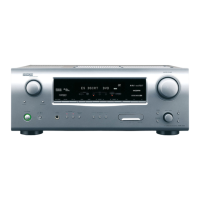
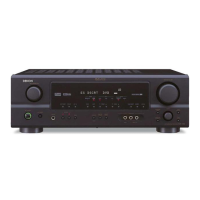
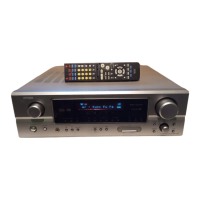
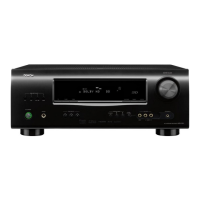
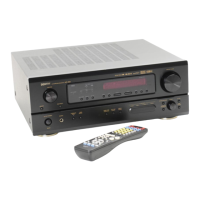
Denon AVR-1507 - Service Manual

Denon AVR-1507
131 pages
Print Icon
To Next Page IconTo Next Page
Loading...
SERVICE MANUAL
AV SURROUND RECEIVER
MODEL
AVR-1707
AVR-1507
AVR-687
AVR-587
AVR-487
TOKYO, JAPAN
Denon Brand Company, D&M Holdings Inc.
X0282V.01 DE/CDM 0605
Some illustrations using in this service manual are
slightly different from the actual set.
Please use this service manual with referring to the
operating instructions without fail.
For purposes of improvement, specifications and
design are subject to change without notice.
本文中に使用しているイラストは、説明の都合上現物
と多少異なる場合があります。
修理の際は、必ず取扱説明書を参照の上、作業を行っ
てください。
サービスをおこなう前に、このサービスマニュアルを
必ずお読みください。本機は、火災、感電、けがなど
に対する安全性を確保するために、さまざまな配慮を
おこなっており、また法的には「電気用品安全法」に
もとづき、所定の許可を得て製造されております。
従ってサービスをおこなう際は、これらの安全性が維
持されるよう、このサービスマニュアルに記載されて
いる注意事項を必ずお守りください。
本機の仕様は性能改良のため、予告なく変更すること
があります。
補修用性能部品の保有期間は、製造打切後8年です。
注 意
For U.S.A. , Canada, Europe,
& Taiwan R.O.C. model
Ver. 1

Table of Contents

Other manuals for Denon AVR-1507

Questions and Answers

  • R
    Rebecca JohnsonJul 26, 2025
    Why is my Denon AVR-1507 display lit but no sound is produced?
    • J
      Judith GarciaJul 26, 2025
      If your Denon Stereo Receiver display is lit but no sound is being produced, several factors could be at play. First, make sure the speaker cables are securely connected. Second, ensure the INPUT SELECTOR knob is in the correct position. Third, check that the volume control is not set to the minimum; turn it up to a suitable level. Also, verify that MUTING is switched off. Finally, if you're using a digital signal, ensure a digital signal input source is properly selected.
  • K
    kleonardAug 1, 2025
    What to do if sound is only produced from the center speaker on my Denon Stereo Receiver?
    • D
      Daniel JohnsonAug 1, 2025
      If sound is only coming from the center speaker on your Denon Stereo Receiver, it might be because you're playing a monaural source (like TV or AM radio) in the STANDARD (Dolby/DTS Surround) mode. When playing monaural sources, try selecting a surround mode other than STANDARD (Dolby/DTS Surround) mode.
  • R
    Robert SandovalAug 6, 2025
    What to do if my Denon AVR-1507 Stereo Receiver power has turned off and the power indicator is blinking red?
    • L
      Lisa DavisAug 6, 2025
      If the Denon Stereo Receiver's power indicator is blinking red and the power has turned off, this could be due to several reasons. First, the internal temperature of the unit may have risen, activating the protection circuit. Ensure the receiver is in a well-ventilated area. Second, the speaker cables' core wires might be touching each other or the receiver's rear panel, which also activates the protection circuit. Check all speaker cable connections. Finally, the receiver itself may be malfunctioning. In this case, turn off the power and contact a DENON customer service center.
  • K
    Kayla EllisAug 12, 2025
    How to fix nothing displayed on monitor connected to Denon Stereo Receiver?
    • J
      Jeffrey WellsAug 12, 2025
      If nothing is displayed on the monitor connected to your Denon Stereo Receiver, first check that the receiver's video output terminals and the monitor's input terminals are correctly connected. If the connections are correct, then check that the monitor’s input setting is set to the terminals to which video signals are connected.
  • S
    swhiteAug 19, 2025
    Why is no DTS sound produced by my Denon AVR-1507?
    • R
      Richard BowenAug 19, 2025
      If your Denon Stereo Receiver isn't producing DTS sound, there are a few potential causes. First, check that your DVD player’s audio output setting is set to bit stream. If that’s not the issue, ensure your DVD player is DTS-compatible. Finally, verify that the receiver’s input setting is set to “AUTO” or “DTS.”

Summary

Safety Precautions

Leakage Current Check

Procedure to check leakage current before returning the unit to the customer.

Servicing Cautions

General warnings and precautions for servicing, disassembly, and parts handling.

Important Safety Parts

Identifies critical safety parts requiring specific replacement.

Adjustment Procedures

Audio Section Idling Current Adjustment

Steps to adjust idling current in the audio section using a DC voltmeter.

Video Section Setup and Procedure

Procedure for setting up and adjusting the video section with an oscilloscope.

System Diagrams and Layouts

Block and Level Diagrams

Diagrams illustrating system blocks and signal levels.

Printed Wiring Board Layouts

Illustrations of PWB component and foil sides.

Wiring Diagram

Diagram showing interconnections between boards and units.

Component and Parts Information

Semiconductor and IC Details

Information on semiconductors, ICs, and terminal functions.

Parts Lists

Comprehensive lists of parts for various P.W.B. units.

Exploded Views

Diagrams showing physical assembly and part locations.

Packing and Accessories List

List of items included in product packaging and accessories.

Schematic Diagrams

CPU, Main, CNT, Front, Input Unit Schematics

Schematics for CPU, Main, CNT, Front, and Input boards.

Pre-Amp and Video Units Schematics

Schematics for Pre-Amp, C-S Video 1, and C-S Video 2 units.

DSP and 8 CH-EXT Unit Schematics

Schematics for DSP and 8-channel external units.

Tuner Unit Schematic

Schematic for the tuner unit.

Denon AVR-1507 Specifications

General IconGeneral
Digital Inputs2 Optical, 1 Coaxial
Analog Inputs5
TunerAM/FM
Response Bandwidth10 Hz - 100 kHz
Signal-To-Noise Ratio98 dB
Total Harmonic Distortion0.08%
Input Sensitivity200 mV
Digital Sound Processor (DSP)Yes
HDMI SwitchingNo
Tuner Frequency RangeFM: 87.5 - 108 MHz, AM: 522 - 1611 kHz
Surround SoundDolby Digital, DTS, Dolby Pro Logic II
Input Impedance47 kOhm
Power Output75 W per channel (8 ohms, 20 Hz - 20 kHz, 0.08% THD)
DSP Presets5-channel stereo, Cinema EQ

Related product manuals