EasyManua.ls Logo

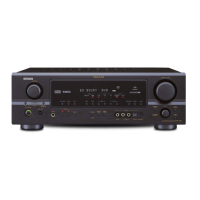
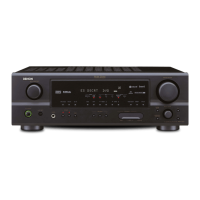
Denon AVR-1909 - Service Manual

Denon AVR-1909
161 pages
Print Icon
To Next Page IconTo Next Page
Loading...
Denon Brand Company, D&M Holdings lnc.
For purposes of improvement, specifications and
design are subject to change without notice.
Please use this service manual with referring to the
operating instructions without fail.
Some illustrations using in this service manual are
slightly different from the actual set.
注 意
サービスをおこなう前に、このサービスマニュアルを
必ずお読みください。本機は、火災、感電、けがなど
に対する安全性を確保するために、さまざまな配慮を
おこなっており、また法的には「電気用品安全法」に
もとづき、所定の許可を得て製造されております。
従ってサービスをおこなう際は、これらの安全性が維
持されるよう、このサービスマニュアルに記載されて
いる注意事項を必ずお守りください。
本機の仕様は性能改良のため、予告なく変更すること
があります。
補修用性能部品の保有期間は、製造打切後 8 年です。
修理の際は、必ず取扱説明書を参照の上、作業を行っ
てください。
本文中に使用しているイラストは、説明の都合上現物
と多少異なる場合があります。
X0383 V.03 DE/CDM 0812
SERVICE MANUAL
AV SURROUND RECEIVER
MODEL JP E3 E2 EK E2A E1C EA
AVR-1909
33
AVR-789
33
AVC-1909
3
Ver. 3
Please refer to the
MODIFICATION NOTICE.

Table of Contents

Other manuals for Denon AVR-1909

Questions and Answers

  • C
    cmeltonSep 8, 2025
    How do I get sound from a monitor connected via HDMI to my Denon Stereo Receiver?
    • J
      Joseph ContrerasSep 9, 2025
      If no sound is output from the monitor connected with HDMI, the “Manual Setup” – “HDMI Setup” – “HDMI Audio Out” setting is probably set to “AMP”. Set it to “TV”.
  • J
    Jeremy KellyAug 23, 2025
    Why is there no sound from the center speaker on my Denon AVR-1909?
    • C
      Christina FrederickAug 23, 2025
      If no sound is produced from the center speaker, it may be because you are playing a monaural source (TV, AM radio broadcast, etc.) in the “STANDARD” (Dolby/ DTS Surround) mode. Try setting the mode to something other than “STANDARD” (Dolby/ DTS Surround).
  • R
    Robert CoxAug 25, 2025
    Why is there no sound from the surround back speaker on my Denon Stereo Receiver?
    • A
      Angela CollinsAug 25, 2025
      If no sound comes from the surround back speaker, check these settings: * Ensure the surround back speaker’s power amplifier is correctly assigned to the channel. * Make sure the surround back speaker setting is not set to “None”. * Verify that the “Parameter” – “Surround Parameter” – “SB CH Out” settings are not set to “OFF”. * Select a surround mode for 6.1- or 7.1-channel playback.
  • M
    Miguel NortonAug 27, 2025
    Why is there no sound from the subwoofer connected to my Denon AVR-1909?
    • D
      Danny HumphreyAug 27, 2025
      If no sound is coming from the subwoofer, check the following: * Ensure the subwoofer’s power is turned on. * Verify that the “Subwoofer” setting at “Speaker Configuration” is set to “Yes”. * Check that the subwoofer is properly connected. * Adjust the subwoofer’s volume to an appropriate level.
  • B
    Benjamin MillerAug 27, 2025
    Why does my Denon Stereo Receiver AVR-1909 power off suddenly and the power indicator flashes red?
    • A
      Angel GonzalezAug 27, 2025
      The protection circuit in your Denon Stereo Receiver AVR-1909 may be activated because the internal temperature is too high or the speaker impedance is too low or speaker cables are faulty. Here's what to do: * Switch off the power immediately and allow the unit to cool down before turning it back on. * Ensure the AVR-1909 is installed in a well-ventilated area. * Use speakers with the specified impedance. * Unplug the power cord, twist the speaker cable core wires together tightly or redo the termination treatments, and then reconnect.
  • T
    Taylor RochaSep 22, 2025
    Why is my iPod not playing on my Denon Stereo Receiver?
    • R
      Robert AllenSep 22, 2025
      If your iPod cannot be played, it could be due to the following reasons: * The input source assigned to “iPod dock” is not selected. * The cable is not properly connected. * The control dock for iPod’s AC adapter is not connected to a power outlet. To solve this: * Switch to the input source assigned at “iPod dock”. * Reconnect the cable. * Plug the control dock for iPod’s AC adapter into a power outlet.
  • D
    Dr. Bradley RoseSep 16, 2025
    Why does my Denon AVR-1909 Stereo Receiver display ”ANTENNA ERROR”?
    • Y
      yhillSep 16, 2025
      If “ANTENNA ERROR” is displayed, it means that if the Sirius Tuner is not connected, it will be broken. Check that the connections are correct.
  • T
    Tiffany FrySep 18, 2025
    Why does my Denon AVR-1909 display “CHECK XM TUNER”?
    • H
      hwellsSep 18, 2025
      If “CHECK XM TUNER” is displayed, it means the XM Mini-Tuner is not installed or not fully seated in the XM Mini-Tuner Dock or the XM Mini-Tuner dock is not connected to the AVR-1909. Confirm the XM Mini-Tuner is fully seated in the dock and check the XM Mini-Tuner dock cable is connected to the AVR-1909.
  • K
    kelly89Sep 7, 2025
    How to get HDMI audio from speakers connected to Denon AVR-1909 Stereo Receiver?
    • C
      Charlene DaySep 7, 2025
      If HDMI audio signals are not output from the speakers, the “Manual Setup” – “HDMI Setup” – “HDMI Audio Out” setting is likely set to “TV”. Change it to “AMP”.
  • P
    Paul DavisSep 4, 2025
    How do I get sound from my surround speakers on my Denon AVR-1909 Stereo Receiver?
    • J
      Jeremy NguyenSep 4, 2025
      If no sound is produced from the surround speakers, it's likely that the surround mode is set to “STEREO”, “DIRECT” or “PURE DIRECT”. Change it to a surround playback mode.

Summary

SAFETY PRECAUTIONS

LEAKAGE CURRENT CHECK

Check performed before returning the unit to the customer to ensure safety.

Heed the cautions!

Pay attention to labels, seals, and handling instructions for specific parts.

Caution concerning electric shock!

Warning about touching internal metal parts when energized; use precautions.

Caution concerning disassembly and assembly!

Use gloves to protect hands from sharp metal edges during disassembly.

Only use designated parts!

Use parts with same safety properties, especially marked 'z' parts.

Be sure to mount parts and arrange the wires as they were originally!

Restore parts and wire arrangement to original state for safety.

Inspect for safety after servicing!

Check screw, part, wire replacement and insulation after service.

Concerning important safety parts

Parts with special safety properties indicated by 'z' mark must be replaced with designated parts.

DISASSEMBLY

PANEL FRONT SUB ASSY

Step-by-step instructions for removing the front panel sub assembly.

HDMI P.W.B.ASSY

Instructions for disassembling the HDMI power board assembly.

SIRIUS P.W.B ASSY

Instructions for disassembling the Sirius power board assembly.

TUNER PACK

Instructions for disassembling the tuner pack.

CHASSIS BACK SUB ASSY

Instructions for disassembling the chassis back sub assembly.

VIDEO P.W.B ASSY

Instructions for disassembling the video power board assembly.

CAUTION IN SERVICING

Initializing AV SURROUND RECEIVER;AMPLIFIER

Procedure for initializing the receiver/amplifier after component replacement.

JIG to use for servicing

Check mode for µcom;DSP version

µcom;DSP Version Display Mode

How to check the version information of the microcontroller and DSP.

PROCEDURE FOR CHECKING ERRORS

Displaying the protection history

How to access and display the protection history mode.

Clearing the protection history

Warning indication by the STANDBY LED

Describes how the STANDBY LED flashes to indicate protection incidents.

ADJUSTMENT

TROUBLE SHOOTING

1. POWER

Troubleshooting steps for power-related issues.

2. Analog video

2.2. HDMI out

HDMI OUT output NG

Steps to take when HDMI output is not working correctly.

3. HDMI;DVI

3.1. No picture or sound is output

Troubleshooting steps when no picture or sound is output via HDMI/DVI.

SEMICONDUCTORS

2. FL DISPLAY

PRINTED WIRING BOARDS

NOTE FOR PARTS LIST

PARTS LIST OF P.W.B. UNIT

EXPLODED VIEW

PARTS LIST OF EXPLODED VIEW

NOTE FOR SCHEMATIC DIAGRAM

WARNING:

Parts marked 'z' have critical characteristics and must be replaced with specified parts.

CAUTION:

Perform leakage current or line-to-chassis resistance check before returning the unit.

SCHEMATIC DIAGRAMS (1;25)

SIRIUS;2 WAY RF UNIT

2 CH AMP UNIT

VIDEO UNIT (1;2)

VIDEO UNIT (2;2)

D VIDEO UNIT (1;3)

D VIDEO UNIT (2;3)

D VIDEO UNIT (3;3)

POWER UNIT

SUPPLAY UNIT

REG UNIT

Denon AVR-1909 Specifications

General IconGeneral
Speakers connectivity type-
HDMI version1.3a
Product colorBlack
x.v.Color supportYes
Receiver typeSurround
Frequency range10 - 100000 Hz
Audio output channels7.1 channels
Power output per channel (1KHz@6 Ohm)120 W
Power output per channel (20-20KHz@8 Ohm)90 W
HDMI in3
Number of HDMI outputs1
Ethernet LANNo

Related product manuals