EasyManua.ls Logo

Denon AVR-1611 - User Manual

Denon AVR-1611
78 pages
Print Icon
To Next Page IconTo Next Page
Loading...
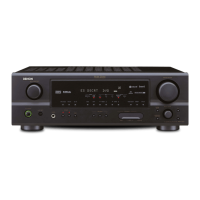
AV SURROUND RECEIVER
AVR-1611
Owners Manual
Manuel de l’Utilisateur
Manual del usuario
Simple
version
Version simplifiée
Versión sencilla
v
3
Basic
version
Version basique
Versión básica
v
12
Advanced
version
Version avancée
Versión avanzada
v
27
Information
“Part names and functions”
(vpage61)
v
60
Informations
“Nomenclature et fonctions“
(vpage61)
Información
“Nombres y funciones de las
piezas“ (vpágina 61)

Table of Contents

Other manuals for Denon AVR-1611

Questions and Answers

  • P
    Patricia AustinSep 8, 2025
    What to do if Dolby TrueHD, DTS- HD, Dolby Digital Plus audio is not output on Denon Stereo Receiver?
    • T
      Timothy CookSep 8, 2025
      To resolve the issue of Dolby TrueHD, DTS-HD, or Dolby Digital Plus audio not being output on your Denon Stereo Receiver, ensure you are using HDMI connections.
  • K
    karnoldAug 25, 2025
    How to troubleshoot no sound from the subwoofer on a Denon Receiver?
    • J
      jonesryanAug 25, 2025
      If your Denon Receiver's subwoofer isn't producing sound, try the following: * Check the subwoofer connections. * Make sure the subwoofer is powered on. * In the menu, set "Speaker Config." – "Subwoofer" to "Yes." * Note that if "Front" and "Center" are set to “Large” and “Subwoofer Mode” is set to “LFE”, no sound may be output from the subwoofers, depending on the input signal or selected surround mode.
  • E
    Elizabeth HillAug 25, 2025
    Why is the power indicator blinking red rapidly on my Denon Receiver?
    • L
      Laurie FisherAug 26, 2025
      If the power indicator on your Denon Receiver is blinking red every 0.5 seconds, ensure you are using speakers with the specified impedance. Also, check the speaker cables for shorts and firmly twist the core wire before reconnecting them to the speaker terminal.
  • J
    Jennifer MartinSep 18, 2025
    Why is my Denon AVR-1611 remote control not working?
    • J
      Jessica BautistaSep 18, 2025
      If the remote control isn't working with your Denon Stereo Receiver, consider these possibilities: * Replace worn-out batteries with new ones. * Ensure you're within 23 ft / 7 m and within a 30° angle of the unit. * Remove any obstructions between the remote and the unit. * Verify the batteries are inserted correctly, matching the polarity marks. * Move the unit away from strong light sources like direct sunlight or inverter-type fluorescent lights.
  • A
    Abigail PowellSep 8, 2025
    What to do if no picture appears on my Denon Receiver?
    • D
      Derrick SnyderSep 9, 2025
      If you're not getting a picture from your Denon Receiver, check the TV connection and make sure the TV input is set correctly.
  • N
    njohnsonSep 13, 2025
    How do I enable DTS sound output on my Denon Stereo Receiver?
    • M
      Maria ParrishSep 13, 2025
      If your Denon Stereo Receiver is not outputting DTS sound, set “Decode Mode” on the menu to “Auto” or “DTS".
  • V
    Veronica NealSep 3, 2025
    Why is Dolby TrueHD/DTS-HD audio not working on my Denon AVR-1611 Stereo Receiver?
    • R
      Ryan JimenezSep 3, 2025
      If Dolby TrueHD, DTS-HD, or Dolby Digital Plus audio is not output from your Denon Stereo Receiver, make HDMI connections.
  • J
    James RichardsonSep 4, 2025
    How do I improve radio reception on my Denon AVR-1611?
    • S
      Sarah FriedmanSep 4, 2025
      If reception fails, or there is a lot of noise or distortion on your Denon Stereo Receiver, change the antenna orientation or position. Separate the AM loop antenna from the unit. Use an FM outdoor antenna and separate the antenna from other connection cables.
  • B
    Brandon BaileySep 23, 2025
    What to do after turning on the power, the power indicator is blinking red in intervals of approximately 0.5 seconds on Denon Stereo Receiver?
    • M
      Michael CurtisSep 23, 2025
      This indicates that the unit amplifier circuit has failed. Turn off the power and please contact the DENON service adviser.
  • M
    michaelfreemanAug 29, 2025
    How to enable DTS sound output on a Denon Receiver?
    • K
      Kevin HendersonAug 29, 2025
      If DTS sound isn't being output by your Denon Receiver, set “Decode Mode” on the menu to “Auto” or “DTS.”

Summary

Safety Precautions

Important Safety Instructions

Essential safety guidelines for operating the apparatus, including warnings and instructions.

FCC Information

Compliance information for US customers regarding radio frequency and interference.

Warnings and Precautions

General Warnings

Important warnings regarding temperature, handling, environment, and component care.

Installation Precautions

Guidelines for safe and proper installation of the unit, including ventilation and placement.

Product Features

Audio and Connectivity Features

Details on discrete amplifiers, HDMI 1.4a support, and dock connectivity for iPod.

Audio Processing and Display

Highlights Dolby Pro Logic IIz, video upconverting, and user-friendly on-screen display.

Simple Setup Guide

Install and Connect

Steps for physical setup and connecting speakers and sources like TV and Blu-ray.

Power On and Speaker Setup

Procedures for powering the unit and configuring speakers via Audyssey Auto Setup.

Playback Operations

Instructions for playing discs and enjoying surround sound.

Basic Version Operations

Device Connections

Guide to connecting various media and external devices like TVs and players.

Basic Playback

How to select sources, adjust volume, and play media.

Listening Mode Selection

Choosing surround sound modes for optimal audio experience.

Advanced Version Features

Speaker Installation and Connection

Methods for installing and connecting speakers beyond 5.1 channels.

Advanced Playback Operations

Using features like HDMI control, sleep timer, and quick select.

Detailed Settings and Configuration

Configuring audio, input, and system preferences via menus.

Remote Control Operations

Controlling connected devices and registering preset codes.

Information and Support

Part Identification

Overview of front panel, rear panel, and remote control components.

Troubleshooting Guide

Resolving common audio, video, and system operation issues.

Technical Specifications

Detailed specifications including audio, video, and tuner sections.

Glossary of Terms

Definitions of technical terms and features used in the manual.

Denon AVR-1611 Specifications

General IconGeneral
Impedance6 Ω
Frequency range10 - 100000 Hz
Audio output channels5.1 channels
Audio A/D Converter (ADC)24-bit/96kHz
Signal-to-Noise Ratio (SNR)98 dB
Total Harmonic Distortion (THD)0.7 %
AM band range522 - 1611 kHz
FM band range87.5 - 108 MHz
Radio Data System (RDS)Yes
Audio systemDolby TrueHD, Dolby Digital Plus, Dolby Digital EX, Dolby Pro Logic II, Dolby Pro Logic IIx, Dolby Pro Logic IIz, DTS-HD, DTS 96/24
Output power110 W
Dimensions (WxDxH)434 x 381 x 171 mm
Power requirementsAC 230, 50 Hz
HDMI ports quantity5
I/O ports1 x Component 3 x Composite (Video) 5 x Analogue Audio (Tuner included) 1 x Composite Monitor 1 x Microphone Port 1 x Dock Control Port 1 x FM Tuner Antenna 1 x AM Tuner Antenna
Connectivity technologyWired
Digital audio optical in1
Product colorBlack
Power consumption (standby)0.1 W
Power consumption (typical)360 W
Weight and Dimensions IconWeight and Dimensions
Weight9200 g

Related product manuals