EasyManua.ls Logo

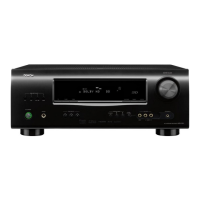
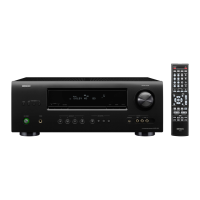
Denon AVR-1311 - User Manual

Denon AVR-1311
64 pages
Print Icon
To Next Page IconTo Next Page
Loading...
AV SURROUND RECEIVER
AVR-1311
Owners Manual
Manuel de l’Utilisateur
Manuale delle istruzioni
Manual del usuario
Kullanım Kılavuzu
Simple
version
Version simpli ée
Versione semplice
Versión sencilla
v
3
Basit versiyon
Basic
version
Version basique
Versione base
Versión básica
v
11
Temel versiyon
Advanced
version
Version avancée
Versione avanzata
Versión avanzada
v
26
Gelişmiş versiyon
Information
“Part names and functions”
(vpage41)
v
40
Informations
“Nomenclature et fonctions“ (vpage41)
Informazioni
“Nomi delle parti e funzioni“ (vpagina 41)
Información
“Nombres y funciones de las piezas“ (vpágina 41)
Bilgi
“Parça isimleri ve fonksiyonları” (vsayfa 41)
v
Book 1
English
Français
Italiano
Español
Türkçe
Book 2
Deutsch
Nederlands
Svenska
Русский
Polski
1.AVR1311E2ENG3rd100617.indd11.AVR1311E2ENG3rd100617.indd1 2010/06/1718:24:042010/06/1718:24:04

Table of Contents

Other manuals for Denon AVR-1311

Questions and Answers

  • C
    Courtney HallAug 19, 2025
    How to fix Denon AVR-1311 Stereo Receiver when power does not turn on?
    • P
      Paul BondAug 19, 2025
      If your Denon Stereo Receiver isn't turning on, ensure the power plug is correctly inserted into the power outlet. Also, the protection circuit might be active. In that case, disconnect the power plug, wait 5 to 10 seconds, and then reinsert it.
  • M
    Mary PorterAug 21, 2025
    Why is there no audio output with HDMI connection on my Denon AVR-1311 Stereo Receiver?
    • J
      Jesus PhamAug 21, 2025
      If your Denon Stereo Receiver displays no audio with an HDMI connection, verify the HDMI connectors are properly connected. To output audio from the speakers, set “Audio Out” on the menu to “Amp”. To output audio from a TV, set “Audio Out” on the menu to “TV”.
  • S
    stephaniesimsAug 23, 2025
    Why is there no audio output from my Denon AVR-1311?
    • J
      jmoranAug 23, 2025
      If no audio is coming from your Denon Stereo Receiver, check the connections for all devices and the speaker connections. Ensure the audio device is powered on and adjust the master volume. Cancel mute mode, select a suitable input source and mode, and disconnect any headphones, as they disable speaker and PRE OUT connector output.
  • J
    Joseph WashingtonAug 26, 2025
    Why is there no sound from surround back speaker on my Denon AVR-1311 Stereo Receiver?
    • K
      Kari StanleyAug 26, 2025
      If your Denon Stereo Receiver is not producing sound from the surround back speaker, set “Speaker Config.” – “S.B(Pre)” on the menu to something other than “None”. Set “Surround Parameter” – “SB CH OUT” on the menu to something other than “OFF”. Ensure the surround mode is set to something other than “STEREO.”
  • X
    xlopezAug 27, 2025
    Why is there no sound from the subwoofer on my Denon AVR-1311 Stereo Receiver?
    • B
      Benjamin ByrdAug 28, 2025
      If your Denon Stereo Receiver is not producing sound from the subwoofer, check the subwoofer connections and ensure the subwoofer is powered on. Set “Speaker Config.” – “SW” on the menu to “Yes”. Note that if “Front” and “Center” are set to “Large” and “Mode” is set to “LFE”, no sound may be output depending on the input signal or surround mode.
  • A
    Angel DouglasAug 30, 2025
    What to do if no video is output with HDMI connection on Denon Stereo Receiver?
    • M
      Margaret MaxwellAug 30, 2025
      If your Denon Stereo Receiver has no video output with an HDMI connection, first check the HDMI connectors. Next, ensure the input source matches the connected HDMI connector. Also, verify that the TV is compatible with copyright protection (HDCP). Incompatible devices may prevent correct video output.
  • T
    tony85Aug 31, 2025
    Why won't my Denon Stereo Receiver respond to the remote control?
    • Z
      zkirkSep 1, 2025
      If your Denon Stereo Receiver isn't responding to the remote control, try these steps: * Replace the batteries with new ones. * Ensure you're within 7 meters and 30° of the unit. * Remove any obstacles. * Check battery direction (+/-). * Shield the unit from strong light sources like direct sunlight or fluorescent lights.
  • D
    Dr. Matthew Edwards VSep 3, 2025
    How to improve reception on Denon Stereo Receiver?
    • M
      Melissa RodriguezSep 3, 2025
      If your Denon Stereo Receiver is not receiving signals well, or there's excessive noise, try adjusting the antenna's orientation or position. Separate the AM loop antenna from the unit and consider using an FM outdoor antenna. Also, keep the antenna away from other connection cables.
  • J
    Jesse GarciaSep 5, 2025
    How to turn on display on Denon AVR-1311?
    • J
      Jason WatsonSep 5, 2025
      If your Denon Stereo Receiver display is off, set “Display” on the menu to something other than “OFF”.
  • D
    Danny DelgadoSep 7, 2025
    What does 'Not Support' mean on my Denon Stereo Receiver?
    • A
      Angela BanksSep 7, 2025
      If your Denon Stereo Receiver displays “Not Support”, it could be due to an incompatible iPod or outdated software. Ensure the connected iPod is compatible and update its software to the latest version.

Summary

Simple Version Setup Guide

Installation Procedure

Guides the physical setup of the unit and speakers for initial use.

Component Connection Guide

Details connecting various audio and video sources to the unit.

Power On and Initial Setup

Instructs on powering on the unit and connected devices correctly.

Speaker Configuration and Setup

Covers speaker size, distance, and level adjustments for optimal sound.

Playback and Volume Control

Provides instructions for playing media and adjusting audio volume.

Basic Version Operations

Basic Connections Guide

Guides on connecting various audio/video devices to the receiver.

Basic Playback Functions

Covers selecting input sources, adjusting volume, and playback.

Surround Mode Selection

How to choose surround sound modes for different audio content.

Advanced Version Features

Speaker Installation and Connection (Other than 5.1-channel)

Describes methods for speakers beyond standard 5.1 channel setups.

Advanced Playback Operations

Details advanced playback features and controls.

Detailed Settings Guide

Guides on configuring various unit settings through menus.

Information Section

Part Names and Functions Overview

Identifies and explains the front and rear panel controls and indicators.

Additional Information

Includes trademark details and explanations of terms.

Troubleshooting Common Issues

Provides solutions for common operational problems and errors.

Technical Specifications

Lists technical details like power output, dimensions, and frequency response.

Denon AVR-1311 Specifications

General IconGeneral
Number of Channels5.1
HDMI Inputs4
HDMI Outputs1
Response Bandwidth10 Hz - 100 kHz
Signal-To-Noise Ratio98 dB
Total Harmonic Distortion0.08%
Input Impedance47 kOhms
Input Sensitivity200 mV
Tuner BandsAM/FM
Preset Station Qty56
HDMI SwitchingYes
3D TechnologyYes
HDMI Pass-ThroughYes
Frequency Response10 Hz - 100 kHz
Power Output75 W per channel (8 ohms, 20 Hz - 20 kHz, THD 0.08%)
Dolby FormatsDolby Digital, Dolby Pro Logic II
DTS FormatsDTS-HD Master Audio
Tuner TypeFM/AM
Speaker Impedance6 - 16 ohms
Weight8.3 kg

Related product manuals