EasyManua.ls Logo

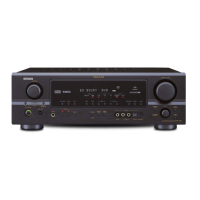
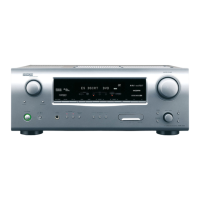
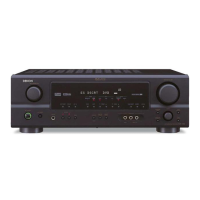
Denon AVR-1907 - Service Manual

Denon AVR-1907
102 pages
Print Icon
To Next Page IconTo Next Page
Loading...
SERVICE MANUAL
MODEL
AVR-1907/787
AV SURROUND RECEIVER
AVC-1630
AV SURROUND AMPLIFIER
For U.S.A., Canada, Europe,
Asia, Taiwan R.O.C., Korea
& Japan model
TOKYO ,JAPAN
X0288 V.02 DE/CDM 0701
Some illustrations using in this service manual are
slightly different from the actual set.
Please use this service manual with referring to the
operating instructions without fail.
For purposes of improvement, specifications and
design are subject to change without notice.
本文中に使用しているイラストは、説明の都合上現物
と多少異なる場合があります。
修理の際は、必ず取扱説明書を参照の上、作業を行っ
てください。
サービスをおこなう前に、このサービスマニュアルを
必ずお読みください。本機は、火災、感電、けがなど
に対する安全性を確保するために、さまざまな配慮を
おこなっており、また法的には「電気用品安全法」に
もとづき、所定の許可を得て製造されております。
従ってサービスをおこなう際は、これらの安全性が維
持されるよう、このサービスマニュアルに記載されて
いる注意事項を必ずお守りください。
本機の仕様は性能改良のため、予告なく変更すること
があります。
補修用性能部品の保有期間は、製造打切後8年です。
注 意
Denon Brand Company, D&M Holdings Inc.
Ver. 2
Please refer to the
MODIFICATION NOTICE.
w
w
w
.
x
i
a
o
y
u
1
6
3
.
c
o
m
Q
Q
3
7
6
3
1
5
1
5
0
9
9
2
8
9
4
2
9
8
T
E
L
1
3
9
4
2
2
9
6
5
1
3
9
9
2
8
9
4
2
9
8
0
5
1
5
1
3
6
7
3
Q
Q
TEL 13942296513 QQ 376315150 892498299
http://www.xiaoyu163.com

Table of Contents

Other manuals for Denon AVR-1907

Questions and Answers

  • S
    scottvanessaAug 19, 2025
    What to do if my Denon AVR-1907 display is on but there's no sound?
    • Q
      qmartinAug 19, 2025
      If your Denon Stereo Receiver's display is lit but you're not getting any sound, there could be several reasons: * Check if the speaker cables are securely connected. * Ensure the FUNCTION knob is in the correct position. * Verify the volume isn't set to the minimum; turn it up. * Make sure MUTING is switched off. * Confirm a digital signal is being input and that you've selected the correct digital signal input source.
  • B
    Brian ByrdAug 21, 2025
    How to fix no sound from the subwoofer connected to my Denon AVR-1907?
    • S
      Steve McneilAug 21, 2025
      If you're not getting any sound from the subwoofer connected to your Denon Stereo Receiver: * Ensure the subwoofer is powered on. * Check that the subwoofer's initial setting is set to “YES”. * Verify the subwoofer's output is properly connected. * Make sure the subwoofer's channel volume level isn't set to “OFF”; turn it up.
  • J
    Jennifer ConradAug 23, 2025
    Why is there no sound coming from the surround speakers of my Denon AVR-1907 Stereo Receiver?
    • H
      Heather MayAug 23, 2025
      If no sound is coming from the surround speakers of your Denon Stereo Receiver, it might be because the surround mode is set to “STEREO”. Try setting it to a mode other than “STEREO”.
  • K
    Kevin MooreAug 26, 2025
    What to do if the display is not lit and no sound is produced when the power switch is on for my Denon AVR-1907?
    • J
      Justin CruzAug 26, 2025
      If the display is not lit and no sound is produced when the power switch is on for your Denon Stereo Receiver, check the insertion of the power supply cord plug.
  • N
    Nicole RamirezAug 27, 2025
    Why is my Denon AVR-1907 Stereo Receiver not responding to the remote control?
    • J
      Jennifer WilliamsAug 28, 2025
      If your Denon Stereo Receiver isn't responding to the remote, consider these possibilities: * The batteries in the remote may be dead; replace them with new ones. * You might be too far from the unit; move closer. * There could be an obstacle blocking the signal; remove it. * Ensure you're pressing the correct button. * Check that the batteries are inserted with the correct polarity.
  • C
    catherinesmithAug 29, 2025
    Why does my Denon Stereo Receiver turn off and the power indicator blinks red?
    • C
      Christopher LongAug 29, 2025
      If your Denon Stereo Receiver's power has turned off and the power indicator is blinking red, it could indicate: * The unit's internal temperature has risen, activating the protection circuit; place the receiver in a well-ventilated area. * The speaker wires are touching each other or the receiver's rear panel, triggering the protection circuit; check all speaker cable connections. * The receiver may be malfunctioning. In this case, turn off the power and contact a DENON customer service center.
  • P
    Paul MasseySep 1, 2025
    What to do if nothing is displayed on the monitor connected to my Denon Stereo Receiver?
    • D
      Douglas SmithSep 1, 2025
      If nothing is displayed on the monitor connected to your Denon Stereo Receiver, check the following: * Ensure the receiver's video output terminals and the monitor's input terminals are correctly connected. * Verify that the monitor’s input setting is set to the terminals to which video signals are connected. * If a player is connected with a component terminal and the TV is connected with a video or S-Video terminal, make the interlace settings on the player.
  • A
    Amanda MartinezSep 3, 2025
    Why am I not getting DTS sound from my Denon AVR-1907?
    • B
      Brooke PayneSep 3, 2025
      If you're not getting DTS sound from your Denon Stereo Receiver, consider these possibilities: * The DVD player’s audio output setting may not be set to bit stream; make the DVD player’s default settings. * The DVD player may not be DTS-compatible; use a DTS-compatible player. * The receiver’s input setting may be set to analog; set it to “AUTO” or “DTS”.
  • A
    Allison KingSep 5, 2025
    Why are no test tones being produced by my Denon AVR-1907 Stereo Receiver?
    • M
      Matthew TapiaSep 5, 2025
      If no test tones are being produced by your Denon Stereo Receiver, it may be because the surround mode is set to a mode other than STANDARD (Dolby/DTS Surround). Set it to STANDARD (Dolby/DTS Surround).
  • L
    lsandersSep 7, 2025
    Why is sound only coming from the center speaker on my Denon AVR-1907 Stereo Receiver?
    • D
      Dominique GarrettSep 7, 2025
      If sound is only coming from the center speaker on your Denon Stereo Receiver, it's likely because you're playing a monaural source (TV, AM radio broadcast, etc.) in the STANDARD (Dolby/DTS Surround) mode. When playing monaural sources, select a surround mode other than STANDARD (Dolby/DTS Surround) mode.

Summary

SAFETY PRECAUTIONS

Leakage Current Check

Check leakage current before returning the unit to the customer.

Servicing and Inspection Precautions

Important points for safe and correct servicing and inspection.

DIMENSION

CAUTION IN SERVICING

Initializing AV SURROUND RECEIVER

Procedure for initializing the AV SURROUND RECEIVER.

AV Surround Amplifier Initialization

Procedure for initializing the AV surround amplifier (Japanese).

ADJUSTMENT

Idling Current Adjustment

Procedure to adjust the idling current for the audio section.

VIDEO Section

Setting Procedure

Initial setup steps for video signal testing and adjustment.

Before Adjustment

Preliminary steps required before performing video signal adjustments.

DVD Player Setup and Confirmation

Setting up and verifying the DVD player for video testing procedures.

Preparation Steps

Preparation steps for video adjustment procedures.

BLOCK DIAGRAM

LEVEL DIAGRAMS (1;2)

LEVEL DIAGRAMS (2;2)

SEMICONDUCTORS

Integrated Circuits (ICs)

Integrated circuits used in the unit.

M30624 FGPFP (IC201)

Pin configuration and function for IC201 M30624FGPFP.

NJW1197 (IC701)

ADSP21266 SKSTZ-1 B (IC804)

LC89057 W (IC807)

Microcontroller ICs

BU2090 F (IC1005,1008)

Pin functions for BU2090F IC.

MM74 LCX244 (IC809-811)

Pin functions for MM74LCX244 IC.

ADAU1328 BSTZ (IC808)

Other Semiconductor ICs

BA7626 (IC1004,1016,1019)

Details of BA7626 IC.

74 LVX157 MTC (IC816)

Details of 74LVX157MTC IC.

Memory and Logic ICs

LH28 F800 BJE (IC805)

Details of LH28F800BJE IC.

SN74 LV573 APWR (IC818,819)

Details of SN74LV573APWR IC.

Interface and Memory ICs

AS7 C34096 A-10 TCN (IC806,817)

Details of AS7C34096A-10TCN IC.

LC74781 (IC1012)

Details of LC74781 IC.

Video Input ICs

ADV7180 BSTZ (IC601)

Details and pin function description of ADV7180BSTZ IC.

Video Output ICs

ADV7172 KSTZ (IC602)

Details of ADV7172KSTZ IC.

FL DISPLAY

Pin Connection

Pin layout and connections for the FL display.

Grid Assignment

Grid assignment for the FL display segments.

FL DISPLAY Timing

Anode Timing Chart

Timing chart for anode signals in the FL display.

Grid Timing Chart

Timing chart for grid signals in the FL display.

PRINTED WIRING BOARDS

MAIN P.W.B. UNIT (1;2)

Component side layout of the main printed wiring board.

PRINTED WIRING BOARDS

MAIN P.W.B. UNIT (2;2)

Foil side layout of the main printed wiring board.

CPU P.W.B. UNIT

CPU P.W.B. UNIT (1;2)

Component side layout of the CPU P.W.B. unit.

CPU P.W.B. UNIT

CPU P.W.B. UNIT (2;2)

Foil side layout of the CPU P.W.B. unit.

ENCODER P.W.B. UNIT

PRE-AMP P.W.B. UNIT (1;2)

PRE-AMP P.W.B. UNIT (2;2)

CNT P.W.B. UNIT

INPUT P.W.B. UNIT

8 CH-EXT (XM) P.W.B. UNIT

8 CH-EXT (E2) P.W.B. UNIT

DSP1 P.W.B. UNIT

C-S VIDEO P.W.B. UNIT

COMPONENT P.W.B. UNIT

D-VIDEO P.W.B. UNIT

NOTE FOR PARTS LIST

PARTS LIST OF P.W.B. UNIT

PARTS LIST (Resistors Group)

PARTS LIST (Capacitors Group)

PARTS LIST (Capacitors Group cont.)

PARTS LIST (Others Parts Group)

CPU;FRONT P.W.B. UNIT ASSY

C-S VIDEO P.W.B. UNIT ASSY

Switches and Connectors

Switches

Various types of tactile and other switches used.

Connectors and Others

Connectors, jacks, and other miscellaneous parts.

CNT P.W.B. UNIT ASSY

ENCODER P.W.B. UNIT ASSY

INPUT P.W.B. UNIT ASSY

COMPONENT P.W.B. UNIT ASSY

Capacitors Group

Other Parts Group

D-VIDEO P.W.B. UNIT ASSY

Capacitors Group

Other Parts Group

PRE-AMP P.W.B. UNIT ASSY

Capacitors Group

Capacitors Group

INPUT P.W.B. UNIT ASSY

Capacitors Group

8 CH-EXT XM P.W.B. UNIT ASSY

Other Parts Group

8 CH-EXT(E2) P.W.B. UNIT ASSY

DSP 1 P.W.B. UNIT ASSY

EXPLODED VIEW

PARTS LIST OF EXPLODED VIEW

DOCUMENTS FOR WEEE

Details of Recycle Parts

List of parts to be removed during recycling processing.

WIRING DIAGRAM

NOTE FOR SCHEMATIC DIAGRAM

SCHEMATIC DIAGRAMS (1;14)

MAIN UNIT

Schematic diagrams for the main unit.

SCHEMATIC DIAGRAMS (2;14)

FRONT UNIT, PRE OUT UNIT, POWER S;W UNIT, FUNCTION S;W UNIT, H;P UNIT, OPTICAL INPUT UNIT, V.AUX UNIT

Schematics for front, pre-out, power, function, H/P, optical, and V.AUX units.

SCHEMATIC DIAGRAMS (3;14)

CPU UNIT

Schematic diagrams for the CPU unit.

SCHEMATIC DIAGRAMS (4;14)

CNT UNIT

Schematic diagrams for the CNT unit.

SCHEMATIC DIAGRAMS (5;14)

PRE-AMP UNIT, SB-AMP & XM POWER UNIT

Schematics for pre-amp and SB-AMP & XM POWER units.

SCHEMATIC DIAGRAMS (6;14)

8 CH_EXT(XM) UNIT

Schematic diagrams for the 8CH_EXT(XM) unit.

SCHEMATIC DIAGRAMS (7;14)

INPUT;VOLUME UNIT

Schematic diagrams for the input/volume unit.

SCHEMATIC DIAGRAMS (8;14)

DSP UNIT (1;2)

Schematic diagrams for the DSP unit (part 1).

SCHEMATIC DIAGRAMS (9;14)

DSP UNIT (2;2)

Schematic diagrams for the DSP unit (part 2).

SCHEMATIC DIAGRAMS (10;14)

C-VIDEO UNIT

Schematic diagrams for the C-VIDEO unit.

SCHEMATIC DIAGRAMS (11;14)

S VIDEO UNIT

Schematic diagrams for the S VIDEO unit.

SCHEMATIC DIAGRAMS (12;14)

COMPO UNIT

Schematic diagrams for the COMPO unit.

SCHEMATIC DIAGRAMS (13;14)

D-VIDEO UNIT

Schematic diagrams for the D-VIDEO unit.

SCHEMATIC DIAGRAMS (14;14)

8 CH_EXT(E2) UNIT

Schematic diagrams for the 8CH_EXT(E2) unit.

EXPLODED VIEW

Recycle Parts for Main Transformer

Recycle Parts for Sub Transformer

Denon AVR-1907 Specifications

General IconGeneral
Speakers connectivity type-
EqualizerYes
Product colorBlack
Audio decodersDTS, DTS 96/24, DTS-ES (Discrete 6.1), DTS-ES (Matrix 6.1), Dolby Digital, Dolby Digital EX, Dolby Pro Logic IIx
Apple docking compatibilityiPod
Receiver typeSurround
Audio output channels7.1 channels
Power output per channel (1KHz@6 Ohm)120 W
Power output per channel (20-20KHz@8 Ohm)85 W
Wi-FiNo

Related product manuals