EasyManua.ls Logo

Denon AVR-1506 - User Manual

Denon AVR-1506
53 pages
Print Icon
To Next Page IconTo Next Page
Loading...
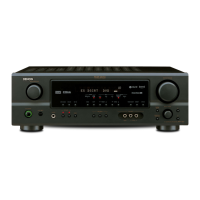
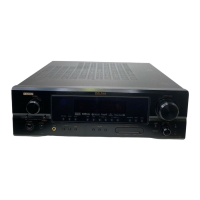
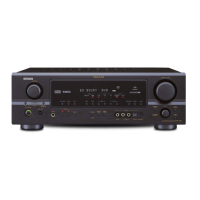
AV SURROUND RECEIVER
AVR-1506
OPERATING INSTRUCTIONS
MODE D’EMPLOI

Table of Contents

Other manuals for Denon AVR-1506

Questions and Answers

  • J
    Jennifer ReyesAug 17, 2025
    What to do if my Denon AVR-1506 display is lit but there's no sound?
    • S
      Sean GonzalezAug 17, 2025
      If the Denon Stereo Receiver display is lit but no sound is produced, several factors could be at play. First, ensure that the speaker cables are securely connected. Next, verify that the INPUT SELECTOR knob is set correctly. Also, check that the volume control isn't set to the minimum. Another potential issue is that MUTING may be activated, so switch it off. Finally, if you've selected a digital input, make sure digital signals are actually being input or select the correct input terminals.
  • E
    Eric WilsonAug 20, 2025
    How to fix a Denon Stereo Receiver when the display is off and there's no sound?
    • R
      rachael74Aug 20, 2025
      If you're experiencing a situation where the display isn't lit and no sound is coming from your Denon Stereo Receiver when the POWER switch is on, the issue might stem from the power supply cord not being securely plugged in. Check the insertion of the power supply cord plug. If that's not the issue, try turning on the power with the remote control after turning the POWER switch on.
  • T
    Timothy TurnerAug 22, 2025
    Why is my Denon AVR-1506 Stereo Receiver display lit but no sound is produced?
    • E
      Elizabeth JohnsonAug 22, 2025
      There are several possible reasons: * The speaker cables might not be securely connected, so ensure they are. * The INPUT SELECTOR knob could be improperly set; adjust it to a suitable position. * The volume control might be set to minimum; increase the volume to a suitable level. * MUTING may be activated; switch it off. * If you've selected digital input, ensure digital signals are being input, or select the correct input terminals.
  • J
    Jennifer RichardsonAug 26, 2025
    How to fix a Denon AVR-1506 Stereo Receiver when the display is not lit and no sound is produced?
    • C
      Connie StewartAug 26, 2025
      First, ensure the power supply cord is securely plugged in. If that doesn't work, turn the POWER switch on and then use the remote control to turn the power on.
  • W
    williamsmarissaAug 28, 2025
    Why is the display not lit and the power indicator flashing rapidly on my Denon Stereo Receiver?
    • E
      eric62Aug 28, 2025
      If the display of your Denon Stereo Receiver isn't lit and the power indicator is flashing rapidly, it might be due to a short circuit in the speaker terminals. To resolve this, switch off the power, properly connect the speakers, and then switch the power back on. Another possibility is that the ventilation holes are blocked, or the unit is operating at continuous high power with inadequate ventilation. In this case, turn off the power, ensure proper ventilation and allow the unit to cool down before turning it back on.
  • J
    jenniferpetersonAug 30, 2025
    What to do if sound is only produced from one channel on my Denon AVR-1506 Stereo Receiver?
    • I
      Isaiah HendrixAug 30, 2025
      If the sound is only coming from one channel on your Denon Stereo Receiver, it's likely due to an incomplete connection of either the speaker cables or the input/output cables. Ensure that all connections are securely in place.
  • B
    bmorenoSep 3, 2025
    Why are the positions of instruments reversed during stereo playback on my Denon AVR-1506 Stereo Receiver?
    • P
      Phillip MoranSep 3, 2025
      If you notice that the positions of instruments are reversed during stereo playback on your Denon Stereo Receiver, it's probably due to reversed connections of the left and right speakers or the left and right input/output cables. Double-check all left and right connections to ensure they are correct.
  • C
    Claire NunezSep 5, 2025
    How to stop howling noise when volume is high on Denon AVR-1506 Stereo Receiver?
    • I
      Ian SmithSep 5, 2025
      If you're getting a howling noise when the volume is high on your Denon Stereo Receiver, it could be because the speaker systems are too close together. Try separating them as much as possible. Alternatively, if the floor is unstable and vibrates easily, use cushions to absorb speaker vibrations transmitted by the floor.
  • H
    Hayden BaileySep 8, 2025
    What to do if the display is not lit and the power indicator is flashing rapidly on my Denon AVR-1506 Stereo Receiver?
    • N
      nrichardsonSep 8, 2025
      This usually indicates a problem that requires immediate attention. The issue could be: 1. Speaker terminals are short-circuited: Switch the power off, connect the speakers properly, and then switch the power back on. 2. The ventilation holes are blocked: Turn off the power, ventilate well, and allow the unit to cool down before turning it back on. 3. The unit is operating at continuous high power with inadequate ventilation: Turn off the power, ventilate well, and allow it to cool before turning it back on.
  • J
    Jeffrey MccallSep 12, 2025
    Why is sound only produced from one channel on my Denon AVR-1506?
    • S
      Sarah BrownSep 12, 2025
      This issue typically arises from incomplete connections. Check that both the speaker cables and the input/output cables are securely connected.

Summary

Safety Precautions

Caution: Risk of Electric Shock

Warning about opening the unit and referring servicing to qualified personnel.

Warning: Reduce Risk of Fire or Electric Shock

Appliance must not be exposed to rain or moisture.

System Setup

Speaker Configuration

Set up speaker types and sizes for optimal signal output and frequency response.

Setting the Delay Time

Measure distances and set delay times for optimal surround playback.

Setting the Test Tone

Adjust channel levels using test tones for balanced playback.

Delay Time

Set speaker delay based on listening position for optimal surround.

Setting the Speaker Configuration

Configure speaker types (Front, Center, Surround, Surround Back) and subwoofer presence.

Setting Subwoofer Mode and Crossover Frequency

Choose subwoofer mode and set crossover frequency for bass response.

Adjusting Test Tone Levels

Guide to adjusting channel levels using auto/manual modes and remote.

Subwoofer Mode and Crossover Frequency

Select subwoofer mode and crossover frequency for optimal bass response.

Test Tone

Adjust channel levels using test tones for balanced playback.

Getting Started

Part Names and Functions

Identifies front panel controls and their functions with page references.

Easy Operation

Remote Control Unit Overview

Diagram and details of the remote control unit's buttons and functions.

Turning On the Power

Steps to power on the unit and connect speakers.

Speaker System Layout

Illustrates basic connection of speakers for surround sound.

Playing the Input Source

How to select input source, surround mode, and adjust volume.

Easy Operation

Speaker Connections

How to connect speakers, including polarity and impedance considerations.

Connecting DVD Player and Monitor TV

Diagrams and instructions for video and audio connections.

System Setup

Basic Operation

Playing Audio Sources (CDs and DVDs)

Using 2-channel playback modes like DIRECT and STEREO.

Basic Operation

Dolby Pro Logic IIx (Pro Logic II) Mode

How to set up and select Dolby Pro Logic IIx modes.

Surround Parameters 1

Details on Cinema, Music, Pro Logic, Game modes and their parameters.

DTS NEO:6 Mode Operation

How to select and adjust DTS NEO:6 surround modes and parameters.

Surround Parameters 2

Details on DTS NEO:6 Cinema and Music modes and their parameters.

Surround Parameters 3

Explains Cinema EQ, Dynamic Range Compression, and LFE settings.

DENON Original Surround Modes

Overview of 7 preset surround modes and their features.

Channel Level Adjustment

Adjusting individual speaker channel levels.

Dolby Digital and DTS Surround Playback

How to set input mode and select Dolby/DTS modes for digital sources.

Dolby Digital and DTS Surround Parameters

Settings for D.COMP, LFE, Tone Defeat, Surround Back, and Default.

Surround Back Channel (SB CH OUT) Settings

Options for using surround back speakers (OFF, NON MTRX, MTRX ON, etc.).

Advanced Operation

Troubleshooting

Troubleshooting Guide

Table of common symptoms, causes, and measures.

Additional Information

Additional Information

Additional Information

DTS-ES Extended Surround Formats

Explains DTS-ES Discrete 6.1 and Matrix 6.1 formats.

DTS Neo:6 Surround Modes

Details on DTS Neo:6 Cinema and Music modes.

DTS Digital Surround Explained

Overview of DTS digital surround formats and their features.

Specifications

Audio Section Specifications

Details power output, input sensitivity, and frequency response for audio.

Denon AVR-1506 Specifications

General IconGeneral
Channels7.1
Total Harmonic Distortion (THD)0.08%
Frequency Response10 Hz - 100 kHz (+1, -3 dB)
Signal-to-Noise Ratio98 dB
Input Impedance47 kOhms
Input Sensitivity200 mV
Tuner BandsAM/FM
Audio D/A Converter24-bit/192 kHz
HDMI SwitchingNo
Power Output (per channel)75W (8 ohms, 20Hz-20kHz, 0.08% THD)
Tuning RangeFM: 87.5 - 108 MHz
Surround Sound EffectsDolby Digital, DTS
Dimensions (W x H x D)17.1 x 5.9 x 15.4 inches

Related product manuals