EasyManua.ls Logo

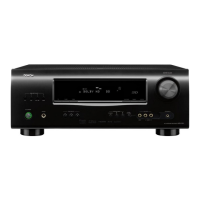
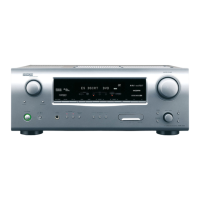
Denon AVR-1312 - User Manual

Denon AVR-1312
66 pages
Print Icon
To Next Page IconTo Next Page
Loading...
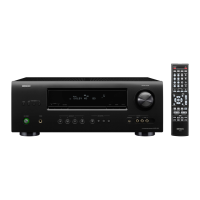
AV SURROUND RECEIVER
AVR-1312
Owners Manual
Basic version
Advanced version
Information

Table of Contents

Other manuals for Denon AVR-1312

Questions and Answers

  • R
    Roger SmithSep 12, 2025
    What to do if no video is output with HDMI connection on Denon AVR-1312?
    • V
      Vanessa MillerSep 12, 2025
      If you're not getting video output via HDMI on your Denon Stereo Receiver, start by checking the HDMI cable connections. Make sure the input source is correctly set to match the HDMI connector you're using. Also, verify that your TV is compatible with HDCP (High-bandwidth Digital Content Protection). If the connected device isn't HDCP-compliant, the video output may not work correctly.
  • M
    morenoanthonyAug 25, 2025
    What to do if my Denon AVR-1312 display is off?
    • J
      John WaltonAug 25, 2025
      If the display on your Denon Stereo Receiver is off, set “Display” on the menu to something other than “OFF”.
  • E
    elizabeth66Aug 25, 2025
    Why is there no sound from the surround speaker of my Denon AVR-1312 Stereo Receiver?
    • K
      Kelly Sutton MDAug 26, 2025
      If there is no sound coming from the surround speakers of your Denon Stereo Receiver, ensure that the surround speakers are connected to the SURROUND terminals.
  • J
    John McguireSep 23, 2025
    Why is Dolby TrueHD, DTS- HD, Dolby Digital Plus audio not outputting on my Denon AVR-1312 Stereo Receiver?
    • E
      Emily LeeSep 23, 2025
      If Dolby TrueHD, DTS-HD, or Dolby Digital Plus audio isn't outputting on your Denon Stereo Receiver, ensure you are using HDMI connections.
  • J
    Jennifer KingSep 13, 2025
    What does it mean when the power indicator is blinking red on my Denon Stereo Receiver?
    • T
      Taylor CollinsSep 13, 2025
      If the power indicator on your Denon Stereo Receiver is blinking red, it could indicate a few issues. The unit's internal temperature might be too high, so turn it off and let it cool down before turning it back on. Ensure the unit has good ventilation. Also, check that you're using speakers with the correct impedance. Finally, a shorted speaker cable can cause this; check the speaker cables, twist the core wires firmly, and reconnect them to the speaker terminals.
  • C
    Cheryl DeleonSep 18, 2025
    What to do if power indicator is blinking red after turning on Denon AVR-1312?
    • F
      fhermanSep 18, 2025
      If the power indicator is blinking red after turning on your Denon Stereo Receiver, it indicates a failure in the unit's amplifier circuit. Turn off the power and contact a DENON service advisor.
  • G
    Gerald VasquezSep 6, 2025
    What does 'Not Support' message mean on my Denon Stereo Receiver when using iPod?
    • J
      James JacksonSep 6, 2025
      If the 'Not Support' message is displayed on your Denon Stereo Receiver when connecting an iPod, it could be due to: * Incompatible iPod: Ensure the iPod you are connecting is compatible with the unit. * Outdated software: Update the iPod's software to the latest version.
  • V
    Victoria StuartSep 6, 2025
    What to do if the Denon AVR-1312 cannot be operated with the remote control?
    • J
      Jennifer TorresSep 7, 2025
      If your Denon Stereo Receiver isn't responding to the remote control: * Replace the batteries with new ones. * Ensure you're within 7 meters and within a 30° angle of the unit. * Remove any obstacles between the unit and the remote. * Verify the batteries are inserted correctly, matching the polarity marks. * Move the unit away from strong light sources like direct sunlight or inverter-type fluorescent lights.
  • D
    danaadamsSep 23, 2025
    Why can't I select Dolby PLg mode or DTS NEO:6 mode on my Denon AVR-1312 Stereo Receiver?
    • B
      Benjamin WigginsSep 23, 2025
      If you cannot select Dolby PLg mode or DTS NEO:6 mode on your Denon Stereo Receiver, check that “Speaker Config.” – “Center” or “Surround” is set to something other than “None”. If the speaker system is 2.0/2.1ch, this surround mode cannot be selected. Also, when headphones are used, Dolby PLg or DTS NEO:6 cannot be selected.
  • J
    Janet VasquezAug 30, 2025
    Why is there no sound from the subwoofer on my Denon AVR-1312 Stereo Receiver?
    • A
      Angelica KingAug 30, 2025
      If your Denon Stereo Receiver isn't producing sound from the subwoofer, check the subwoofer connections and ensure the subwoofer is powered on. In the receiver's menu, set “Speaker Config.” – “Subwoofer” to “Yes”. Note that if “Front” and “Center” for “Speaker Config.” are set to “Large”, and “SW Mode” is set to “LFE”, no sound may be output from the subwoofers, depending on the input signal or selected surround mode.

Summary

IMPORTANT SAFETY INSTRUCTIONS

CAUTION

Important warnings for safe operation and to prevent damage to the unit.

DECLARATION OF CONFORMITY

Statement of compliance with EU directives and standards for product safety.

A NOTE ABOUT RECYCLING

Information on proper disposal of packaging and the unit.

NOTES ON USE

CAUTIONS ON INSTALLATION

Guidelines for safe and effective installation to ensure proper heat dissipation and operation.

Features

Cautions on handling

Precautions for safe handling, power, condensation, mobile phone interference, and moving the unit.

Basic version

Connections

Explains how to connect various audio and video devices to the unit.

Playback (Basic operation)

Covers basic playback functions like selecting sources and adjusting volume.

Selecting a listening mode (Surround mode)

Guide to choosing different surround sound modes for an immersive audio experience.

Advanced version

Speaker installation;connection (Advanced connection)

Advanced methods for speaker setup and connection for optimal surround sound.

Playback (Advanced operation)

Advanced playback features and operations beyond basic functions.

How to make detailed settings

Comprehensive guide to configuring various settings via the menu system.

Other settings

Advanced configurations like video signal format switching.

Information

Part names and functions

Identification and explanation of front and rear panel controls and indicators.

Troubleshooting

Solutions for common problems and operational issues encountered with the unit.

Specifications

Technical details and performance characteristics of the AV receiver.

Denon AVR-1312 Specifications

General IconGeneral
Number of Channels5.1
HDMI Inputs4
HDMI Outputs1
Amplification TypeDiscrete
Input Sensitivity200 mV
Frequency Response10 Hz - 100 kHz (+1, -3 dB)
Signal-To-Noise Ratio98 dB
Digital Optical Inputs2
Coaxial Digital Input1
Analog Audio Inputs4
Headphone JackYes
Tuner Presets56
Dimensions (W x H x D)434 x 151 x 319 mm
Amplifier TypeDiscrete
Tuner TypeAM/FM
Preset Stations56
Remote ControlYes
Dolby TechnologiesDolby Digital Plus, Dolby Pro Logic II, Dolby TrueHD
DTS TechnologiesDTS-HD Master Audio
Output Power / Channel75 W (8 Ohms, 20 Hz - 20 kHz, 2 channels driven, THD 0.08%)
Input Impedance47 kOhms
Audio Inputs2 Optical, 1 Coaxial, 4 Analog
Power Output75W per channel (8 ohms, 20Hz-20kHz, 0.08% THD)

Related product manuals